


TL;DR
- Every published “SAP transaction codes” reference we checked, including the one page currently driving 63% of Panaya’s entire US traffic, lists business-process transactions: creating a sales order, posting an invoice, changing a material master. None of them cover the codes a technical tester or automation engineer actually needs.
- This reference covers both, the technical layer testers need that nobody else publishes, and a curated set of the business-process transactions testers execute most often, organized by module rather than as one long undifferentiated list.
- The technical layer: eCATT for automated functional testing, the Code Inspector for custom code checks, job monitoring for background jobs with no screen, dump analysis, transport management, authorization-check debugging, and direct table verification.
- One code we considered including, the Test Workbench transaction STWB_2, didn’t clear our own verification bar against a reliable SAP-owned source in the time available, so it’s left out rather than guessed at.
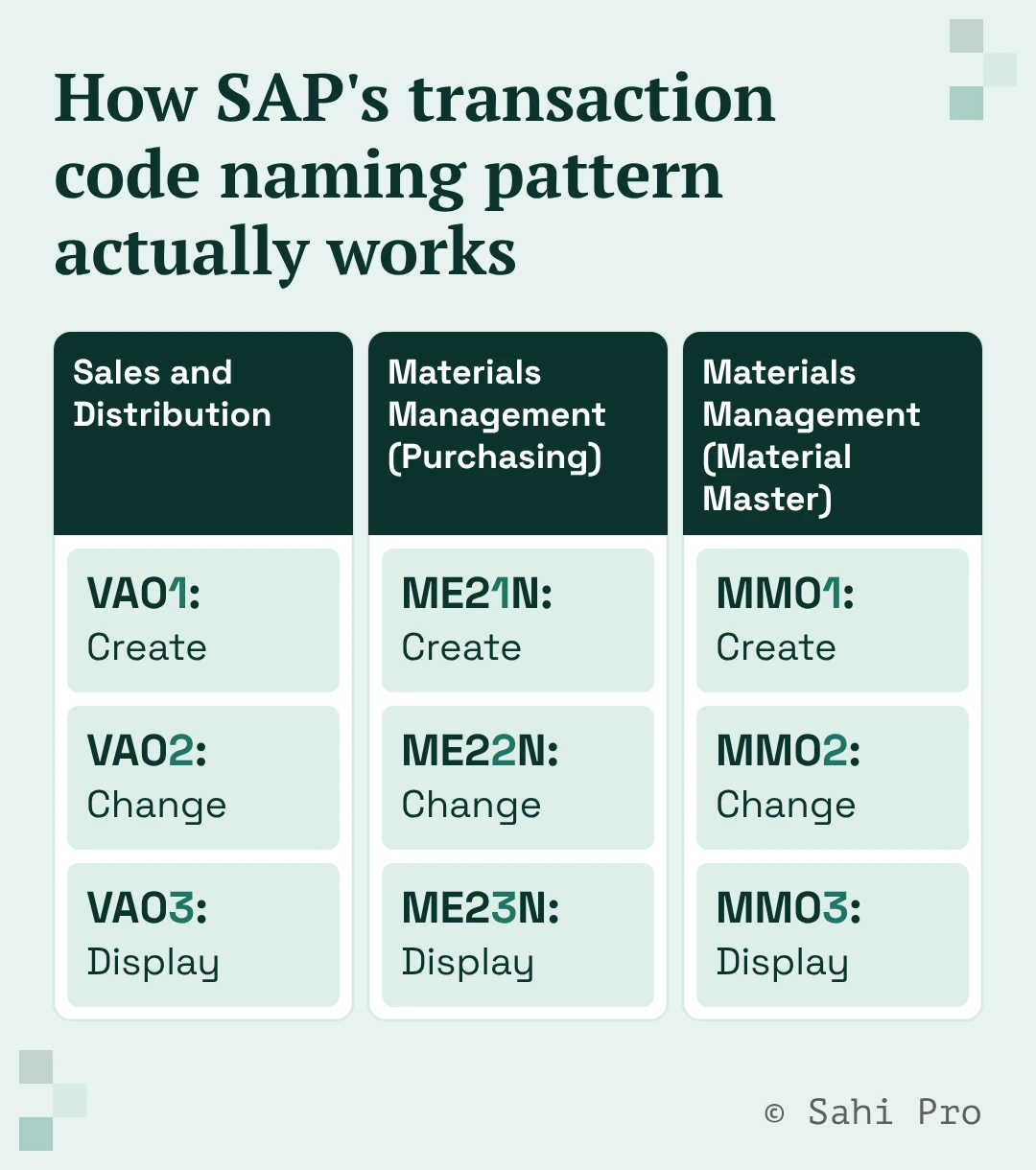
- SAP’s own numbering pattern is visible directly in the codes below: 01 consistently means create, 02 means change, 03 means display, across completely different modules.
A transaction code (T-code) is the shortcut SAP users type to jump straight to a specific screen or function instead of navigating a menu tree. Every SAP reference on the internet lists these from a business user’s point of view, what code creates a sales order, what code posts an invoice.
A tester needs a different list. Testing a business process means executing those same business transactions, but it also means monitoring the background job that ran overnight, reading the dump when something crashed mid-test, checking a transport before it lands in a test system, and figuring out why a test user got an authorization error. None of the general-purpose T-code lists cover that second half. This reference does.
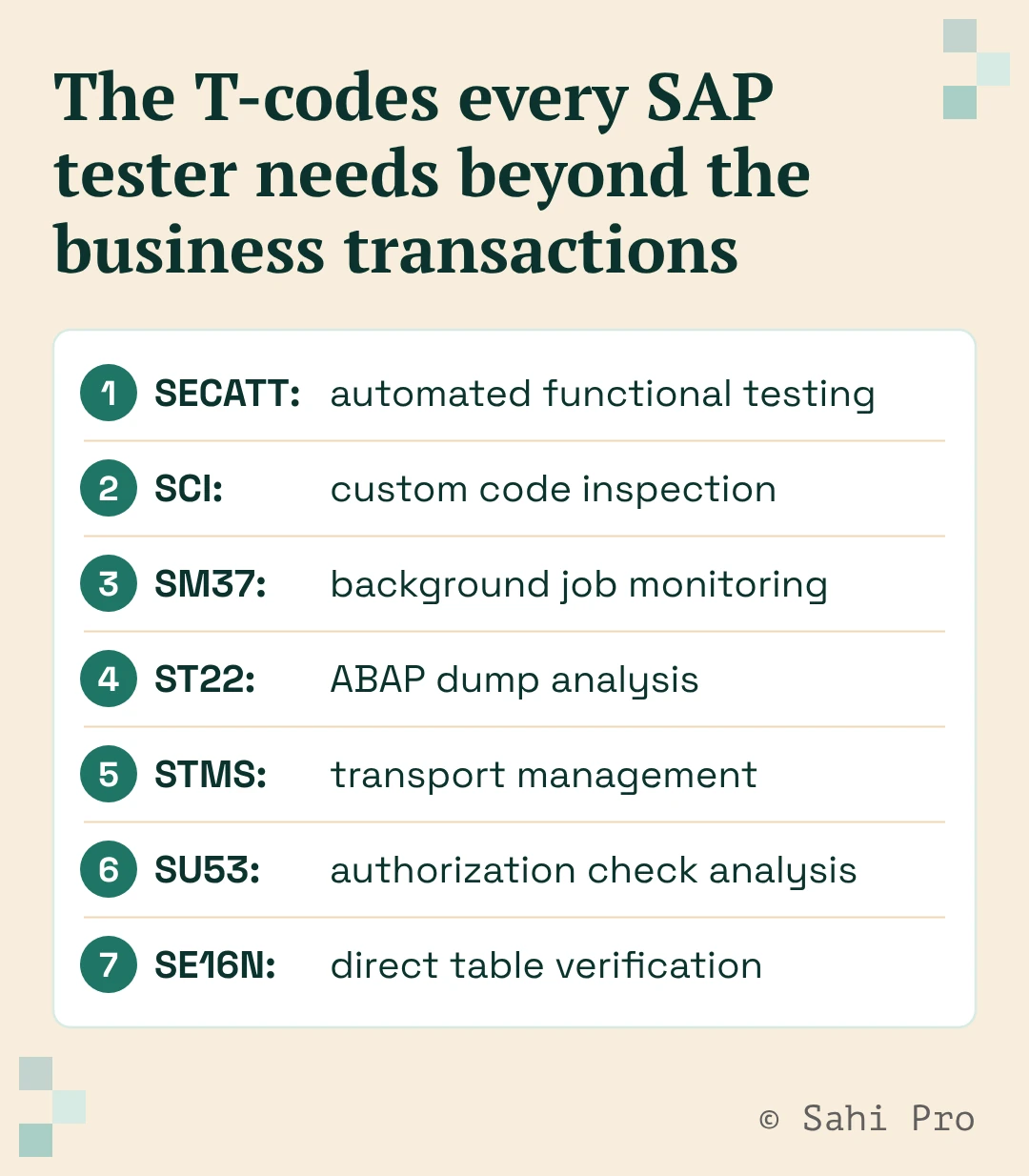
The T-codes every SAP tester needs beyond the business transactions
This is the layer missing from every general T-code reference, the codes that matter specifically because you’re testing the system, not just using it.
| Code | Name | What it does | Why a tester needs it |
|---|---|---|---|
| SECATT | eCATT (Extended Computer Aided Test Tool) | SAP’s own tool “to create and execute functional tests for software,” aimed at “the automatic testing of SAP business processes,” running against SAP GUI for Windows and Java and logging every test run in detail. | It’s SAP’s native answer to automated functional testing, worth knowing before evaluating anything third-party. |
| SCI | Code Inspector | Runs “all of ABAP’s checking tools at one time” against custom code, letting a tester or quality manager define reusable inspections and “track your errors over time.” | Flags custom-code problems before they reach a test cycle instead of surfacing as a defect later. |
| SM37 | Job Overview | The “list-oriented monitor” that gives “full control over background processing,” including job status, job logs, and debugging and error-analysis tools. | Batch and background jobs have no screen to click through, so this is the actual test point for anything that runs on a schedule. |
| ST22 | ABAP Dump Analysis | Used to “overview and analyze the dump files created by the system” and retain termination messages for longer review. | The first place to check when a test run fails with no obvious cause on screen. |
| STMS | Transport Management System | Used to “organize, carry out and monitor transports between SAP Systems,” including displaying import queues and importing requests by project or individually. | Confirms what actually landed in the test system before you test it, and what’s still queued. |
| SU53 | Authorization Check Analysis | Used to “analyze an access-denied error” immediately after it happens, showing “the authorization object that was just tested and the authorizations, if any, that you possess for that object.” | Separates a real defect from a test user missing the right role, which is one of the most common false failures in SAP testing. |
| SE16N | Table display (Data Browser) | SAP’s Data Browser is used “to access table entries without using an ABAP program,” letting you display and, if authorized, verify records directly. | Lets a tester confirm what actually landed in the database, not just what a transaction reported back on screen. |
Core business-process T-codes, by module
These are the transactions a functional or UAT tester actually executes when running a test scenario, organized by the module they belong to rather than as one flat list. This isn’t every code in SAP, it’s the ones that come up constantly across Sales, Materials Management, and Financial Accounting test scenarios.
Sales and Distribution
| Code | Name |
|---|---|
| VA01 | Create Sales Order |
| VA02 | Change Sales Order |
| VA03 | Display Sales Order |
| VF01 | Create Billing Document |
Materials Management
| Code | Name |
|---|---|
| ME21N | Create Purchase Order |
| ME22N | Change Purchase Order |
| ME23N | Display Purchase Order |
| MIGO | Goods Movement |
Financial Accounting
| Code | Name |
|---|---|
| FB60 | Enter Incoming Invoices |
| FB02 | Change Document |
| FBL3N | G/L Account Line Items |
| FBL1N | Vendor Line Items |
How SAP’s transaction code naming pattern actually works
Look at the codes above and a pattern is already visible: the number at the end tracks the action, 01 for create, 02 for change, 03 for display, and it holds across completely different modules. VA01 creates a sales order, VA02 changes one, VA03 displays one. ME21N creates a purchase order, ME22N changes one, ME23N displays one. Once that pattern registers, a new code becomes easier to guess correctly instead of needing to be looked up cold.
The letter prefixes track more loosely to the module a code belongs to, VA and VF for Sales and Distribution transactions, ME and MIGO-style codes for Materials Management, FB and FBL for Financial Accounting, but that pattern is looser and worth verifying per code rather than assumed universally.
Where Sahi Pro fits into this
Every code on this page is something a human tester currently has to remember, type, or click through by hand, and that’s exactly the manual overhead that scales badly as a test suite grows. Sahi Pro’s proprietary engine, not a Selenium or Appium wrapper, identifies elements by relationship and context rather than fixed screen position. And runs a single test flow across SAP GUI, Fiori, desktop, mobile, and API in one script. That means the same automated flow can execute a business transaction, then check the background job it triggered, without a tester manually switching between VA01 and SM37 by hand.
Sahi Pro customers report a 90% reduction in regression man-hours and an 80% reduction in test maintenance compared to conventional tools, figures from Sahi Pro’s 1,000-plus enterprise customer base as a whole, not a claim specific to T-code-level testing.
Ready to stop manually chaining transaction codes together for every test scenario? Book a demo and bring the process that currently takes the most manual T-code hopping to test.
Sources
- SAP Help: eCATT (Extended Computer Aided Test Tool) (definition and function, quoted directly, previously verified for row 8)
- SAP Help: Code Inspector (function and transaction code SCI, quoted directly)
- SAP Help: Background Processing Concepts and Features (SM37 job monitoring, quoted directly)
- SAP Blog: SAP GUI Transaction Code ST22 (dump analysis function, quoted directly)
- SAP Help: Transport Management System (STMS function and transaction code, quoted directly)
- SAP Help: Analyzing Authorization Checks (SU53 function, quoted directly)
- SAP Help: The Data Browser (Data Browser function, quoted directly)
- Hicron: How to use SAP SE16N tables (pairs the SE16N transaction code specifically to the Data Browser function, attributed to this named source, not stated as an SAP-owned citation)
- Panaya: SAP Transaction Codes: The Ultimate Testing Checklist (source for the 12 business-process code/description pairings reused above, attributed to Panaya’s own published reference, and for the competitive coverage assessment: this single page drives 469 of Panaya’s 749 total US visits)
- Sahi Pro proof points: internal, per Sahi Pro brand and positioning documentation (90% regression savings, 80% maintenance reduction, company-wide figures)