
TL;DR
- What this is: OCR-based canvas PLM element identification, no DOM needed
- Who it affects: QA engineers at PLM companies using Windchill, Teamcenter, ENOVIA
- The core problem: Canvas PLM grids have zero DOM nodes
- Cost of not solving it: 30 to 40% of PLM interfaces stay manual
- What Sahi Pro does differently: AI Assist OCR reads visible text from canvas cells
- Proof: AI Assist confirmed automating CATIA, Creo, Windchill, DELMIA UIs
Canvas attribute grids in Windchill, Teamcenter, and ENOVIA render data inside HTML5 canvas or WebGL layers, and if your AI testing tools keep returning null on those elements, the problem is the rendering layer, not your locator strategy. Left unresolved, 30 to 40% of PLM interface elements stay permanently manual, creating a growing coverage gap that compounds with every release cycle. This article covers how Sahi Pro’s AI Assist OCR mode identifies visible text inside canvas and WebGL cells on Windchill, Teamcenter, and ENOVIA, and how to configure a test that reads attribute grids without any DOM access. Sahi Pro handles this through AI Assist OCR, which captures screen regions and applies optical character recognition to read text rendered inside canvas elements that no DOM-based selector can reach.
What Is OCR-Based PLM Test Automation?
“OCR-based identification of canvas PLM elements without DOM access” is the core capability at stake here. Windchill, Teamcenter, and ENOVIA all use canvas-rendered grids to display part attributes, BOM metadata, and revision histories in ways that produce zero inspectable DOM child nodes. For QA Automation Engineer teams, that means every attribute value visible on screen is invisible to standard WebDriver queries, and PLM test automation scripts that work on regular HTML tables will fail silently on these grids. AI testing tools that rely solely on DOM inspection cannot reach this layer, regardless of how sophisticated their selector engine is. The table below shows where this matters most for Windchill, Teamcenter, and ENOVIA teams.
Why Canvas Attribute Grids with No DOM Nodes Breaks Standard Automation
Canvas elements in PLM interfaces render all content, including text, cell borders, and scroll positions, as pixel data on a single HTML5 canvas tag. There are no DOM child nodes. No div, no span, no table cell. WebDriver’s findElement method returns null because there is nothing in the DOM tree to find. Standard AI testing tools that depend on CSS selectors, XPath, or even accessibility attributes hit a hard wall here. The canvas tag itself is locatable, but every piece of data painted inside it is not.
Windchill, Teamcenter, and ENOVIA each make this problem worse through specific architectural choices. Teamcenter Active Workspace renders attribute grids inside canvas for performance reasons, handling thousands of BOM rows without creating thousands of DOM nodes. ENOVIA 3DEXPERIENCE uses WebGL for 3D visualization panels and canvas for associated metadata tables. Windchill’s newer web clients render revision comparison grids the same way. These are deliberate design decisions for PLM UI test automation, not bugs. The platforms chose rendering performance over DOM accessibility, and QA teams inherit the consequence.
The business cost is direct and measurable. Across PLM verticals, 30 to 40 percent of PLM interface elements in Teamcenter and Windchill are canvas-rendered or Java-painted and inaccessible to standard DOM-based automation tools (Sahi Pro PLM Course Book, Module 8). That means automated UI testing coverage plateaus well below full regression scope. Every release ships with a manual testing backlog on the exact interfaces where data accuracy matters most: part attributes, revision metadata, and approval status fields.
Why Standard Test Automation Tools Hit a Ceiling on Windchill, Teamcenter, and ENOVIA
Standard web automation tools are excellent at what they were designed for. They handle HTML form validation, link navigation, dropdown interaction, and table parsing with precision. For Windchill, Teamcenter, and ENOVIA web portals that render content in standard HTML, these tools deliver reliable AI test automation coverage. The ceiling appears when the PLM application renders data inside a canvas element. The tool can locate the canvas tag, but it cannot read any text, click any cell, or assert any value inside it. This is not a failure of the tool. It is a scope boundary. The tool was built for DOM interaction, and canvas content exists outside the DOM.
Enterprise model-based and codeless tools face a different version of the same constraint. Many offer visual test builders and AI-assisted element identification, but their OCR capabilities are typically tuned for general web content, not for the dense, small-font, multi-column grids common in PLM test automation interfaces. On-premise deployment is another gap. PLM environments in aerospace, defense, and automotive often cannot route test execution through cloud infrastructure, and several enterprise tools assume cloud-hosted execution as the default. The gap is a design scope problem, and Windchill, Teamcenter, and ENOVIA’s canvas attribute grids with no DOM nodes requires a tool built for this specific layer.
How to Configure Sahi Pro AI Assist for Canvas PLM Grids
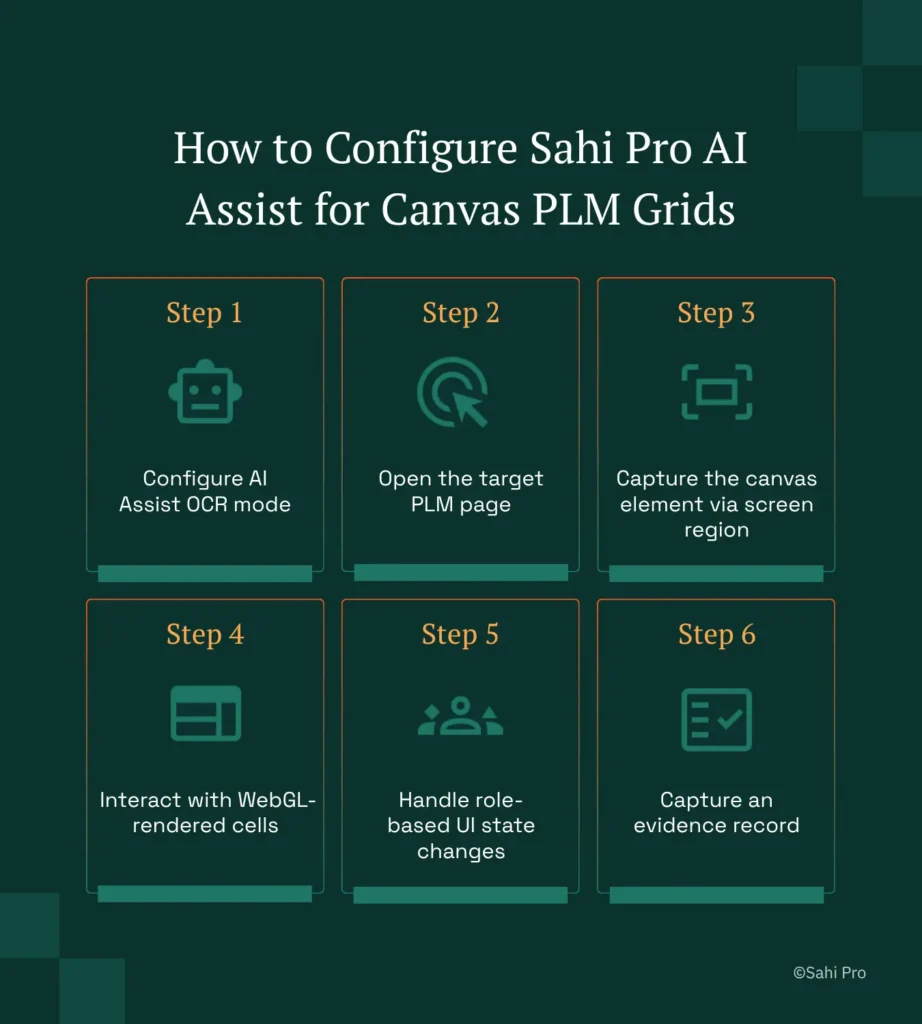
Step 1: Configure AI Assist OCR mode. Open the Sahi Pro dashboard and enable the AI Assist add-on. Set the recognition mode to OCR. This tells Sahi Pro to capture screen regions and apply optical character recognition rather than attempting DOM-based element identification. AI testing tools that skip this configuration step will default to DOM selectors and fail on canvas grids.
Step 2: Open the target PLM page. Point your browser session at the Windchill, Teamcenter, or ENOVIA page containing the canvas attribute grid. Sahi Pro’s browser session management handles authentication and navigation the same way it does for standard web pages.
Step 3: Capture the canvas element via screen region. Use Sahi Pro’s image capture mode to define the screen region containing the canvas grid. The tool captures a screenshot of the region and runs OCR to extract all visible text. This is where PLM test automation diverges from standard web testing, because the identification happens at the pixel level, not the DOM level.
Step 4: Interact with WebGL-rendered cells. Once OCR has identified the text in each cell, Sahi Pro maps click coordinates to the recognized text positions. You script interactions by referencing the visible text value, not a DOM selector. If a cell reads “Rev C,” your script references “Rev C” directly.
Step 5: Handle role-based UI state changes. PLM interfaces often display different attribute sets depending on the logged-in user’s role. Configure your test data to include role-specific credentials, and add assertions for the expected attribute set per role. Sahi Pro re-runs OCR after each state change, so new text rendered into the canvas is captured fresh.
Step 6: Capture an evidence record. After assertions pass, Sahi Pro generates an HTML report with screenshots, OCR-extracted values, and pass/fail status. This evidence record is stored locally for compliance traceability. The most common break point teams expect is that OCR will misread dense grid text after a UI theme change, and Sahi Pro’s approach prevents it by re-capturing the screen region at assertion time rather than relying on a cached element map.
How Sahi Pro Handles Canvas Attribute Grids with No DOM Nodes
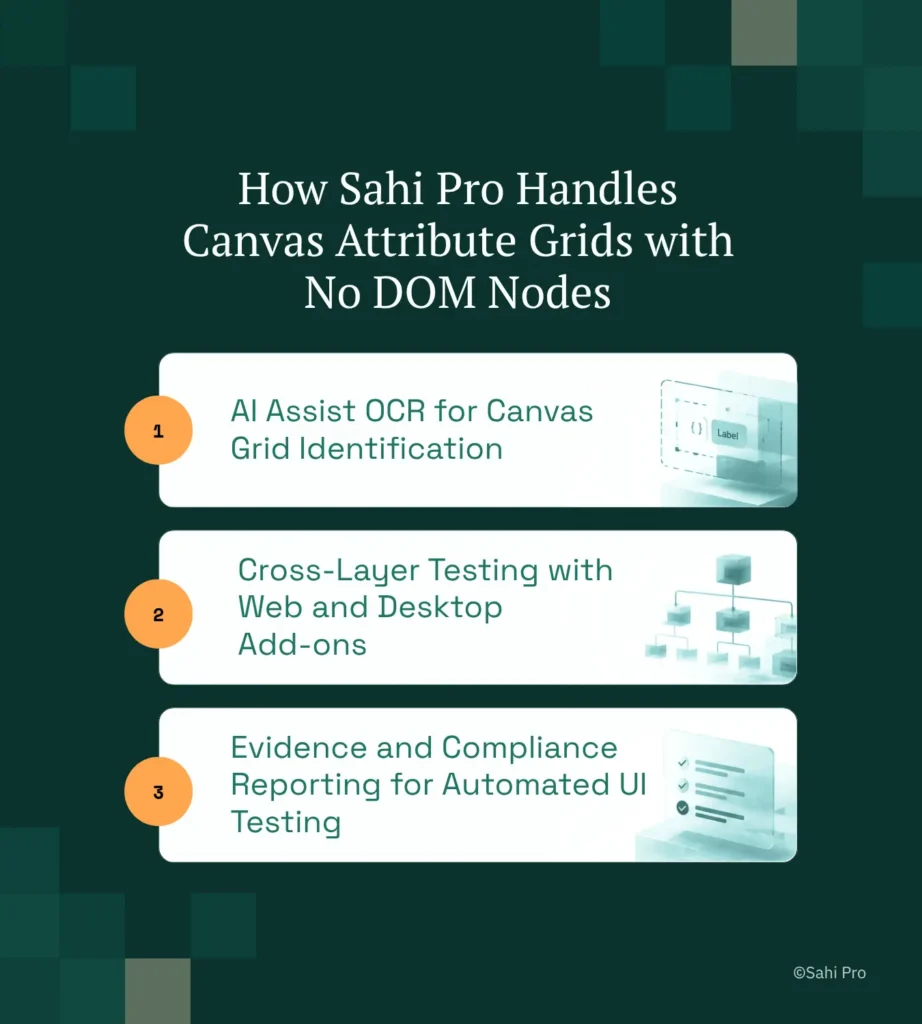
AI Assist OCR for Canvas Grid Identification
Sahi Pro’s AI Assist OCR mode captures a defined screen region, runs optical character recognition on the pixel data, and returns every text string visible inside the canvas element. The script then references these strings as identifiers. Consider a concrete scenario: a QA engineer needs to verify that part number “PN-40821” shows revision status “Released” in a Teamcenter Active Workspace attribute grid. The script captures the grid region, OCR reads all cell values, and the assertion checks that “Released” appears in the same row as “PN-40821.” If the PLM team restructures the grid layout or changes the column order, OCR re-reads the new layout at execution time. The test does not break. This is AI test automation applied at the rendering layer, not the DOM layer.
Cross-Layer Testing with Web and Desktop Add-ons
Many PLM workflows span more than one application layer. A change request might start in a Windchill web portal, require approval in a Java thick client, and trigger a status update verified through a REST API. Sahi Pro’s Web add-on handles the browser session. The Desktop add-on connects to Java Swing, AWT, or SWT panels in the same script. The Web Services add-on validates the API response. One script. One execution. One report. For PLM UI test automation teams, this eliminates the gap between tools where integration defects hide. AI testing tools that cover only the web layer miss the Java and API layers entirely.
Evidence and Compliance Reporting for Automated UI Testing
Every test execution produces an HTML report with timestamped screenshots, extracted OCR values, and assertion results. For automated UI testing in regulated industries, this evidence record supports audit requirements without manual screenshot capture. Reports export to HTML, Excel, PDF, and XML formats, and integrate with Jenkins and GitLab CI pipelines for on-premise CI/CD workflows.
Sahi Pro vs Generic Test Automation Tools for OCR-Based PLM Test Automation
Standard web automation tools are the right choice for teams whose PLM testing scope is limited to standard HTML interfaces. They are mature, well-documented, and widely supported. The comparison shifts when testing scope includes canvas-rendered grids, Java thick clients, or cross-layer workflows that span web, desktop, and API layers in a single business process. Teams evaluating AI testing tools for PLM environments need to assess whether their tool can reach the rendering layer where 30 to 40% of PLM interface data lives. The table below compares eight criteria that matter most for Windchill, Teamcenter, and ENOVIA PLM UI test automation teams.
Windchill, Teamcenter, and ENOVIA Test Automation: Feature Comparison
| Criterion | Generic tools | Sahi Pro |
| OCR and canvas element identification | Canvas-rendered PLM grids return no DOM nodes; WebDriver fails at identification | AI Assist OCR reads visible text from canvas and WebGL cells without DOM access |
| Java thick-client coverage | No DOM access to Java Swing/AWT/SWT panels; test fails when PLM Java module opens | Desktop add-on reaches Java Swing/AWT/SWT in same script as web portal; no tool switching |
| BOM tree stability across upgrades | Row-index selectors break when BOM hierarchy changes; manual rewrite required | Proximity ID reads by visible part number; survives hierarchy changes without rewrite |
| Cross-layer: web + Java + API in one script | Separate tools for web, desktop, and API; integration handoffs are never tested together | Single script spans web portal, Java thick client, and REST/SOAP API; one report |
| Maintenance after PLM upgrades | DOM-based scripts need partial or full rewrite after each major PLM release | Proximity ID survives structural UI changes; upgrade maintenance near zero |
| Dynamic content wait handling | Explicit wait commands needed for AJAX PLM portals; timing failures cause flaky tests | Automatic intelligent waits for AJAX and dynamic PLM content; no manual waits |
| Codeless authoring for non-developers | No-code recorders limited to web DOM; Java and canvas PLM layers have no codeless path | Visual test builder supports conditional logic and data-driven inputs without JavaScript |
| On-premise CI/CD integration | On-premise PLM nodes need custom agent config; most tools assume cloud execution | Execution server integrates with Jenkins, GitLab CI, and Azure DevOps on-premise |
If your team only needs web-layer Windchill, Teamcenter, and ENOVIA testing with no canvas attribute grid requirement, a standard web automation tool may cover your scope.
Real Results: Mahindra Comviva
Mahindra Comviva, a global leader in mobility solutions, runs complex web applications across multiple technology stacks and needed to automate regression testing across interfaces that included non-standard UI elements inaccessible to their previous tools. They moved to Sahi Pro to solve coverage gaps on interfaces where standard DOM-based identification failed, using capabilities aligned with AI Assist OCR’s approach to reading visible content directly from rendered screens. The results after implementation:
- 2,300 test scenarios executed in 21 hours, providing a 94% saving on execution time and manual efforts.
- HTML test suite: 7,400 test cases reduced from 1,480 manual hours to 115 automated hours (92% saving).
- Flex test suite: 600 test cases reduced from 120 manual hours to 9 automated hours (92.5% saving).
- Manual testers onboarded to automation with minimal learning curve, increasing team capacity without new hires.
Testing Windchill, Teamcenter, and ENOVIA Without Starting Over After Every Release
Canvas attribute grids are not going away. PLM vendors chose canvas rendering for performance, and each new release extends its use further into the interface. If your test automation strategy cannot reach inside canvas elements, your coverage gap will widen with every upgrade. Sahi Pro’s AI Assist OCR reads the pixels your testers see, maps text to coordinates, and lets you script assertions against visible data without any DOM dependency. For QA teams across PLM verticals working with Windchill, Teamcenter, or ENOVIA, this is the difference between permanent manual testing gaps and actual regression coverage on the interfaces that matter most.
If your team has a canvas grid, Java thick client, or cross-layer workflow that your current tools cannot reach, bring that specific scenario to a technical demo. Sahi Pro offers a free trial, and you can test it against your own Windchill, Teamcenter, and ENOVIA environment before any licence decision. Book a technical demo with your hardest test case.