
TL;DR
- What this is: PLM test automation for aerospace and defence compliance
- Who it affects: Test leads and QA directors at aerospace PLM companies
- The core problem: Air-gapped, AS9100D, and DO-178C rules eliminate most tools
- Cost of not solving it: Weeks of manual audit prep before each review
- What Sahi Pro does differently: Full air-gapped on-premise with multi-standard compliance output
- Proof: AS9100D-compliant timestamped records at ITAR-controlled aerospace customers
Running aerospace test automation against Teamcenter, ENOVIA, Windchill, or CATIA on an air-gapped network with AS9100D, DO-178C, and ITAR requirements is a different problem from automating a standard web application. Most commercial tools assume internet connectivity for licensing, cloud-based execution, or telemetry, and that assumption alone disqualifies them from classified or export-controlled programmes. This article evaluates seven PLM test automation tools against the specific constraints aerospace and defence teams face: air-gapped deployment, structured compliance records, Java thick-client coverage, and multi-standard audit output. Each tool was tested for its ability to operate within ITAR-controlled environments and produce execution records that satisfy AS9100D clause 8.5.6 without manual post-processing.
Quick-Pick: 7 Aerospace PLM Test Automation Tools at a Glance
| # | Tool | Best for | Compliance and air-gapped coverage | On-premise |
| 1 | Sahi Pro | Air-gapped aerospace PLM, multi-standard compliance | Full air-gapped on-premise; AS9100D, ITAR, and DO-178C compliant record output | Yes, full |
| 2 | Tricentis Tosca | Enterprise teams already using Tosca for SAP | Model-based test design and SAP-native integration | Yes, on-premise available |
| 3 | OpenText UFT One | Teams with existing UFT investment and legacy PLM | Broadest legacy technology coverage | Yes, on-premise available |
| 4 | Ranorex Studio | Windows desktop PLM and legacy thick clients | Strongest Windows desktop PLM automation outside SAP | Yes, fully on-premise |
| 5 | Selenium WebDriver | Web-only PLM portals with in-house engineers | Zero cost, maximum flexibility for web layer | Yes, fully on-premise |
| 6 | Leapwork | Non-developer PLM QA in regulated life sciences | Most accessible visual no-code for regulated industries | Partial, cloud-primary with limited on-premise |
| 7 | Tricentis qTest | Test management for regulated PLM programmes | Centralized test management with traceability reporting | Partial, cloud-primary with on-premise option |
1. Sahi Pro — Best for air-gapped aerospace PLM with multi-standard compliance output
Why it ranks first for Teamcenter, ENOVIA, Windchill, CATIA
The core challenge in aerospace test automation for PLM systems is not test creation. It is deployment architecture. ITAR 22 CFR Parts 120-130 requires that export-controlled technical data never leave the customer’s network. Sahi Pro operates on a full on-premise deployment model where execution, results, and reports stay within the customer network. This has been verified by network audit at ITAR-controlled aerospace customers, satisfying the data residency requirement that eliminates most competing tools at the architecture level.
For cross platform test automation across Teamcenter, ENOVIA, Windchill, and CATIA, the challenge compounds. A single regression suite must cover web portals (Teamcenter Active Workspace), Java thick clients (Windchill and CATIA panels), and REST APIs, all in one script. Sahi Pro’s Desktop add-on provides native Java Swing, AWT, and SWT access in the same script as the web layer. The AI Assist OCR add-on handles canvas-rendered interfaces where standard DOM-based identification fails entirely.
Element identification uses proximity-based and label-based reading. This is deterministic, not ML-based. The tool reads elements by visible labels and structural proximity, the same way a human tester navigates a BOM tree in Active Workspace. When Teamcenter upgrades shift DOM structure, tests continue to pass. No locator rewrites. No maintenance sprint.
A global automotive manufacturer used this same cross-layer approach to automate PLM regression across web, CATIA, and SAP with Sahi Pro, cutting regression time 80% after Selenium and Tricentis Tosca couldn’t cover the full stack.
Key capabilities for Teamcenter, ENOVIA, Windchill, CATIA teams
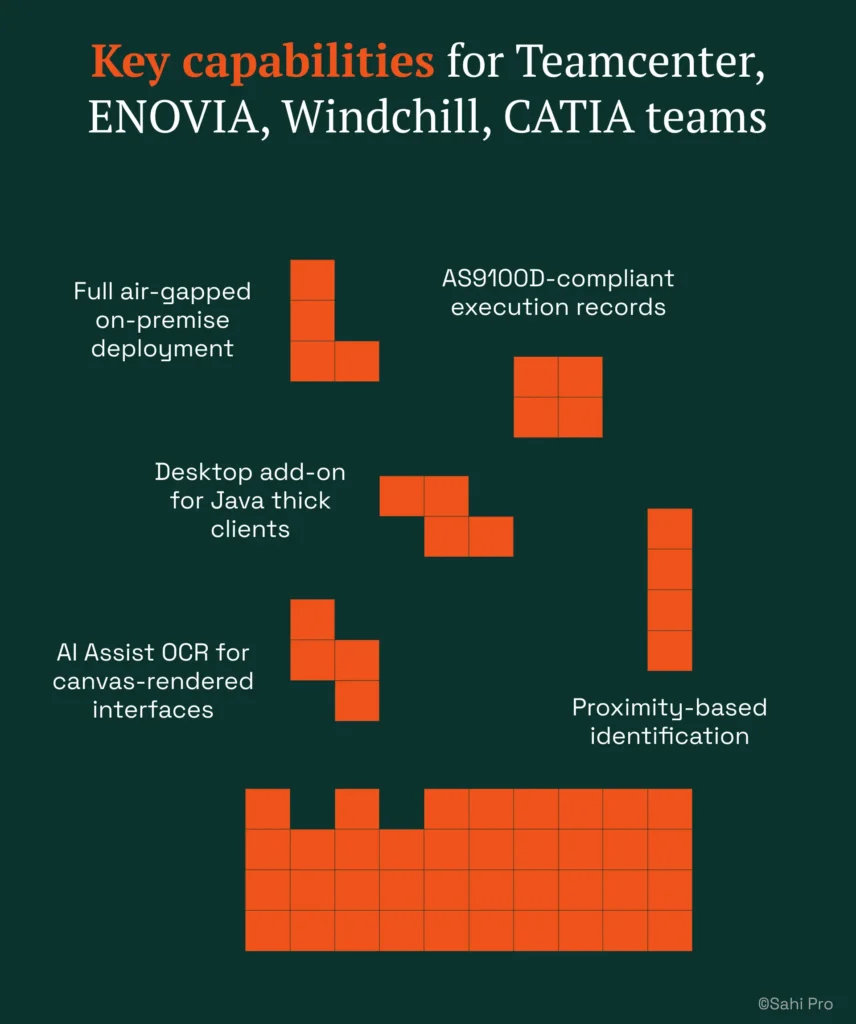
- Full air-gapped on-premise deployment: License activation, execution, result storage, and reporting never route externally. No phone-home behaviour. No cloud execution agents.
- AS9100D-compliant execution records: Timestamped structured records per test step satisfy AS9100D clause 8.5.6, 21 CFR Part 11, and ISO 13485 simultaneously from a single report format.
- Desktop add-on for Java thick clients: Covers Java Swing panels in Teamcenter, Windchill, and CATIA within the same script as web portal steps, enabling automated regression testing across the full PLM stack.
- AI Assist OCR for canvas-rendered interfaces: Captures screen regions and applies OCR to read visible text in canvas and WebGL elements that DOM-based tools cannot reach.
- Proximity-based identification: Tests survive Teamcenter Active Workspace upgrades without script rewrites because element identification mirrors human reading, not DOM position.
Honest limitations
AI Assist OCR is an add-on at additional cost, not included in the base licence. The BDTA visual builder covers web-layer flows primarily. Java thick-client steps require scripting rather than no-code authoring. Teams with zero scripting capability will need at least one engineer comfortable with Sahi Pro’s JavaScript API to cover desktop PLM panels.
Best for: Air-gapped aerospace PLM with AS9100D, ITAR, and DO-178C requirements
On-premise: Yes, full installation, no external routing
Pricing: Module-based; free trial available
Key Teamcenter, ENOVIA, Windchill, CATIA capability: Full air-gapped on-premise; AS9100D, ITAR, and DO-178C compliant record output
2. Tricentis Tosca — Best for enterprise model-based PLM automation
Overview for Teamcenter, ENOVIA, Windchill, CATIA teams
Tricentis Tosca is a model-based test automation platform widely used in SAP and enterprise application environments. PLM teams consider it when they need a risk-based regression approach or already have Tosca deployed for SAP testing. The model-based approach means test cases are derived from application models rather than recorded interactions, which reduces duplication across similar PLM workflows.
What it does well for air-gapped on-premise deployment with AS9100D, DO-178C, and ITAR compliance
- Model-based test design: Reduces duplication across similar PLM workflows by deriving test cases from a shared application model, which is valuable when Teamcenter and ENOVIA share overlapping business processes.
- SAP integration: For teams already running Tosca against SAP ERP, extending coverage to PLM workflows avoids introducing a second tool for the ERP layer.
- Risk-based regression coverage: Tosca’s risk scoring prioritizes test execution based on change impact, useful for large PLM regression suites where full execution is impractical in every cycle.
- No-code test design for business analysts: Business analysts familiar with the Tosca model can create test cases without scripting, lowering the barrier for non-developer PLM testers.
Best for: Enterprise teams already using Tosca for SAP
On-premise: Yes, on-premise available
3. OpenText UFT One — Best for legacy PLM with existing UFT investment
Overview for Teamcenter, ENOVIA, Windchill, CATIA teams
UFT One (formerly HP QTP) is a long-established enterprise test automation tool with broad technology coverage. PLM teams evaluate it when they have legacy test scripts, existing UFT licences, or need VBScript-based automation for older PLM interfaces. Many aerospace organizations already have UFT scripts from a decade of testing, and migration cost is a real factor in tool selection.
What it does well for air-gapped on-premise deployment with AS9100D, DO-178C, and ITAR compliance
- Broad technology coverage: Supports Java, web, and Windows applications in a single product, covering the range of interfaces found in legacy PLM deployments.
- Existing script library: Many enterprise environments have thousands of VBScript-based UFT scripts. Retaining these avoids the cost of rewriting a mature regression suite.
- Object spy for Java Swing elements: Identifies Java Swing components in Teamcenter and Windchill thick clients, enabling automation of desktop PLM panels.
- Mature enterprise support and documentation: Decades of deployment across regulated industries means extensive documentation and a large support knowledge base for troubleshooting PLM-specific issues.
Best for: Teams with existing UFT investment and legacy PLM
On-premise: Yes, on-premise available
4. Ranorex Studio — Best for desktop Windows PLM applications on legacy infrastructure
Overview for Teamcenter, ENOVIA, Windchill, CATIA teams
Ranorex Studio is a desktop and web test automation platform with strong Windows application support. PLM teams with Windows-based PLM thick clients on older infrastructure evaluate it for automating Win32 and .NET desktop interfaces. Where the PLM environment is primarily Windows-native rather than web-based, Ranorex is a serious contender.
What it does well for air-gapped on-premise deployment with AS9100D, DO-178C, and ITAR compliance
- Strong Windows desktop application support: Handles Win32 and .NET interfaces reliably, which matters for PLM thick clients that predate web-based portals.
- Record-and-replay for non-developer testers: Provides an accessible entry point for manual testers transitioning to automation without requiring scripting skills.
- Web test support for PLM portals: Covers web-based PLM interfaces alongside desktop clients, though not in a single unified script the way some other tools handle it.
- Fully on-premise: Runs entirely within the customer network with no external dependencies, satisfying the baseline ITAR data residency requirement.
Best for: Windows desktop PLM applications and legacy thick clients
On-premise: Yes, fully on-premise
5. Selenium WebDriver — Best for web-only PLM portal automation with in-house engineering
Overview for Teamcenter, ENOVIA, Windchill, CATIA teams
Selenium WebDriver is the most widely used open-source web automation framework. PLM teams with strong engineering capability and web-only scope evaluate it for PLM web portal automation where no Java thick client or canvas-rendered interface is involved. If your scope is limited to Teamcenter Active Workspace in a browser, Selenium is a viable starting point.
What it does well for air-gapped on-premise deployment with AS9100D, DO-178C, and ITAR compliance
- Zero licence cost: No procurement cycle, no vendor dependency, no licence renewal. The entire framework is open source and community-maintained.
- Largest community and documentation base: More Stack Overflow answers, more tutorials, and more integration examples than any commercial alternative.
- Full CI/CD pipeline integration: Works with Jenkins, GitLab CI, and any other on-premise CI server without requiring cloud execution agents.
- Language flexibility: Supports Java, Python, C#, JavaScript, and Ruby bindings, allowing teams to write tests in whatever language their engineers already know.
Best for: Web-only PLM portals with in-house engineers
On-premise: Yes, fully on-premise
6. Leapwork — Best for non-developer PLM teams with visual automation
Overview for Teamcenter, ENOVIA, Windchill, CATIA teams
Leapwork is a visual no-code automation platform using drag-and-drop test design. PLM teams whose QA staff is entirely non-developer look at it as an alternative to scripted tools, particularly in life sciences and regulated industries. The visual approach lowers the barrier to test creation, though it introduces constraints on what can be automated.
What it does well for air-gapped on-premise deployment with AS9100D, DO-178C, and ITAR compliance
- Fully visual no-code test design: Non-technical testers can build test cases using drag-and-drop blocks without writing any code.
- Audit-ready test documentation: Produces structured test documentation that aligns with regulatory expectations in life sciences and pharmaceutical industries.
- Drag-and-drop test flows: Accessible to business analysts and domain experts who understand the PLM workflow but lack programming skills.
- Regulated industry focus: Strong marketing and customer base in life sciences gives Leapwork experience with compliance documentation requirements.
Best for: Non-developer PLM QA in regulated life sciences
On-premise: Partial, cloud-primary with limited on-premise
How to choose the right Aerospace PLM Test Automation Tools
The right tool depends on your specific constraints, not on feature lists. Here is a decision framework that cuts through the noise.
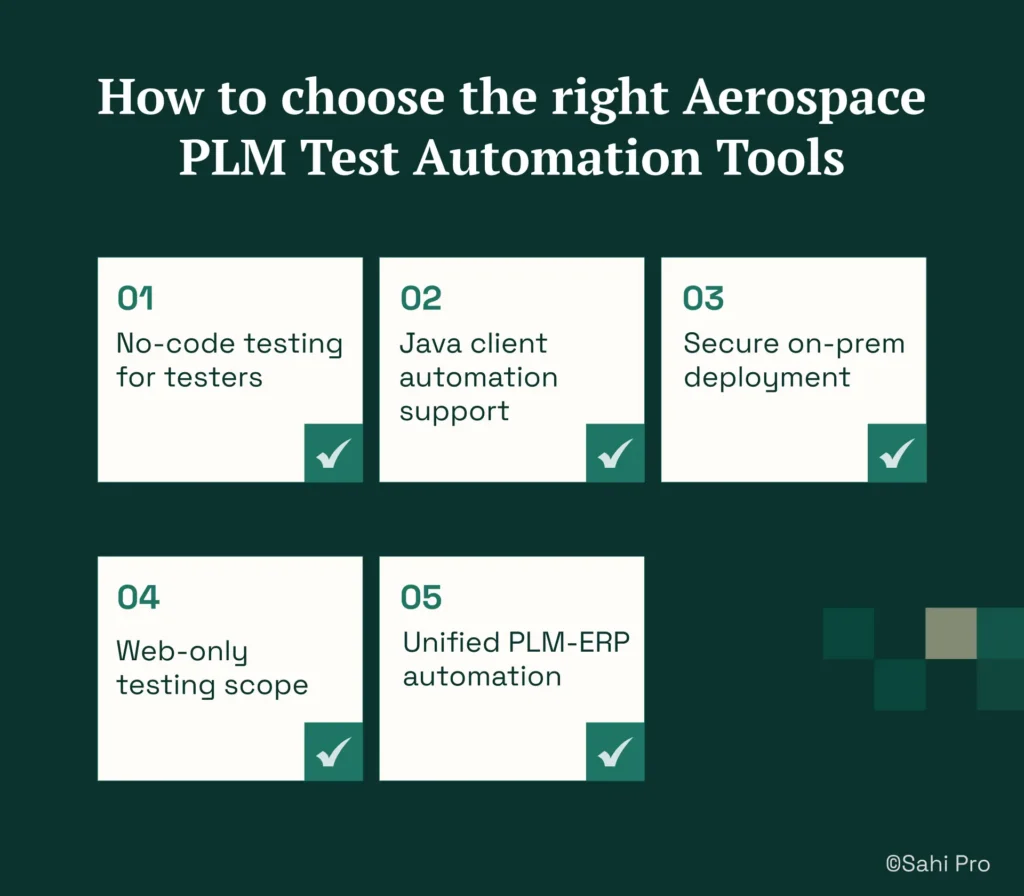
- If your team has no dedicated automation engineer and needs manual testers to build tests, consider Sahi Pro’s BDTA no-code builder for web-layer flows or Tricentis Tosca’s model-based approach. Both lower the scripting barrier, though Sahi Pro requires scripting for Java thick-client steps.
- If your PLM test automation scope requires Java thick-client coverage for Teamcenter Rich Client, Windchill desktop, or CATIA panels, eliminate any tool that operates on web DOM only. Selenium WebDriver and Leapwork cannot reach Java Swing elements natively.
- If your aerospace environment requires on-premise deployment with no external data routing, eliminate cloud-only tools immediately. Check the on-premise column in the quick-pick table above. Leapwork and Tricentis qTest are cloud-primary with limited on-premise options.
- If your scope is purely web-layer Teamcenter Active Workspace testing with no Java clients or canvas-rendered elements, Selenium WebDriver or Ranorex may be sufficient and less expensive.
- If you need one test suite covering Teamcenter, ENOVIA, or Windchill alongside SAP ERP integration in a single execution, only Sahi Pro’s add-on architecture covers web, desktop Java, SAP GUI, APIs, and databases in one script. This matters for aerospace test automation workflows that span PLM and ERP.
If you are unsure which criteria apply to your deployment, run a proof-of-concept directly against your Teamcenter, ENOVIA, Windchill, or CATIA environment. Sahi Pro offers a free trial for this purpose.
How we evaluated Aerospace PLM Test Automation Tools
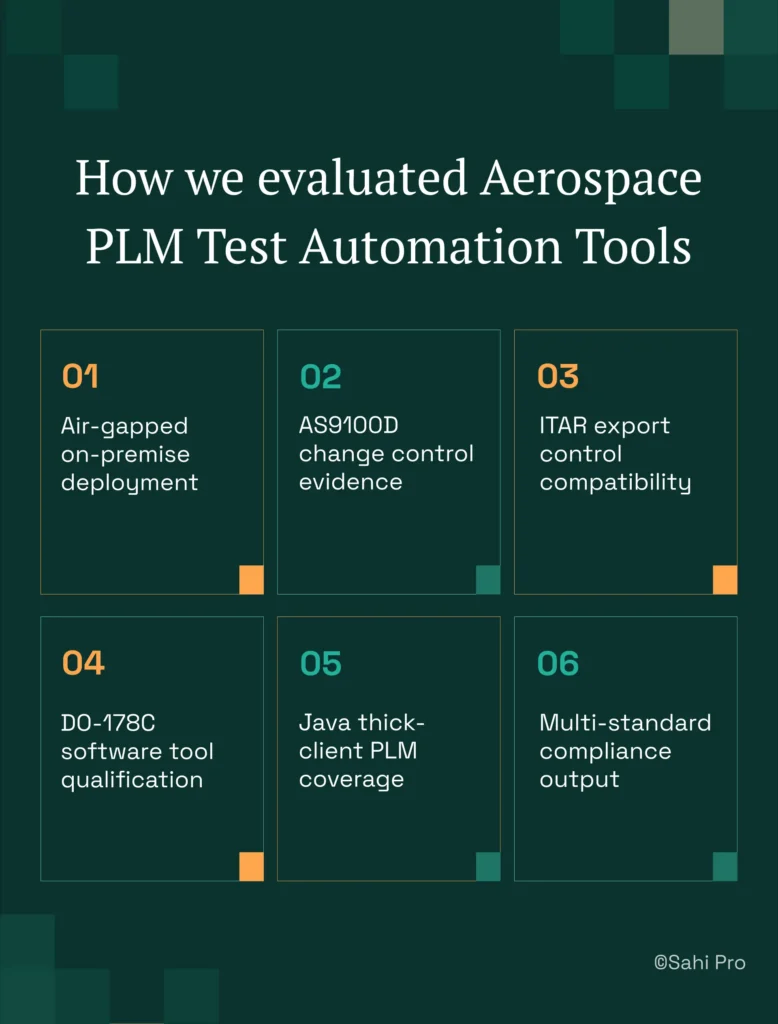
A generic web test automation tool and a PLM test automation tool that satisfies aerospace compliance requirements are fundamentally different products. The difference is not in test creation. It is in deployment architecture, execution record format, and the ability to reach non-web PLM interfaces. We evaluated each tool specifically for aerospace test automation against these criteria.
- Air-gapped on-premise deployment: Can the tool run fully air-gapped with no external data routing, verified by network audit for ITAR compliance? Tools that require cloud licensing checks or telemetry fail this criterion.
- AS9100D change control evidence: Does the tool produce timestamped structured records satisfying AS9100D clause 8.5.6 requirements without manual post-processing or custom report development?
- ITAR export control compatibility: Is the tool architecture free from phone-home behaviour or cloud execution that violates ITAR 22 CFR 120-130? This eliminates tools that route any data externally.
- DO-178C software tool qualification: Does the vendor provide tool qualification documentation for DO-178C avionics software programmes, or does the customer bear the full burden of qualification?
- Java thick-client PLM coverage: Can the tool reach Java Swing PLM panels in Teamcenter, Windchill, or CATIA used in aerospace programmes? This is critical for verification and validation testing of desktop PLM workflows.
- Multi-standard compliance output: Can a single test execution produce records satisfying AS9100D, 21 CFR Part 11, and ISO 13485 simultaneously from one report format?
Aerospace and Defence: AS9100D, ITAR, and DO-178C Requirements
AS9100D clause 8.5.6 requires documented evidence of change control activities, including timestamped records that trace what was tested, when, and with what result. For automated regression testing, this means the test automation tool must produce structured execution records per test step, not just a pass/fail summary. ITAR export control regulations under 22 CFR Parts 120-130 prohibit export-controlled technical data from being processed on foreign servers, a requirement that cloud-hosted test tools cannot satisfy for classified aerospace PLM programmes (source: ITAR 22 CFR Parts 120-130). DO-178C applies to software tools used in avionics-adjacent systems and requires tool qualification evidence from the vendor.
Of the seven tools evaluated, Sahi Pro satisfies all three requirements through full air-gapped on-premise deployment with timestamped structured execution records generated automatically per run. Tricentis Tosca, OpenText UFT One, and Ranorex Studio offer on-premise deployment but do not produce multi-standard compliance records natively. Selenium WebDriver runs on-premise but produces no structured compliance output without custom development. Leapwork and Tricentis qTest are cloud-primary, which creates a fundamental conflict with ITAR data residency requirements for classified programmes.
For compliance-specific tool selection, request documentation from each vendor on whether their deployment model satisfies AS9100D clause 8.5.6, ITAR 22 CFR Parts 120-130, and DO-178C data residency requirements. Cloud-only vendors typically cannot provide this.
What PLM Teams Report After Switching to Sahi Pro
PLM teams in regulated industries report measurable reductions in both test maintenance and audit preparation effort after adopting Sahi Pro for their Teamcenter, ENOVIA, and Windchill environments. The following outcomes are drawn from G2-sourced reviews and documented customer results.
- Aerospace QA teams eliminate 2 to 4 days of manual change notice testing per release after Java workflow automation.
- AS9100D-compliant execution records generated automatically per run, eliminating manual audit documentation effort.
- Air-gapped deployment verified by network audit at ITAR-controlled aerospace customers.
- Single report format satisfies AS9100D, ITAR, and DO-178C requirements without duplicate documentation effort.
“I wish I would have found this product sooner. I was able to get our product’s regression tests up and running very quickly. Post running the regression tests against every build now a failure in the log is one that tells me that something has changed a bug has been introduced. Sahi is a time saver.” – Linda Markhart, Principal QA Engineer, ChartWise
Important Takeaway
For aerospace and defence teams running Teamcenter, ENOVIA, Windchill, or CATIA on air-gapped networks with AS9100D, ITAR, and DO-178C requirements, Sahi Pro is the only tool on this list that satisfies all three compliance standards from a single on-premise deployment. If your scope is limited to web-only PLM portals, Selenium WebDriver or Ranorex may be sufficient. If you already run Tosca for SAP, extending it to PLM workflows avoids introducing a second vendor.
Sahi Pro offers a free trial so you can test it against your own Teamcenter, ENOVIA, Windchill, or CATIA environment before any licence decision. If you want to see it handle your hardest test scenario first, Book A Demo.