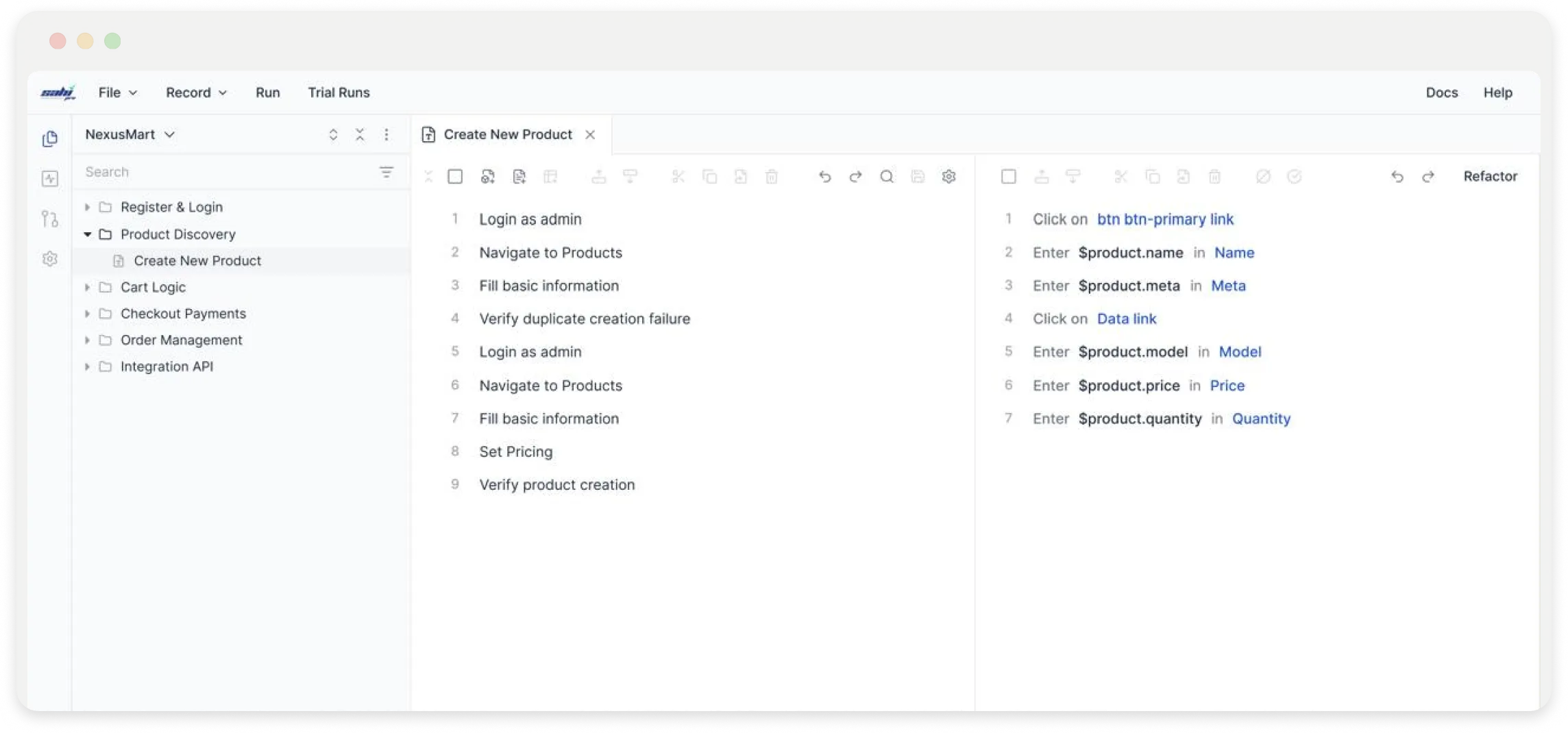
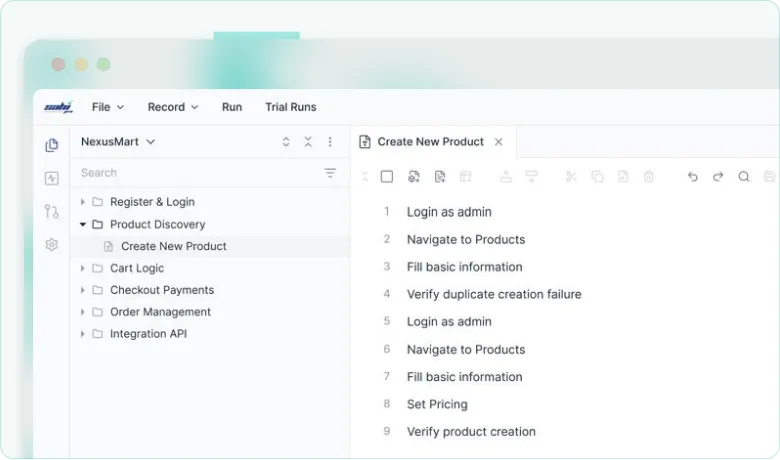
Sahi Pro identifies elements by stable identifiers, visible labels and proximity, not DOM XPaths. When developers refactor, tests keep running. No locator updates. No maintenance sprint.
Waits and Timeouts Managed by Sahi Pro
No manual wait statements. Sahi Pro monitors application state and proceeds when elements are ready. AJAX calls, shadow DOM, iFrames, and dynamic content are handled automatically.
Visual Assist Test Generation and Execution
GenAIna generates test scripts from natural language. Visual Assist adds OCR and image recognition for proprietary tools that standard element identification cannot reach.
Every Role on Your QA Team Can Author Tests
The no-code interface covers every major automation pattern without code. Engineers retain JavaScript access for complex scenarios. Business analysts and manual testers author tests independently.
Support for refactoring and maintaining tests has been an amazing feature. As the products evolve, so do the automation suites.
Monica Becerra, Senior QA, DirectPath
Support for refactoring and maintaining tests has been an amazing feature. As the products evolve, so do the automation suites.
Monica Becerra, Senior QA, DirectPath
Sahi Pro's V11 Marquee Feature
No-Code Test Automation: Covering Every Major Pattern
Sahi Pro covers every major automation pattern through a no-code interface. Conditional logic, data-driven testing, and suite dependencies – all without programming.
Test flows with conditional logic | In-built data generators for data-driven testing
Positive and negative validations | Precondition matching and automatic setup
Suite tags and dependencies | No programming expertise required at any step
Enterprise environments are not single-technology. Sahi Pro was built for environments where a legacy desktop backend sits behind a modern web portal that feeds a mobile app.
Supported: Chrome, Firefox, Safari, Edge, Internet Explorer 8 through 11
Web Applications
Any browser, any OS. Any web framework. Angular, React, Vue, custom applications. Shadow DOM, AJAX, and iFrames handled without configuration.
Supported: iOS and Android, native apps and mobile web, real devices and emulators
Mobile Applications
Native and hybrid apps including Flutter. Web-to-mobile workflows in a single test script.
Legacy and modern desktop applications. Includes applications running Java Web Start and Java Applets that other tools no longer support.
Supported: REST, SOAP, JSON, XML, OAuth, API key authentication
APIs
Chain API calls within UI test sequences. Extract response data, validate schemas, and pass values into subsequent test steps.
Supported: SAP GUI for Windows
SAP GUI
Native SAP control interaction. Complex grids, trees, and custom components. Test sequences spanning SAP and web interfaces in one script.
Supported: Oracle, SQL Server, MySQL, PostgreSQL, any JDBC-compliant database
Databases
Set up test data before execution. Validate backend state after transactions. Clean up between runs to keep tests environment-independent.
One Automation Tool for All Technologies. Cross browser web apps, Desktop and SAP applications, Java applets, Web services, Mobile applications. Just one tool, one way to automate everything.
Mahesh VG, Technical Manager, Mahindra Comviva
One Automation Tool for All Technologies. Cross browser web apps, Desktop and SAP applications, Java applets, Web services, Mobile applications. Just one tool, one way to automate everything.
Mahesh VG, Technical Manager, Mahindra Comviva
No custom bridge code
Fits the Pipeline Your Team Already Runs
Sahi Pro integrates with every major continuous integration product. Tests run as part of your build pipeline with results in the formats your team already consumes.
Enterprise applications are rarely standard. These are the specific UI patterns where automation most commonly breaks down.
Dynamic Tables and Grids
Dynamic Tables and Grids
Tables that scroll-load, reorder columns, and update continuously. Rows identified by visible content, not index positions that break when data changes.
iFrames and Shadow DOM
iFrames and Shadow DOM
Context switching for embedded iFrames and shadow DOM handled automatically. No manual frame selection commands that break when page structure changes.
File Uploads and Downloads
File Uploads and Downloads
Upload dialogs automated across browsers. Download completion verified. Downloaded file content validated without OS-level dependencies.
Real-Time Data and Streaming Feeds
Real-Time Data and Streaming Feeds
Applications where standard element identification cannot interact with the interface. AI Assist applies OCR and image recognition to reach controls other tools cannot.
Legacy ActiveX and Java Controls
Legacy ActiveX and Java Controls
Trading platforms, core banking, and internal tools built on Java Swing, WPF, and Win32. Sahi Pro interacts with these controls natively.
Scale without rebuilding
Distribute Tests Across Machines. Run More Regression in Less Time.
Parallel Execution
No separate grid server or orchestration layer required
Run multiple threads on one machine or distribute across machines
Over 70% execution time savings reported vs. sequential runs
Real result
GetInsured runs a full cross-browser regression suite across 3 machines and an iPad in under 3 hours – IE alone previously required 8 hours
For Teams Value Data Privacy
On-Premise. Secure. Built for Teams That Value Data Privacy.
On-Premise Deployment
Sahi Pro runs entirely within your infrastructure. No cloud dependencies. No execution data leaving your network. Standard deployment configuration for financial services, healthcare, and government clients with data residency requirements.
Comprehensive Reporting
Every test produces a documented record of what was tested, what passed, what failed, and the full execution trace. Reports exportable in HTML, Excel, PDF, and XML. Supports compliance documentation requirements for regulated industries.
Test Data Security
Test data masking and data generation for regulated environments where production data cannot be used. Data stays within your infrastructure throughout test execution.
Find the actual problem
Suite Analysis Across Your Entire Test Run
Sahi Pro’s suite analysis pinpoints the root cause across hundreds of related failures – no script-by-script review required. Every run captures screenshots, execution logs, and complete traces. Reports in HTML, Excel, PDF, and XML.
Historical analytics surface test stability trends and execution patterns. Track which tests consistently find issues and where coverage is concentrated across your suite.
Straight Answers to What Teams Ask Before Evaluating
What is no-code test automation and how does it actually work?
No-code test automation lets testers build and run automated tests through a visual interface rather than writing code. In Sahi Pro, the no-code interface covers every major automation pattern – conditional logic, data-driven testing, suite dependencies – without programming. Business analysts and manual testers use it directly. Engineers can switch between the visual interface and JavaScript scripting within the same test suite.
How does AI help QA teams automate tests faster?
Sahi Pro uses AI in two ways. The first generates test scripts from natural language descriptions, reducing the time from test idea to executable script. The second applies OCR and image recognition to automate applications where standard element identification cannot interact with the interface – including specialized desktop tools and proprietary engineering software.
Can automated testing run on-premise without cloud access?
Yes. Sahi Pro runs entirely within your own infrastructure. License activation, test execution, result storage, and reporting all stay on your network. No data leaves your environment. This is the standard deployment model for our financial services, healthcare, and government clients.
How do I integrate automated tests into a Jenkins or Azure DevOps pipeline?
Sahi Pro integrates natively with Jenkins, Azure DevOps, GitLab CI, GitHub Actions, TeamCity, and Bamboo. Tests trigger as part of your build process and output results in JUnit XML or TestNG format. Docker images are available for containerized execution. Configuration wizards handle the initial pipeline setup.
How does test automation handle dynamic web applications and shadow DOM?
Sahi Pro monitors application state automatically, handling timing for AJAX calls, dynamic rendering, and component updates without manual wait statements. Shadow DOM context switching is automatic. Sahi Pro identifies elements by proximity and visible labels rather than by DOM structure, so tests remain stable when framework re-renders change the underlying element hierarchy.
What is the difference between record-and-playback and no-code test automation?
Record-and-playback captures brittle, literal sequences of actions that break when anything changes. No-code automation in Sahi Pro uses structured logic – conditionals, data inputs, preconditions, dependencies – that survives application changes. The recorder in Sahi Pro is a starting point for capturing interactions, not the finished test. The no-code interface turns those captured interactions into maintainable, structured automation.
Two ways to move forward
Try It Against Your Application or Walk Through Your Requirements
Full product access.
Every capability on this page
Download Sahi Pro and run a test against your actual application.
Schedule thirty minutes with the engineering team. Walk through your current stack and challenges.
We will show you how Sahi Pro handles them and tell you honestly if it does not.