


TL;DR
- Manual testing versus automation isn’t a single either/or decision for your SAP program. It’s a question you answer per process.
- Four factors decide the answer for any given process: the effort to automate versus the effort to test manually, how often it’s tested, whether full coverage is actually necessary, and how well it adapts across environments and master data.
- Exploratory testing and user acceptance testing stay manual. Regression across releases and support packs gets automated. First-time migration validation is mostly manual, with automation only where it clearly pays off.
- Most mature SAP testing programs run both, not one or the other: manual for judgment-heavy work, automation for repeatable work.
- Manual testers becoming automation owners doesn’t have to mean learning to code. A no-code entry point is a real bridge, not a compromise.
“Manual or automated” sounds like a single decision a testing team makes once. It isn’t. It’s a decision you make separately for every SAP process you test, and the right answer changes depending on what that process actually is. Some SAP testing content treats automation as the obvious upgrade from manual and manual as the thing you’re moving away from. That framing misses the point. The real question is narrower and more useful: for this specific process, which approach actually makes sense?
The four questions that decide manual or automation for any SAP process
SAP’s own guidance on this, going back to a 2008 post on their blog, still holds up on the fundamentals even though the post itself is dated. It names four factors worth asking about any process before deciding how to test it.
- Effort. Will building and maintaining an automated script actually take less effort than testing the process manually, given how it will be run? If a process is tested once and never again, the setup cost of automating it rarely pays off.
- Frequency. How often does this process get tested? A process tested with every release earns automation fast. A process tested once a year, during an annual audit, doesn’t.
- Coverage. Does this process actually need deep, repeated coverage, or is a lighter touch enough? Automating every possible path through a rarely used transaction is effort spent where it won’t be noticed.
- Adaptability. Will the same test need to run across multiple environments, with different master data in each one? A process that has to adapt easily, without hardcoded values breaking it in a new environment, is a stronger automation candidate than one that doesn’t.
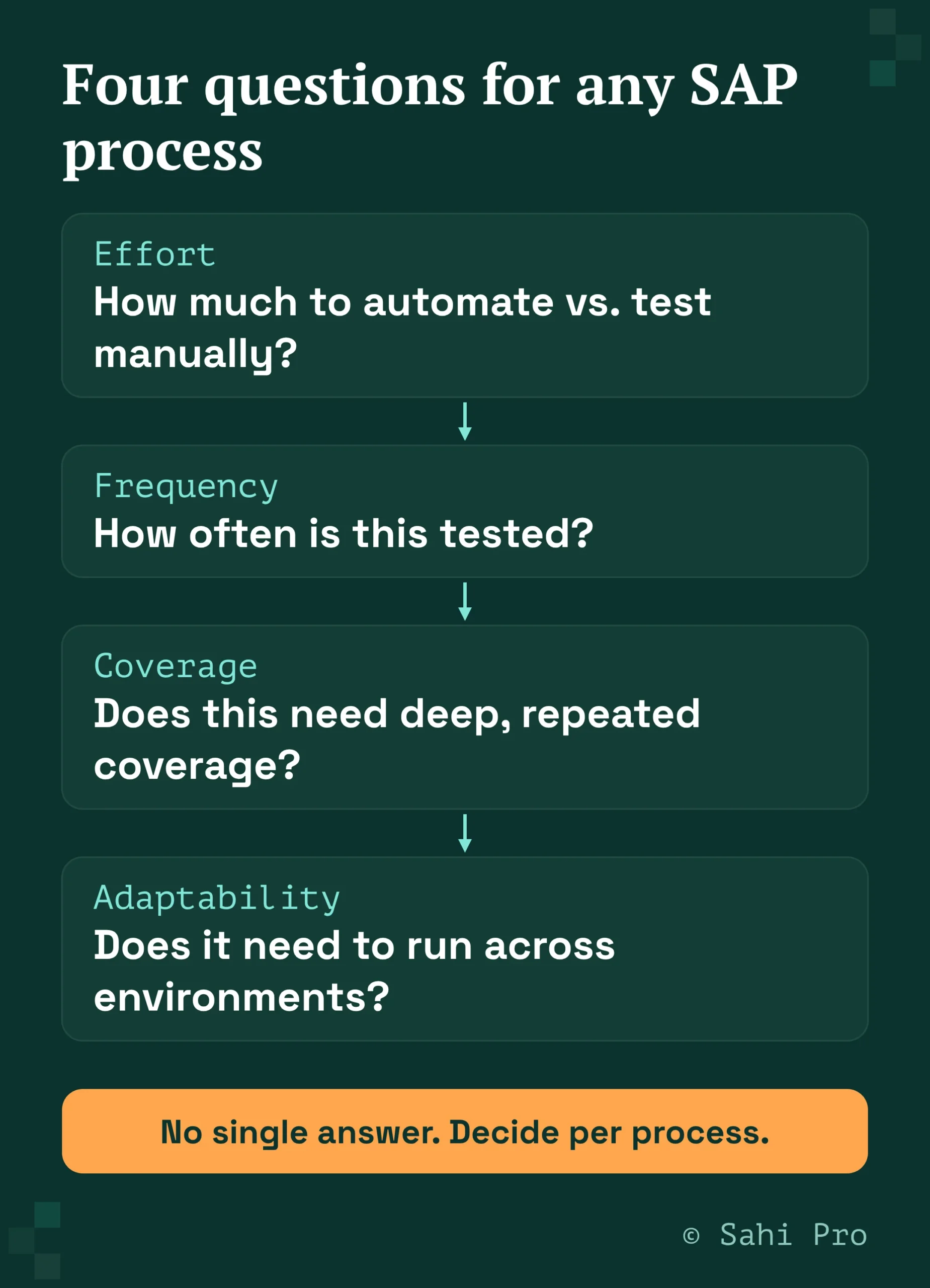
None of these questions has a universal answer. That’s the actual point: the decision is context-specific, process by process, not a company-wide policy.
Where these questions land for common SAP scenarios
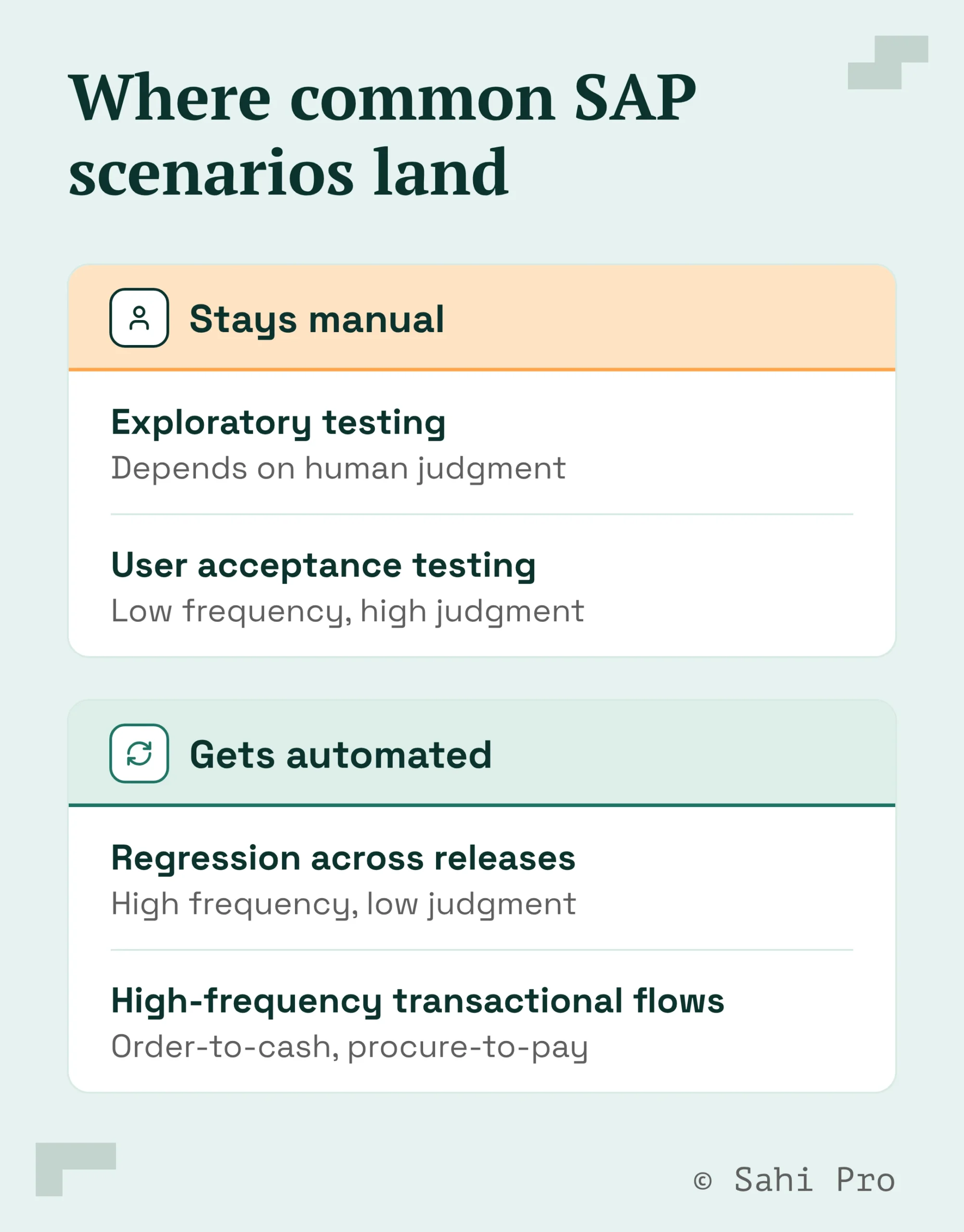
Applying the four questions to real SAP work produces a pattern most testing teams recognize once they see it written out.
- Exploratory testing and user acceptance testing stay manual. These depend on human judgment, a business user deciding whether a screen actually matches how they work, a tester probing for edge cases nobody thought to script. Frequency is low, and the value is in the judgment itself, not the repetition.
- Regression testing across releases and support packs gets automated. This is tested constantly, on a schedule, against a large and mostly stable set of transactions. It’s the textbook case for high frequency plus low judgment requirement, exactly what automation is built for.
- First-time migration validation is mostly manual, with automation only where it clearly pays off. A migration happens once. Most of what needs validating is one-off and won’t be tested the same way again, so full automation rarely earns back its setup cost. The exception is the subset of transactions that will keep getting tested after the migration too, those are worth automating once, during the migration itself, rather than twice.
- High-frequency transactional flows get automated. Order-to-cash, procure-to-pay, and similar processes that run through the system constantly are the highest-frequency case there is, and the case where manual testing’s time cost compounds fastest.
Most mature programs run both, not either
Teams that get this right don’t pick a side. They keep manual testing where judgment matters and testing frequency is low, and they build automation where repetition and frequency make it worth the investment. The failure mode isn’t choosing the wrong side of the split, it’s treating the split as company-wide instead of process-by-process.
There’s a second point worth making here, and it’s one most SAP testing content skips entirely: the people doing manual testing today don’t have to become a separate, entirely new kind of specialist to move into automation. A no-code entry point lets a manual tester build and run automated flows without learning to script, which means the transition from manual tester to automation owner can happen on the same team, with the same people, instead of requiring a hiring change.
Where Sahi Pro fits into this
Sahi Pro’s no-code visual authoring interface is built specifically for the manual-to-automation transition described above. A manual tester can build and run automated flows without writing code, and teams report being productive within two weeks with no certification required, a direct answer to the usual assumption that moving from manual to automated testing means retraining or replacing your testers. Technical testers who want more control have a full JavaScript API available on the same product, so the no-code path isn’t a ceiling, it’s an entry point.
For the automation side of the split described above, Sahi Pro runs on a proprietary execution engine, not a Selenium or Appium wrapper, identifying elements by relationship and context so tests stay stable through the UI changes that break position-based automation. Sahi Pro customers report a 90 percent reduction in regression man-hours and an 80 percent reduction in test maintenance compared to conventional tools, figures from Sahi Pro’s 1,000-plus enterprise customer base as a whole.
Once you’ve worked out which of your processes belong on the automation side of this split, our SAP automation tools buyer’s guide covers what to evaluate in a tool before you commit to one.
Ready to see how a no-code entry point fits your team’s manual-to-automation transition? Book a demo and bring your current manual test plan.
Sources
- SAP, “Manual versus Automated Testing” (blogs.sap.com, 2008) — cited for the four-factor decision framework: effort, testing frequency, coverage need, adaptability across environments. This post is dated, and I’m flagging that plainly rather than presenting an 18-year-old post as current SAP guidance. The four factors themselves are logical and not time-sensitive, so I’ve built this piece’s framework on them while modernizing the examples with current SAP scenarios (Fiori, S/4HANA migrations, support packs) that the original post doesn’t cover.
- TestSigma, SAP test automation blog (website.testsigma.com) — competitor content check, confirmed this page, which ranks for adjacent “sap manual testing” search terms, briefly acknowledges manual testing has benefits but provides no decision framework for when to use which approach. Cited only to support the competitive-gap claim in the outline, not for any technical claim about SAP testing.
- Sahi Pro proof points (90% regression man-hours reduction, 80% maintenance reduction, 1,000+ enterprise customers, productive within two weeks with no certification, no-code visual authoring interface, JavaScript API for technical users) are Sahi Pro’s own company-wide, previously established figures and product facts.
- https://www.sahipro.com/request-demo confirmed live in prior research this session.