
TL;DR
- What this is: PLM regression testing tools for stable manufacturing upgrades
- Who it affects: Test Automation Leads and DevOps Leads at manufacturing OEMs
- The core problem: DOM-based suites break on every PLM version release
- Cost of not solving it: Coverage resets to zero before each release cycle
- What Sahi Pro does differently: Proximity ID eliminates maintenance across PLM upgrades
- Proof: Siemens AG, 80% maintenance reduction, zero regressions post-upgrade
Every PLM regression testing cycle you run against Teamcenter, Aras, or Arena PLM carries the same risk: a version upgrade ships, the DOM restructures, and your entire suite turns red. Standard web testing tools rely on XPath or CSS selectors that are tightly coupled to DOM hierarchy. PLM applications change that hierarchy with every major release, sometimes with minor patches. That makes choosing a regression tool for manufacturing PLM fundamentally different from choosing one for a static web application.
This article evaluates six tools against the specific demands of high-cadence manufacturing PLM environments. Each was assessed for regression stability across version upgrades, Java thick-client coverage, on-premise deployment, parallel execution, and codeless expansion. By the end, a Test Automation Lead will know which tool fits which PLM scenario, and where each falls short. Evaluation focused on Teamcenter Active Workspace, Aras Innovator, and Arena PLM portal interfaces, including both web and desktop layers where applicable.
Quick-Pick: 6 PLM Regression Testing Tools at a Glance
| # | Tool | Best for | Regression stability and maintenance | On-premise |
| 1 | Sahi Pro | High-cadence PLM regression, minimal maintenance | Proximity ID reduces regression maintenance to near-zero across PLM version upgrades | Yes, full |
| 2 | Tricentis Tosca | Enterprise teams already using Tosca for SAP | Model-based test design and SAP-native integration | Yes, on-premise available |
| 3 | OpenText UFT One | Teams with existing UFT investment and legacy PLM | Broadest legacy technology coverage | Yes, on-premise available |
| 4 | Ranorex Studio | Windows desktop PLM applications, legacy thick clients | Strongest Windows desktop PLM automation outside SAP | Yes, fully on-premise |
| 5 | Selenium WebDriver | Web-only PLM portals with in-house engineers | Zero cost, maximum flexibility for web layer | Yes, fully on-premise |
| 6 | Microsoft Playwright | Cloud PLM portals with modern Angular or React UI | Best dynamic SPA handling for cloud PLM portals | Yes, fully on-premise |
1. Sahi Pro — Best for PLM regression stability with near-zero maintenance across version upgrades
Why it ranks first for Teamcenter, Aras, Arena PLM
The single largest cost in PLM regression testing is not writing tests. It is rewriting them after every upgrade. When Teamcenter Active Workspace moves from 6.x to 7.x, the underlying DOM hierarchy shifts. XPath-based locators that pointed to a BOM tree node yesterday return nothing today. Entire suites go from green to unusable overnight.
Sahi Pro addresses this with proximity and label-based identification. Instead of reading an element by its DOM position, it reads the visible label and the spatial context around it. A “Part Number” field is identified because the text “Part Number” is visible near it, not because it sits at a specific node depth. When a Teamcenter or Aras release restructures the UI, visible labels remain stable, so tests continue passing without modification.
This makes automated regression testing fundamentally different. The maintenance burden drops because the identification architecture is decoupled from the DOM. For teams running PLM regression testing on monthly or quarterly release cadences, that difference compounds fast.
Key capabilities for Teamcenter, Aras, Arena PLM teams
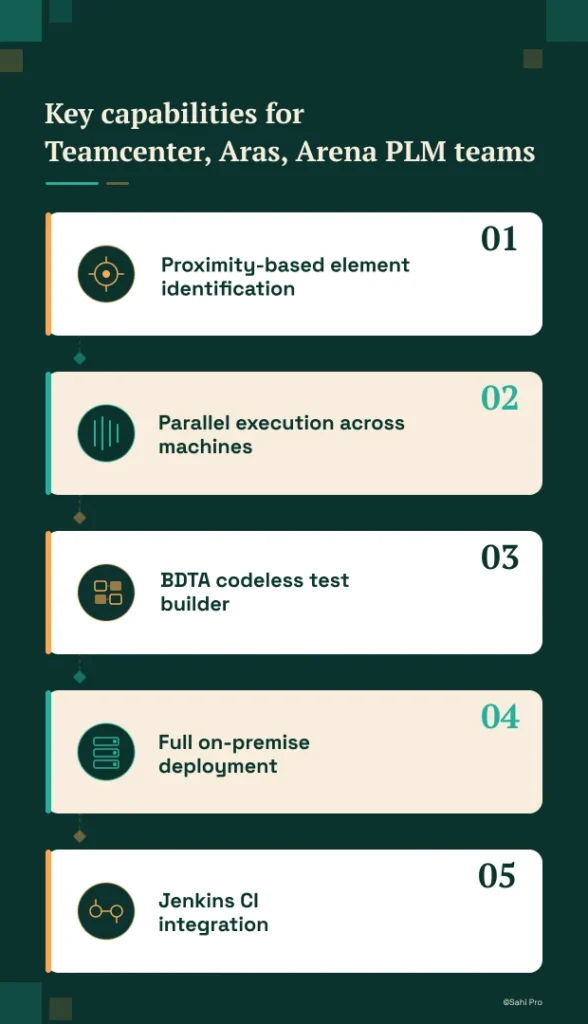
- Proximity-based element identification: Reads PLM elements by visible labels and structural context, surviving major version upgrades without locator rewrites.
- Parallel execution across machines: Distributes regression runs across multiple machines and browsers, reducing cycle time from days to hours, a practice aligned with plm testing best practices for high-cadence release schedules.
- BDTA codeless test builder: Manual testers can expand the regression suite with conditional logic and data-driven execution, removing the automation engineer bottleneck.
- Full on-premise deployment: Nothing routes externally. BOM data, test results, and execution logs stay within your network, meeting automotive OEM data residency requirements.
- Jenkins CI integration: Regression suites trigger automatically on build completion, with structured pass/fail reports across release cycles in HTML, Excel, PDF, and XML formats.
Honest limitations
The AI Assist OCR module, useful for canvas-rendered PLM interfaces, is an add-on at additional cost. It is not included in the base license. The BDTA visual builder covers web-layer flows well, but Java thick-client steps require scripting through the desktop add-on rather than the codeless interface. There is no native cloud SaaS execution option; all execution is on-premise or self-hosted.
Best for: High-cadence manufacturing PLM regression with minimal upgrade maintenance
On-premise: Yes, full installation, no external routing
Pricing: Module-based; free trial available
Key Teamcenter, Aras, Arena PLM capability: Proximity ID reduces regression maintenance to near-zero across PLM version upgrades
2. Tricentis Tosca — Best for enterprise model-based PLM automation
Overview for Teamcenter, Aras, Arena PLM teams
Tricentis Tosca is a model-based test automation platform widely used in SAP and enterprise application environments. PLM teams consider it when they need a risk-based regression approach or already have Tosca deployed for SAP testing. For a Test Automation Lead managing both ERP and PLM regression, Tosca offers a single platform for SAP-adjacent workflows.
What it does well for regression suite stability across PLM version upgrades
- Model-based test design: Reduces duplication across similar PLM workflows by abstracting test logic from the UI layer, which can reduce maintenance when PLM screens share common patterns.
- SAP-native integration: Teams already running Tosca for SAP ERP benefit from unified test management across PLM and ERP without switching tools.
- Enterprise risk-based regression coverage: Tosca’s risk-based approach prioritizes test execution based on change impact, which helps teams focus regression effort where it matters most during PLM upgrades.
- No-code test design for business analysts: Business analysts familiar with the Tosca model can author PLM test cases without automation engineering support, expanding coverage capacity.
Best for: Enterprise teams already using Tosca for SAP
On-premise: Yes, on-premise available
3. OpenText UFT One — Best for legacy PLM with existing UFT investment
Overview for Teamcenter, Aras, Arena PLM teams
UFT One (formerly HP QTP) is a long-established enterprise test automation tool with broad technology coverage. PLM teams evaluate it when they have legacy test scripts, existing UFT licenses, or need VBScript-based automation for older PLM interfaces. For organizations with years of UFT investment, migration cost alone can justify continued use.
What it does well for regression suite stability across PLM version upgrades
- Broad technology coverage: Supports Java, web, and Windows applications in a single tool, covering both modern PLM portals and legacy thick-client interfaces.
- Existing script libraries: Many enterprise environments have hundreds or thousands of UFT scripts already written. Reusing these avoids the cost of a full rewrite.
- Object spy for Java Swing elements: Identifies Java Swing components in Teamcenter Rich Client and similar desktop PLM modules, enabling automation of thick-client workflows.
- Mature enterprise support and documentation: Decades of deployment across Fortune 500 companies means extensive knowledge bases, community forums, and vendor support infrastructure.
Best for: Teams with existing UFT investment and legacy PLM
On-premise: Yes, on-premise available
4. Ranorex Studio — Best for desktop Windows PLM applications on legacy infrastructure
Overview for Teamcenter, Aras, Arena PLM teams
Ranorex Studio is a desktop and web test automation platform with strong Windows application support. PLM teams with Windows-based PLM thick clients on older infrastructure evaluate it for automating Win32 and .NET desktop interfaces. It is a practical choice when the primary regression scope is a Windows desktop application rather than a web portal.
What it does well for regression suite stability across PLM version upgrades
- Strong Windows desktop application support: Handles Win32 and .NET interfaces natively, which covers PLM desktop clients that many manufacturing teams still rely on.
- Record-and-replay for non-developer testers: Provides an entry point for manual testers to create initial test scripts without writing code, lowering the barrier to automation adoption.
- Web test support for PLM portals: Covers web-based PLM interfaces alongside desktop applications, allowing teams to maintain a single tool for mixed environments.
- Mobile testing add-on: Available for teams whose PLM workflows extend to mobile inspection or approval applications on the shop floor.
Best for: Windows desktop PLM applications and legacy thick clients
On-premise: Yes, fully on-premise
5. Selenium WebDriver — Best for web-only PLM portal automation with in-house engineering
Overview for Teamcenter, Aras, Arena PLM teams
Selenium WebDriver is the most widely used open-source web automation framework. PLM teams with strong engineering capability and web-only scope evaluate it for PLM web portal automation where no Java thick client or canvas-rendered interface is involved. It is the default starting point for many teams because of zero license cost and maximum flexibility.
What it does well for regression suite stability across PLM version upgrades
- Zero license cost: No procurement cycle, no budget approval. Teams can start building PLM regression suites immediately with no financial commitment.
- Largest community and documentation base: Any locator strategy, page object pattern, or integration question has likely been answered in the Selenium community already.
- Full browser coverage: Works on Chrome, Firefox, Edge, and Safari, covering every browser a PLM web portal might target.
- CI/CD pipeline integration: Integrates with Jenkins, GitLab CI, GitHub Actions, and every major pipeline tool through standard command-line execution and reporting plugins.
Best for: Web-only PLM portals with in-house engineers
On-premise: Yes, fully on-premise
6. Microsoft Playwright — Best for cloud-hosted PLM portals with modern web frameworks
Overview for Teamcenter, Aras, Arena PLM teams
Playwright is a modern open-source web automation framework from Microsoft with excellent support for Angular, React, and dynamic web applications. PLM teams evaluate it for cloud-hosted PLM portals like Arena PLM or ENOVIA 3DEXPERIENCE browser layers. Its auto-wait mechanism and network interception make it well-suited for single-page application architectures.
What it does well for regression suite stability across PLM version upgrades
- Excellent handling of dynamic web content: Built-in auto-waiting and retry logic reduces flaky tests caused by asynchronous rendering in modern PLM portals.
- Strong TypeScript support: Teams writing PLM test suites in TypeScript benefit from type safety and IDE auto-completion, reducing script errors during maintenance.
- Fast parallel execution: Runs tests in parallel across Chromium, Firefox, and WebKit without external grid infrastructure, shortening regression cycle time.
- Active development community: Frequent releases and rapid bug fixes mean PLM teams get framework improvements without waiting for annual vendor release cycles.
Best for: Cloud PLM portals with modern Angular or React UI
On-premise: Yes, fully on-premise
How to choose the right PLM Regression Testing Tools
The right tool depends on your specific PLM environment, team composition, and deployment constraints. No single tool fits every scenario. Here is a decision framework built around the constraints that matter most for manufacturing PLM regression.
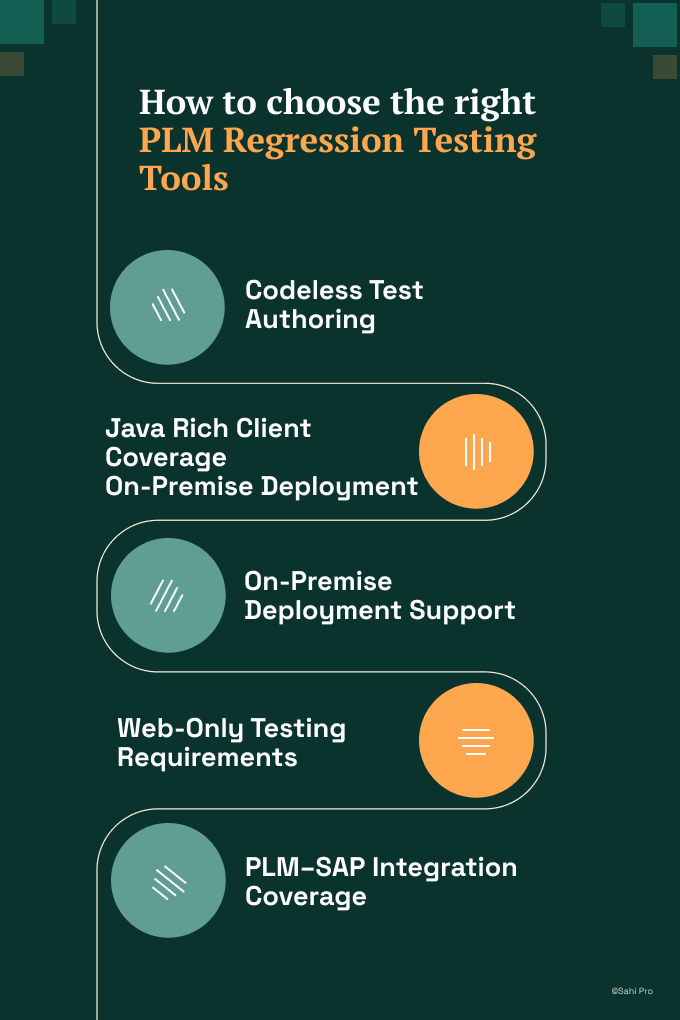
- If your team has no dedicated automation engineer and needs manual testers to build and maintain tests, consider Sahi Pro’s BDTA codeless builder or Tricentis Tosca’s model-based design. Both allow non-developers to author structured test cases without scripting.
- If your PLM regression scope includes Java thick-client modules like Teamcenter Rich Client or Aras desktop interfaces, eliminate any tool that operates on web DOM only. Selenium and Playwright cannot automate Java Swing or AWT components. Sahi Pro’s desktop add-on, UFT One, and Ranorex cover this layer.
- If your automotive OEM, industrial machinery, or consumer goods environment requires on-premise deployment with no external data routing, eliminate cloud-only tools at this step. Check the on-premise column in the quick-pick table above. All six tools listed here support on-premise, but verify each vendor’s specific deployment model for your data residency requirements.
- If your scope is purely web-layer PLM testing with no Java clients or canvas-rendered elements, Selenium or Playwright may be sufficient. Both handle standard web PLM portals and cost nothing to license.
- If you need one test suite covering Teamcenter and SAP ERP integration in a single execution for plm automated regression testing, only Sahi Pro’s add-on architecture covers both PLM and SAP GUI in the same script. Tosca covers SAP natively but handles PLM web layers through its standard web engine.
If you are unsure which criteria apply to your deployment, run a proof-of-concept directly against your Teamcenter, Aras, or Arena PLM environment. Sahi Pro offers a free trial for this purpose.
How we evaluated PLM Regression Testing Tools
A generic web testing benchmark tells you nothing about how a tool performs against a Teamcenter BOM tree that restructures on every service pack. PLM regression testing requires evaluation criteria specific to manufacturing PLM architectures. Every tool in this article was assessed against plm automated regression testing scenarios that mirror real upgrade cycles on Teamcenter, Aras, and Arena PLM.
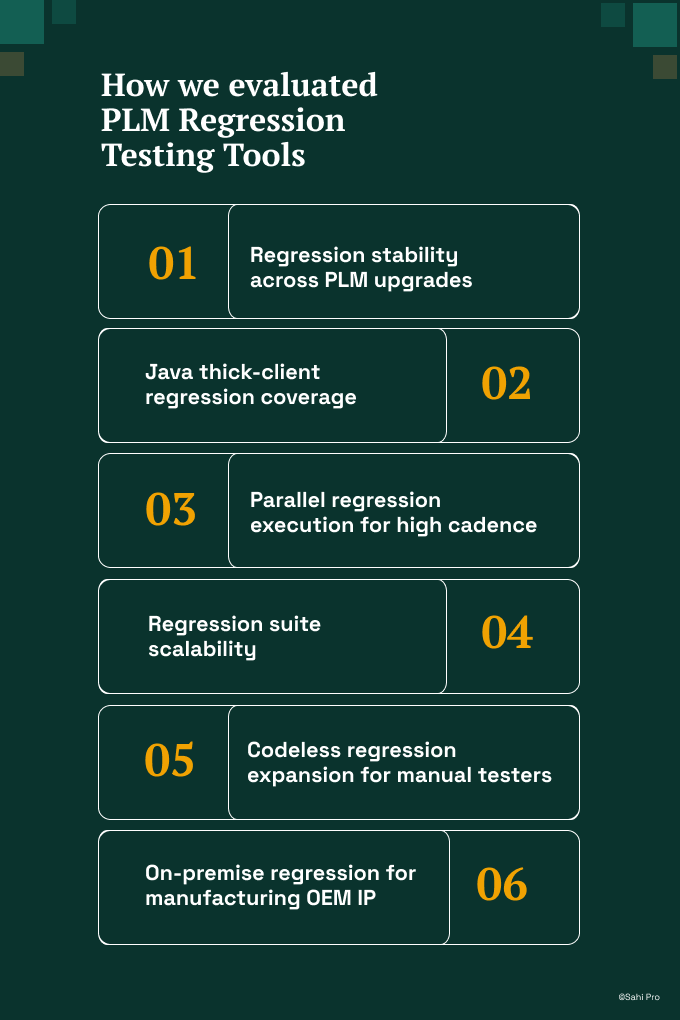
- Regression stability across PLM upgrades: Does element identification survive major PLM version releases without requiring suite-wide locator updates. This is the single most important criterion for plm test automation in high-cadence environments.
- Java thick-client regression coverage: Can the regression suite cover Teamcenter and Aras Java thick-client modules alongside web portals in the same execution run.
- Parallel regression execution for high cadence: Can the tool run regression in parallel across multiple machines to meet monthly or quarterly release cadences without manual scheduling.
- Regression suite scalability: Can the tool scale from 50 to 5,000 PLM regression test cases without architectural changes or additional infrastructure licensing.
- Codeless regression expansion for manual testers: Can manual testers add regression tests without automation engineer involvement, expanding coverage without creating a staffing bottleneck.
- On-premise regression for manufacturing OEM IP: Can regression run fully on-premise with no BOM or manufacturing data routed externally, satisfying ITAR and automotive data residency policies.
Running PLM Regression in Jenkins and GitLab CI
Manufacturing PLM teams running on-premise Jenkins or GitLab CI need regression tools that integrate without cloud execution agents. The core requirement is straightforward: trigger a regression suite on build completion, execute it on local infrastructure, and produce timestamped reports that tie back to a specific build number and change set. This matters because 80 percent of automation engineering time goes to test maintenance rather than new coverage after major PLM version upgrades when XPath-based tools are used (Sahi Pro customer deployment data, 2024). Following plm testing best practices means your CI integration should reduce that maintenance burden, not add to it.
Of the six tools evaluated, Sahi Pro integrates with Jenkins and GitLab CI through command-line execution with structured reporting output, running entirely on-premise. Tricentis Tosca supports Jenkins integration through its CI adapter, with on-premise execution available. OpenText UFT One integrates with Jenkins via the UFT plugin, supporting on-premise runs. Ranorex Studio supports command-line triggering from Jenkins. Selenium and Playwright both integrate natively with any CI pipeline through standard command-line execution.
All six tools can run on-premise Jenkins pipelines. The differentiator is what happens after the PLM upgrade. Tools relying on DOM-based identification require locator maintenance before the next CI run produces meaningful results.
For compliance-specific tool selection, request documentation from each vendor on whether their deployment model satisfies Jenkins and GitLab CI on-premise integration data residency requirements.
Real Results: Siemens AG
Siemens AG operates one of the largest Teamcenter Active Workspace deployments in manufacturing, with BOM tree test automation spanning hundreds of workflows. Their regression suites faced the same problem described throughout this article: every Active Workspace version upgrade broke XPath-based locators, forcing full suite rewrites before regression could resume.
They moved to Sahi Pro to eliminate that rewrite cycle. Proximity-based identification reads BOM tree elements by visible labels and spatial context, decoupling the suite from DOM structure changes.
The results after implementation:
- 80% reduction in Teamcenter regression maintenance hours after switching from XPath to proximity-based identification.
- Zero script regressions after Active Workspace 6.x upgrade across 340 BOM tree test cases.
- Test coverage expanded from 35% to 72% of Teamcenter workflows within 6 months of switching.
- Cross-layer regression extended to Teamcenter Java rich client with zero additional tooling licenses.
“Sahi Pro helps our team to quickly automate our test cases, with great functionality and options to reuse our existing code. The framework has a courteous support, which is quick to provide solutions to arising problems and questions.” — Jonas Roser, Test Manager and Developer, Siemens AG
Important Takeaway
For manufacturing teams running Teamcenter, Aras, or Arena PLM with monthly or quarterly release cadences, Sahi Pro is the strongest fit when regression stability across version upgrades is the primary concern. Its proximity-based identification architecture eliminates the rewrite cycle that consumes most automation budgets. For teams with web-only PLM scope and strong engineering capacity, Selenium or Playwright will handle the job at zero license cost. Tosca makes sense if SAP ERP is already in the stack and PLM regression is secondary scope.
Sahi Pro offers a free trial. You can test it against your own Teamcenter, Aras, or Arena PLM environment before any license decision.
If you want to see how Sahi Pro handles your most complex PLM test scenario, including BOM trees, Java thick clients, and cross-layer workflows, book a demo and bring the scenario that has broken every other tool you have tried.