TL;DR
- What this is: PLM testing coverage, element ID, compliance, CI/CD cadence
- Who it affects: QA leads at automotive OEMs using Teamcenter Active Workspace
- The core problem: Sub-40% automation coverage with no growth strategy
- Cost of not solving it: Same manual regression backlog every single release
- What Sahi Pro does differently: Proximity ID, BDTA coverage expansion, on-premise CI
- Proof: Siemens AG, 35% to 72% coverage in 6 months
Running PLM testing on Teamcenter Active Workspace without defined coverage targets or a stable element identification strategy means your regression suite resets itself every release cycle. That is not a tooling inconvenience. For automotive OEM and Tier 1 teams, each release produces the same manual regression backlog with no improvement quarter over quarter, and engineering hours burn on rework instead of coverage expansion. This article covers PLM testing best practices that QA leads at automotive OEMs get right: how to set a coverage baseline, stabilize element identification with proximity-based locators, and build a CI/CD cadence that holds across Teamcenter upgrades. Sahi Pro handles this through BDTA for coverage expansion, proximity ID for stability, and on-premise CI integration for consistent execution cadence.
What Is PLM Testing Best Practices?
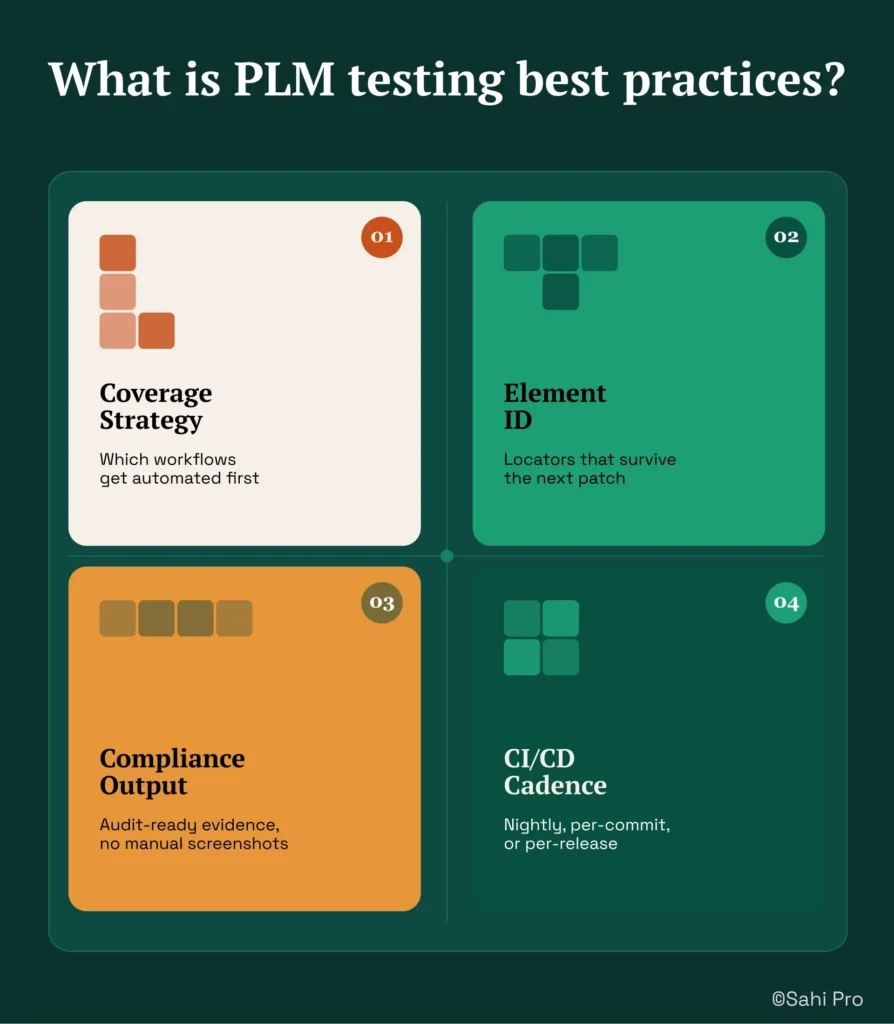
PLM testing best practices span coverage strategy, element ID, compliance output, and CI/CD cadence. That definition is precise for a reason. Teamcenter Active Workspace generates dynamic DOM structures that shift with every BOM reorganization, workflow configuration change, and version upgrade. For Test Automation Lead teams at automotive OEMs and Tier 1 suppliers, that means your Siemens Teamcenter test automation strategy must account for structural instability at the element layer before you write a single script.
Coverage strategy defines which workflows get automated first and what percentage of regression scope you target per quarter. Element ID determines whether your locators survive the next Active Workspace patch. Compliance output means generating audit-ready evidence for IATF 16949 without manual screenshot collection. CI/CD cadence sets the execution rhythm: nightly, per-commit, or per-release. Each of these four pillars affects the others. A team with strong coverage targets but fragile element identification will spend its automation budget on maintenance instead of expansion. A team with stable locators but no CI integration runs tests manually and misses the feedback loop that catches regressions early.
The table below shows where this matters most for Teamcenter Active Workspace teams.
Why Ad-hoc PLM testing with no defined coverage targets or stable element strategy Breaks Standard Automation
PLM testing best practices exist because the alternative, ad-hoc automation with no coverage plan and no element stability strategy, produces predictable failures on Teamcenter Active Workspace. The root cause is structural. Active Workspace renders BOM trees as dynamic HTML where DOM row indices shift every time an engineer reorganizes a sub-assembly, adds a revision, or expands a hierarchy node. Standard web automation tools that rely on XPath positional selectors or CSS nth-child references bind to a specific DOM arrangement. When that arrangement changes, and it changes constantly in any active PLM environment, every selector targeting a row position breaks. The test does not fail because the application has a defect. It fails because the locator pointed at a position that no longer holds the expected element.
Teamcenter Active Workspace compounds this problem through architectural decisions specific to PLM. The platform loads BOM data asynchronously, renders workspace panels through AJAX calls that complete at variable intervals, and restructures the visible DOM when users switch between views like Structure Manager, Change Manager, and Schedule Manager. Automated regression testing scripts built on static wait timers or fixed DOM paths cannot adapt to this variability. A test that passes on a freshly loaded workspace may fail on the same workspace thirty seconds later if a background data refresh alters the panel structure.
The business cost for automotive OEM and Tier 1 teams is direct. PLM QA teams that define coverage targets before starting automation reach 70 percent coverage twice as fast as teams that automate opportunistically [Sahi Pro customer deployment data, 2024]. Without that discipline, PLM QA automation stalls below 40 percent coverage, and every release cycle restarts the same manual regression effort. Engineering hours that should expand test coverage instead go toward fixing broken locators. For teams operating under IATF 16949 audit requirements, this also means compliance evidence is generated manually, adding risk and labor to every release.
Why Standard Test Automation Tools Hit a Ceiling on Teamcenter Active Workspace
Standard web automation tools do their job well for applications with stable DOM structures and predictable page loads. They excel at form-based web applications, static dashboards, and CRUD interfaces where element IDs remain consistent across releases. The ceiling appears when these tools encounter Teamcenter Active Workspace’s dynamic BOM trees. PLM test automation on Active Workspace requires locators that can find a part number regardless of its row position in a hierarchy that changes with every engineering revision. XPath expressions like //div[@class=’aw-widgets-cellListItem’][3] work until an engineer inserts a sub-assembly above the target row. At that point, the selector returns the wrong element or throws a not-found exception. The tool is functioning exactly as designed. The design scope simply does not cover positionally unstable DOM structures.
Enterprise model-based and codeless tools address some of these gaps but introduce their own limitations for Siemens Teamcenter test automation. Codeless recorders capture interactions against the current DOM state and generate scripts that are structurally identical to hand-coded XPath, just hidden behind a visual layer. When Active Workspace restructures its panels after an upgrade, the recorded script breaks in the same way a coded script would. Enterprise-tier tools that offer model-based approaches often require cloud-hosted execution infrastructure, which creates a deployment conflict for automotive OEMs operating under ITAR restrictions or strict IP data residency policies. Licensing models based on per-execution pricing also scale poorly for teams running nightly regression suites across multiple Teamcenter environments. The gap is a design scope problem: Teamcenter Active Workspace’s ad-hoc PLM testing with no defined coverage targets or stable element strategy requires identification and execution capabilities built for this specific layer.
How to Define a PLM Testing Best Practices Baseline for Your Team
Setting a baseline requires six concrete steps. Each step builds on the previous one, and skipping any of them creates the coverage gaps that ad-hoc approaches produce.
Step 1: Map your critical Teamcenter workflows to coverage targets. PLM testing best practices start with a coverage map, not a script. List every workflow your team validates manually during regression: BOM creation, revision management, change notice approval, document attachment, and access control verification. Assign each workflow a priority tier. Set a quarterly coverage target, for example, 50 percent of Tier 1 workflows automated by end of Q2.
Step 2: Configure label-based locator strategy. In Sahi Pro, set up proximity-based identification for Active Workspace elements. Instead of binding to DOM row indices, configure locators that read visible part numbers, revision labels, and workflow status text. The outcome: when a BOM hierarchy changes, the locator still finds the correct element by its visible label.
Step 3: Navigate to a target sub-assembly and handle hierarchy expansion. Script the navigation from the workspace landing page to a specific sub-assembly node. Sahi Pro’s built-in AJAX wait handling proceeds only when the panel finishes rendering. For Siemens Teamcenter test automation, this eliminates the manual sleep statements that cause flaky results on slow environments.
Step 4: Assert attribute values against expected data. After reaching the target node, validate part attributes, revision status, and ownership fields. Use data-driven inputs so the same script validates multiple part numbers from a spreadsheet or database query.
Step 5: Verify the test survives a BOM restructure. Reorganize the BOM hierarchy manually, then rerun the test without modifying the script. Proximity-based identification should resolve correctly despite the changed DOM positions.
Step 6: Confirm zero maintenance after an Active Workspace upgrade. After applying a patch or version upgrade, execute the full regression suite. Label-based locators that read visible text rather than DOM structure should pass without script edits.
The most common break point teams expect is Step 5, and Sahi Pro’s proximity-based approach prevents it by decoupling element identification from DOM position entirely.
How Sahi Pro Handles Ad-hoc PLM testing with no defined coverage targets or stable element strategy
Proximity-Based Identification for BOM Tree Stability
Sahi Pro identifies elements by visible labels and spatial context rather than DOM selectors. On Teamcenter Active Workspace, this means a script targeting a part number reads the visible text “PN-4420-REV-C” and its position relative to adjacent labels like “Status” or “Owner.” When an engineer inserts a new sub-assembly above that part, the DOM row index shifts, but the visible label and its spatial context remain identical. The script resolves correctly without any locator update. PLM test automation built on this identification architecture treats BOM restructuring as a non-event rather than a maintenance trigger. A concrete scenario: a test validates the approval status of five parts in a multi-level BOM. After a hierarchy reorganization that moves three of those parts to different tree positions, the test reruns and passes. No script edit. No maintenance ticket.
BDTA Coverage Expansion Across Web and API Layers
Sahi Pro’s BDTA visual builder lets non-developer QA members construct test flows with conditional logic, data-driven inputs, and suite dependencies. For PLM testing best practices at automotive OEMs, this means the QA analyst who understands the change notice workflow can author the automated regression test for that workflow directly. The same script can span the Active Workspace web portal and REST API validation using Sahi Pro’s Web Services add-on. Automated regression testing that covers both the UI interaction and the backend data state in a single execution produces a unified report, eliminating the gap between front-end and API validation that multi-tool stacks leave open.
On-Premise CI Integration for Execution Cadence
PLM QA automation at automotive OEMs typically runs on infrastructure that cannot route data externally. Sahi Pro’s execution server integrates with Jenkins, GitLab CI, and Azure DevOps on-premise. The entire execution chain, from test trigger to result storage to report generation, stays within the customer network. This makes nightly regression runs against Teamcenter environments a configuration task rather than an infrastructure project.
Sahi Pro vs Generic Test Automation Tools for PLM Testing Best Practices
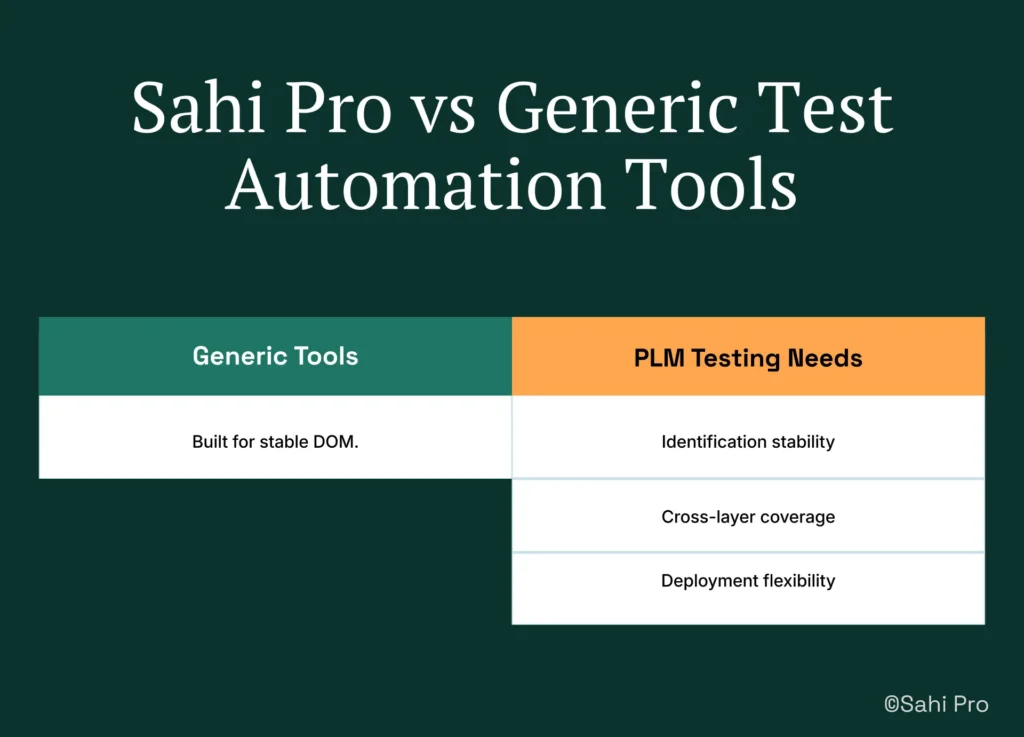
Standard web automation tools are the right choice for teams with straightforward web application testing needs and stable DOM structures. For those teams, the investment in a PLM-specific approach is unnecessary overhead. The comparison shifts when the testing scope includes Teamcenter Active Workspace BOM trees, cross-layer workflows spanning web and Java clients, and on-premise deployment requirements driven by IATF 16949 or ITAR compliance. PLM testing best practices require identification stability, cross-layer coverage, and deployment flexibility that fall outside the design scope of general-purpose web automation. The table below compares eight criteria that matter most for Teamcenter Active Workspace automated regression testing teams.
Teamcenter Active Workspace Test Automation: Feature Comparison
| Criterion | Generic tools | Sahi Pro |
| Element identification method | XPath and CSS selectors tied to DOM position; break on layout restructuring | Proximity and label-based ID reads visible labels; survives DOM restructuring |
| BOM tree stability across upgrades | Row-index selectors break when BOM hierarchy changes; manual rewrite required | Proximity ID reads by visible part number; survives hierarchy changes without rewrite |
| Java thick-client coverage | No DOM access to Java Swing/AWT/SWT panels; test fails when PLM Java module opens | Desktop add-on reaches Java Swing/AWT/SWT in same script as web portal; no tool switching |
| Maintenance after PLM upgrades | DOM-based scripts need partial or full rewrite after each major PLM release | Proximity ID survives structural UI changes; upgrade maintenance near zero |
| Cross-layer: web + Java + API in one script | Separate tools for web, desktop, and API; integration handoffs are never tested together | Single script spans web portal, Java thick client, and REST/SOAP API; one report |
| On-premise deployment | Most tools route execution data externally; blocked in ITAR and IP-sensitive environments | Full on-premise install; execution, results, and reporting stay within customer network |
| Codeless authoring for non-developers | No-code recorders limited to web DOM; Java and canvas PLM layers have no codeless path | Visual test builder supports conditional logic and data-driven inputs without JavaScript |
| On-premise CI/CD integration | On-premise PLM nodes need custom agent config; most tools assume cloud execution | Execution server integrates with Jenkins, GitLab CI, and Azure DevOps on-premise |
If your team only needs web-layer Teamcenter Active Workspace testing with no BOM tree stability or cross-layer coverage requirement, a standard web automation tool may cover your scope.
Real Results: Siemens AG
Siemens AG runs Teamcenter Active Workspace across multiple engineering divisions, with BOM structures that change frequently as product configurations evolve. Their QA team faced the same challenge this article describes: ad-hoc automation with no defined coverage targets, XPath-based locators that broke on every hierarchy change, and a regression backlog that reset with each release. They moved to Sahi Pro to stabilize element identification through proximity-based locators, expand coverage using BDTA for non-developer test authoring, and establish a consistent CI execution cadence on their on-premise infrastructure. The results after implementation:
- Coverage expanded from 35% to 72% of Teamcenter workflows within 6 months using structured best practices.
- 70% reduction in test maintenance hours after switching from XPath to proximity-based identification.
- New test cases built 3x faster by non-developer QA members using the BDTA visual builder.
- Zero script regressions after Active Workspace 6.x upgrade due to label-based element identification.
“Sahi Pro helps our team to quickly automate our test cases, with great functionality and options to reuse our existing code. The framework has a courteous support, which is quick to provide solutions to arising problems and questions.” – Jonas Roser, Test Manager and Developer, Siemens AG
What QA Leads at Automotive OEMs Do Differently
Three things separate teams that reach 70 percent PLM test coverage from teams that stall below 40 percent. First, they set explicit coverage targets before writing a single script, then measure progress quarterly. Second, they choose an element identification method that decouples locators from DOM position, which eliminates the maintenance tax that consumes automation budgets. Third, they run regression suites on a fixed cadence through on-premise CI integration, turning test execution into a scheduled operation rather than a manual decision.
If your team is evaluating whether proximity-based identification and cross-layer scripting would hold up against your own Teamcenter Active Workspace environment, bring your hardest test scenario. Sahi Pro offers a free trial, and the engineering team will work through your specific BOM structure and workflow complexity during a technical demo. Book A Demo