A team already running Katalon for their web app hits a wall the day their PLM rollout adds a Teamcenter Java Rich Client screen to the regression scope
TL;DR
- This piece narrows specifically to Java-layer handling, for readers who’ve already seen the general Sahi Pro vs Katalon comparison and want the technical detail on this one axis.
- Katalon’s AI-powered locators are built for and genuinely strong at web and DOM-based elements.
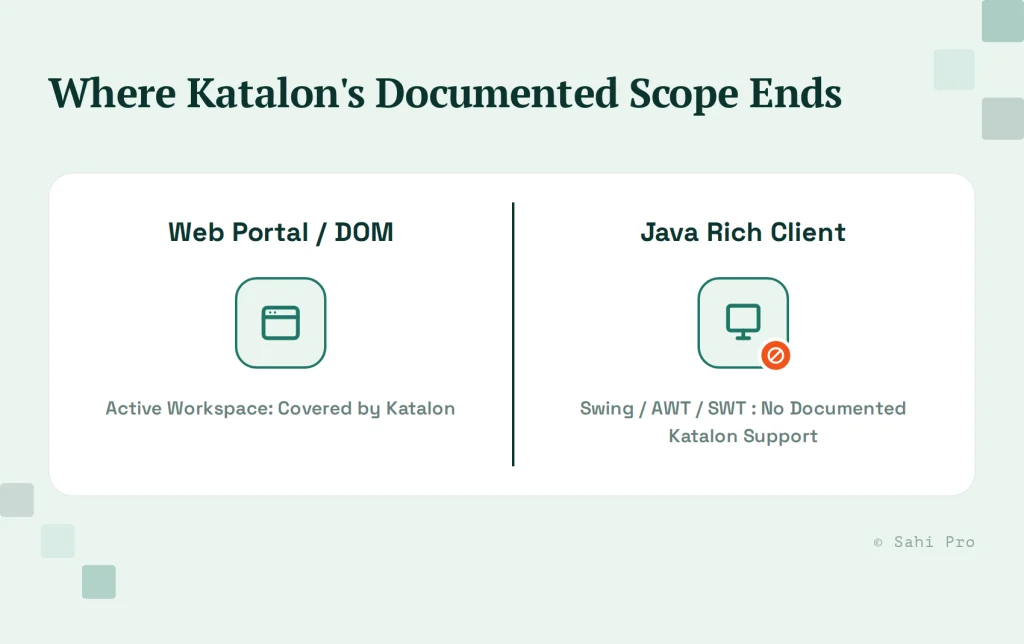
- Katalon’s documented desktop testing support covers Windows-based technologies specifically, UWP, WinForms, WPF, and Win32, with no documented support for Java Swing, AWT, or SWT thick clients.
- Concrete Teamcenter and Windchill scenarios show exactly where that line sits.
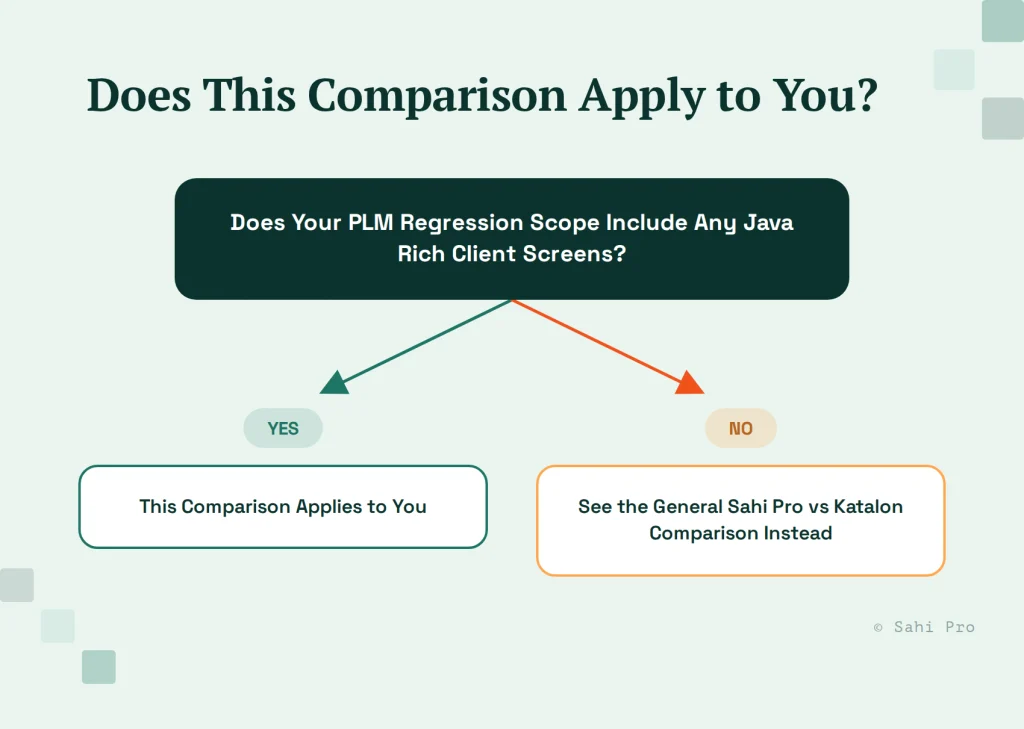
- For teams whose PLM footprint is entirely web-based, with no Java Rich Client dependency, this specific comparison may not change the decision, worth saying plainly.
Why this is a narrower question than the general comparison
If you’re weighing Katalon against Sahi Pro broadly, Sahi Pro vs Katalon covers that ground: pricing model, no-code authoring depth, general reporting and CI/CD integration. This piece assumes you’ve already seen that general picture and want the answer to one specific technical question: what happens when your PLM regression scope includes a Java Rich Client screen, not just a web portal. That’s a narrower question than “which tool is better,” and it deserves a narrower, more technical answer than a general comparison page can give it.
What Katalon’s AI-powered locators do well
Katalon’s locator engine is built for web and DOM-based automation, and it’s a genuinely strong, actively developed product in that space. Its AI-powered locator strategy is designed to adapt when a DOM element’s attributes shift slightly between builds, which is a real strength for teams running fast-moving web application development. For a PLM platform’s modern web interface, Teamcenter’s Active Workspace, for instance, Katalon’s approach to identifying and interacting with DOM elements holds up the way you’d expect from a mature web-automation tool built specifically around that layer.
This matters to state plainly before narrowing further, because the point of this piece isn’t to argue Katalon is weak. It’s to draw an accurate, specific line around where its documented strength actually extends, and where it doesn’t.
Where Java Rich Client scenarios sit outside that strength
The line shows up at the Java layer specifically. Katalon documents desktop testing support for Windows-based technologies: Universal Windows Platform, Windows Forms, Windows Presentation Foundation, and classic Win32 applications. That documentation does not reference Java Swing, AWT, or SWT, the frameworks underlying Teamcenter’s Java Rich Client and several of Windchill’s thick-client components, including its embedded Creo plugin windows.
Picture a QA engineer trying to script a BOM management action that lives entirely inside Teamcenter’s Java Rich Client, not the Active Workspace web portal, say, a bulk revision update across a parent-child part structure that the Java client handles but the web interface doesn’t fully expose. Katalon’s documented scope has no stated path into that layer, because it isn’t built around the same underlying technology the Java Rich Client runs on. A team that’s built its entire regression suite in Katalon around the assumption that “desktop support” means any thick client discovers this gap the same way most teams do, when a specific Java-only scenario fails to automate at all, not when it fails a test run.
How Sahi Pro’s relational identification extends into the same scenario
Sahi Pro identifies elements by relational, proximity-based context rather than depending on a platform-specific object model, which is what lets the same underlying approach extend across the web portal and the Java Rich Client inside one continuous test flow. For the same Teamcenter BOM management scenario, this means the flow doesn’t need to hand off to a separate tool once it crosses from Active Workspace into the Java client, it continues using the same identification logic, referencing nearby labels and field relationships rather than a fixed object tree that would need to differ between the two layers.
The practical effect is a single test script that opens in the web portal, performs a navigation step there, then continues directly into a Java Rich Client dialog for the BOM action, without the QA engineer needing to switch tools, switch scripting languages, or maintain two separate test artifacts for what is functionally one user workflow. The deeper mechanics of how this relational approach works are covered in the Teamcenter-specific tooling breakdown.
When this distinction doesn’t matter for your decision
Said plainly: if your PLM footprint is fully web-based, a modern Teamcenter Active Workspace deployment with no Java Rich Client dependency anywhere in your test scope, this specific Java-layer distinction isn’t the deciding factor for you, and the general Sahi Pro vs Katalon comparison is the more relevant read for your evaluation.
This distinction matters specifically for teams whose regression scope actually touches the Java layer, not as a universal argument against Katalon in every PLM context. It’s worth an honest internal check before assuming either way: some organizations believe they’ve moved entirely to a modern web interface, only to discover during a regression audit that a handful of high-value administrative workflows, often BOM-related, still route through the Java client because nobody migrated that specific function when the rest of the interface went web-based. Teams running Windchill’s canvas-rendered attribute grids alongside Java client dependencies can also reference PLM Test Automation Tools for High-Mix Manufacturing for a related breakdown of that layer.
Why this gap tends to surface late, not early
Teams rarely discover this limitation during tool evaluation. Most Katalon evaluations happen against a web application, since that’s the layer the tool is built for and where a demo naturally focuses. The Java Rich Client dependency usually surfaces months later, during a PLM rollout or an expanded regression scope, when a specific administrative workflow that nobody flagged as “PLM-relevant” during the original evaluation turns out to route through the Java layer.
By that point, a team may have already built a meaningful share of its regression suite in Katalon, which makes the discovery feel like a bigger problem than it needs to be. It usually isn’t an all-or-nothing decision. The web-layer coverage already built in Katalon keeps working, since nothing about adding Java Rich Client coverage elsewhere invalidates it. The practical question becomes whether to extend the existing suite with a second tool for the Java-specific scenarios, or consolidate onto a single tool that covers both layers going forward, the same tradeoff explored in more depth in the two-tool cost discussion elsewhere on this blog.
Sources
- Sahi Pro vs Katalon
- Katalon Studio desktop testing documentation (katalon.com/desktop-testing)
- Siemens Teamcenter Active Workspace and Java Rich Client architecture documentation