
TL;DR
- What this is: Visual test builder for Teamcenter with conditional logic
- Who it affects: QA leads and manual testers at PLM companies using Teamcenter
- The core problem: Only automation engineers can author PLM tests
- Cost of not solving it: Manual testers stuck running repetitive regression cycles
- What Sahi Pro does differently: BDTA visual builder with conditional logic, data-driven inputs
- Proof: Manual testers productive in 2 weeks, not 6 to 8
Building Teamcenter test automation while your manual QA testers sit on the sidelines is a familiar frustration, and the absence of codeless test automation options is usually the root cause, not a lack of talent on the team. The result is predictable: manual testers keep running repetitive regression that could be automated, and PLM coverage stays stuck at a fraction of what it should be. This article covers how Sahi Pro’s BDTA visual builder enables manual testers and business analysts to author Teamcenter BOM tests with conditional logic and data-driven inputs, without writing JavaScript or learning a scripting framework. Sahi Pro handles this through a visual builder that produces structured, maintainable tests across web, Java thick-client, and API layers in a single script.
What Is BDTA Codeless PLM Automation?
BDTA: visual test builder for Teamcenter with conditional logic. That single-line definition carries more weight than it appears to. Siemens Teamcenter presents testers with a layered interface spanning Active Workspace web panels, Java Rich Client modules, and REST API endpoints, all within a single workflow. For Test Automation Lead teams, that means any codeless test automation approach must handle conditional branching across those layers, not just record clicks on a web page.
Scriptless test automation in this context is not record-and-playback. BDTA lets a manual tester define a complete test sequence, including if/else conditions, data-driven loops, and suite-level dependencies, through a visual interface. The tester selects actions, maps data sources, and configures assertions without opening a code editor. Engineers who prefer scripting retain full JavaScript access in the same environment, so both skill levels contribute to the same test suite without translation overhead.
The practical difference shows up at scale. A team with five manual testers and one automation engineer typically bottlenecks on that single engineer. BDTA removes the bottleneck by letting the five testers author and own their own tests. The automation engineer shifts to framework design and edge-case coverage instead of writing every script from scratch.
The table below shows where this matters most for Siemens Teamcenter teams.
Why Manual Testers Excluded from PLM Automation Breaks Standard Automation
Standard web automation frameworks identify elements through DOM selectors: XPath expressions, CSS paths, and element IDs. Teamcenter’s Active Workspace generates dynamic DOM structures where row indices shift on BOM reorganization, panel IDs change between sessions, and AJAX-loaded content appears asynchronously. Codeless test automation built on top of these selectors inherits their fragility. Every time a BOM hierarchy is restructured or a Teamcenter patch modifies the DOM tree, selectors break. The tests do not fail because the application has a defect. They fail because the locator strategy cannot survive structural change.
Teamcenter makes this harder than a typical web application because of deliberate architectural decisions. Active Workspace renders BOM trees, property panels, and workflow task lists as dynamically assembled components. The same part number can appear at different DOM positions depending on the user’s expansion state, saved search context, or role-based access configuration. PLM testing without coding on this surface requires an identification method that reads visible labels and spatial proximity, not absolute DOM position. Standard frameworks were not designed for this pattern.
The business cost lands directly on coverage. PLM automation coverage stays below 40 percent when only automation engineers can author tests; manual testers are excluded from the program despite running the majority of regression (Sahi Pro PLM Course Book, Module 3). For PLM verticals, that gap means every Teamcenter release ships with large portions of the workflow validated only by manual execution. Low code test automation that includes manual testers in the authoring process is the only way to close that gap without tripling the automation engineering headcount.
Why Standard Test Automation Tools Hit a Ceiling on Siemens Teamcenter
Standard web automation tools are excellent at what they were designed for: testing web applications with stable DOM structures, predictable element IDs, and single-layer interfaces. For teams whose Teamcenter scope is limited to basic Active Workspace navigation with no BOM manipulation, no Java Rich Client modules, and no API validation, these tools can deliver adequate coverage. The ceiling appears when the test must interact with a BOM tree where row indices shift on every reorganization, or when the workflow transitions from Active Workspace into a Java thick-client panel. No code test automation in DOM-based frameworks simply has no mechanism to address elements that exist outside the DOM. The tool is not broken. It was built for a different layer.
Enterprise model-based and scriptless test automation tools extend further, but they introduce their own constraints for Teamcenter teams. Some require cloud-hosted execution infrastructure, which is blocked in ITAR-controlled and IP-sensitive PLM environments. Others offer codeless authoring for web elements but drop back to scripting for Java Swing panels or REST API calls, which fragments the test suite across multiple tools and skill sets. Licensing models that charge per execution or per virtual user inflate costs when regression suites scale to hundreds of tests running nightly. On-premise deployment, where it exists, is often a premium add-on rather than a standard configuration. The gap is a design scope problem: Siemens Teamcenter’s manual testers excluded from PLM automation requires a tool built for this specific layer.
How to Build a Teamcenter BOM Test in BDTA Without Coding
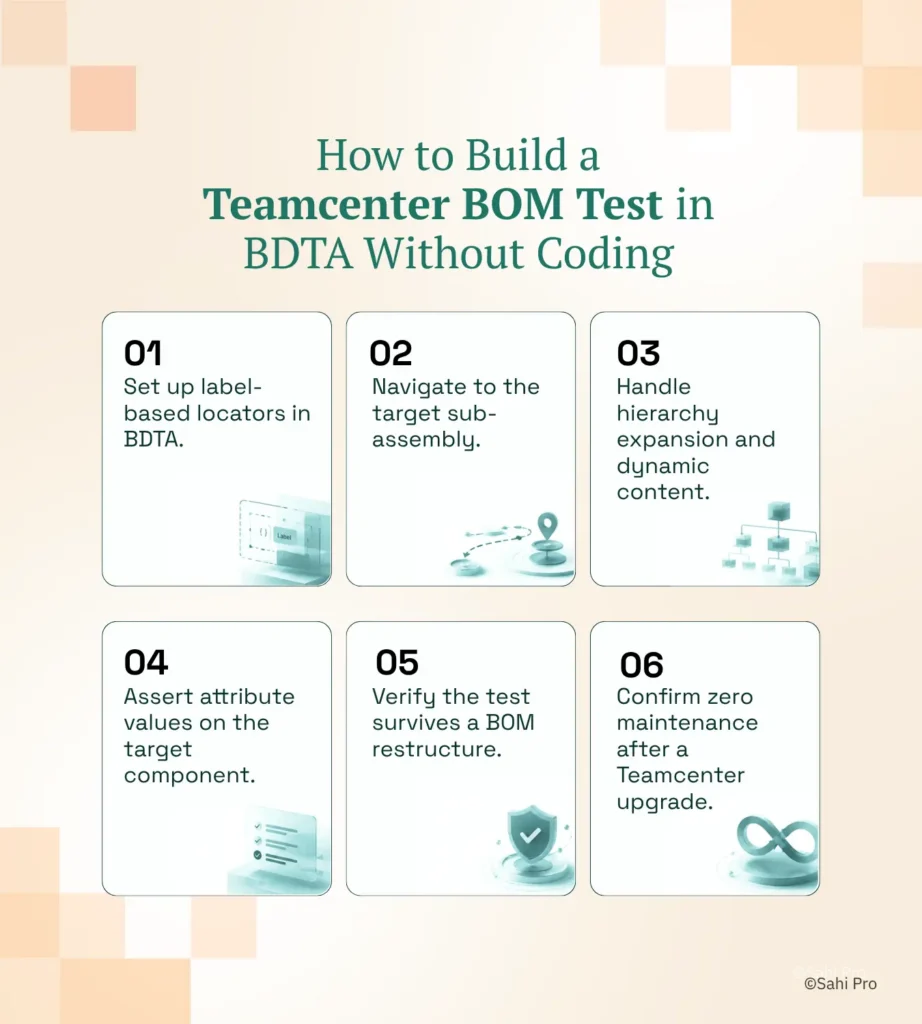
Step 1: Set up label-based locators in BDTA. Open the BDTA visual builder and point it at your Teamcenter Active Workspace session. Codeless test automation starts here: BDTA identifies BOM elements by their visible labels and spatial proximity to adjacent elements, not by DOM position or XPath. Configure the locator for the target part number by selecting the visible text on screen.
Step 2: Navigate to the target sub-assembly. Add a navigation step that opens the correct BOM structure in Active Workspace. BDTA records the navigation path as a sequence of label-based actions. If the BOM tree requires expanding multiple levels, each expansion is captured as a discrete step with automatic wait handling for AJAX content loading.
Step 3: Handle hierarchy expansion and dynamic content. Teamcenter BOM trees load child nodes asynchronously. BDTA manages this with intelligent waits that detect when the DOM has stabilized after an expansion event. Scriptless test automation here means the tester does not write explicit wait commands or sleep timers. The visual builder handles timing automatically.
Step 4: Assert attribute values on the target component. Add assertion steps that validate part properties: revision, release status, owning group, or any custom attribute displayed in the properties panel. BDTA supports conditional logic at this point, so the test can branch based on the attribute value. For example, if the revision is “B” the test follows one path, and if it is “C” it follows another.
Step 5: Verify the test survives a BOM restructure. Run the test, then reorganize the BOM hierarchy in Teamcenter: move the target component to a different parent, change the sort order, or add sibling components. Re-run the same test without editing it. Because the locators read visible part numbers and spatial context, the test finds the correct element regardless of its new DOM position.
Step 6: Confirm zero maintenance after a Teamcenter upgrade. After applying a Teamcenter patch or version upgrade, execute the test suite. Proximity-based identification survives structural UI changes introduced by the upgrade. No locator updates. No script rewrites.
The most common break point teams expect, and why Sahi Pro’s approach prevents it.
How Sahi Pro Handles Manual Testers Excluded from PLM Automation
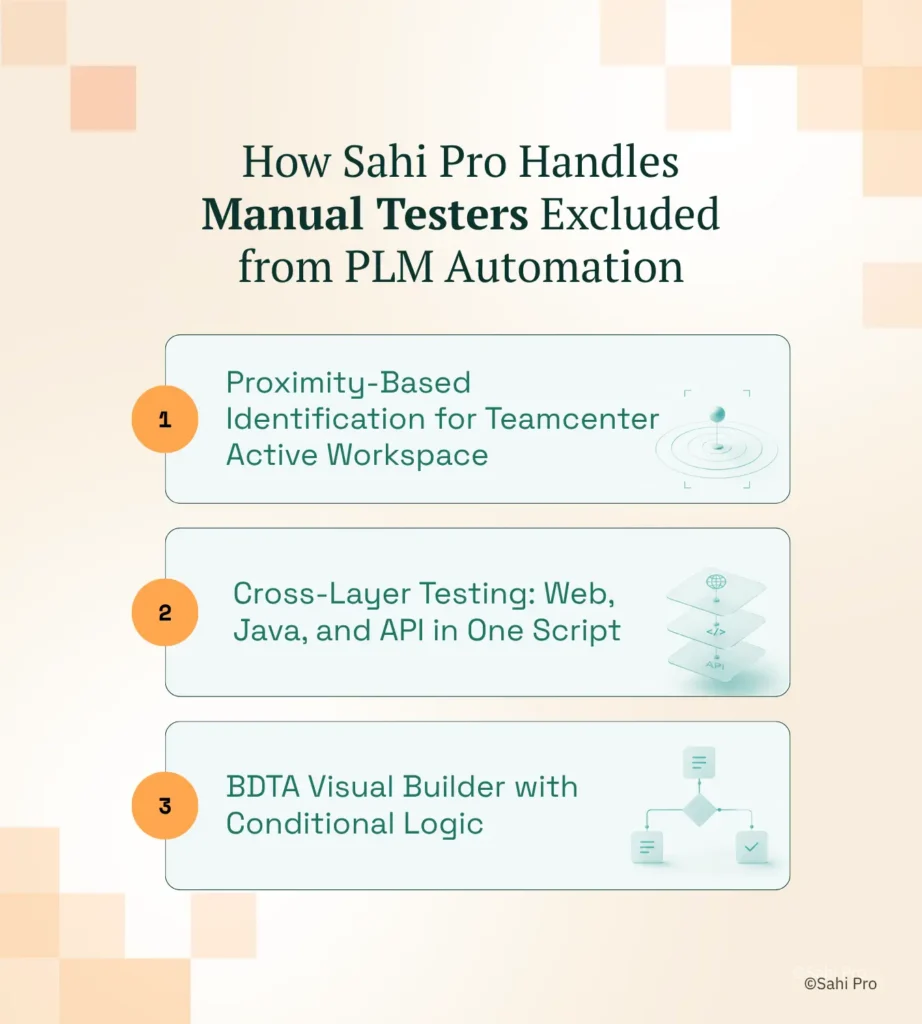
Proximity-Based Identification for Teamcenter Active Workspace
Sahi Pro identifies elements by visible labels and structural proximity rather than DOM selectors. Consider a BOM tree test that validates the release status of a sub-assembly three levels deep. The script references the part number as visible text on screen and locates the adjacent “Release Status” cell by its spatial relationship to that label. When a Teamcenter administrator reorganizes the BOM, moving the sub-assembly under a different parent, the DOM row indices shift entirely. Sahi Pro’s locator still resolves correctly because the visible part number and its proximity to the status cell have not changed. No code test automation on this architecture means a manual tester authors the test once and it runs across BOM restructures without maintenance.
Cross-Layer Testing: Web, Java, and API in One Script
A typical Teamcenter workflow does not stay in Active Workspace. An engineering change request might start in the web portal, require approval in the Java Rich Client, and trigger a status update validated through a REST API call. Sahi Pro’s Web add-on handles Active Workspace. The Desktop add-on covers Java Swing, AWT, and SWT panels in the same script without switching tools. The Web Services add-on adds REST and SOAP API validation steps inline. PLM testing without coding across all three layers happens in a single test sequence with one unified report. Codeless test automation in this configuration means the manual tester authors steps for each layer using the same BDTA visual interface.
BDTA Visual Builder with Conditional Logic
BDTA is not a recorder that produces linear scripts. It supports conditional branching, data-driven execution from external CSV or Excel files, and suite-level dependencies where one test’s output feeds the next test’s input. Low code test automation through BDTA lets a manual tester build a test that checks whether a part is in “Released” or “In Work” status and follows a different validation path for each. The tester configures this logic visually, without writing if/else statements in code.
Sahi Pro vs Generic Test Automation Tools for BDTA Codeless PLM Automation
Teams evaluating tools for PLM automation have genuine options, and the right choice depends on scope. For teams whose testing requirements are limited to web-only Teamcenter interactions with stable DOM structures, standard web automation tools are a reasonable and often more economical fit. The comparison shifts when the scope includes manual testers who need to author tests independently, BOM trees that restructure between releases, Java thick-client modules, or on-premise deployment constraints. Codeless test automation for that expanded scope requires a different identification architecture and a visual authoring layer that covers more than the web DOM. The table below compares eight criteria that matter most for Siemens Teamcenter PLM testing without coding teams.
Siemens Teamcenter Test Automation: Feature Comparison
| Criterion | Generic tools | Sahi Pro |
| Codeless authoring for non-developers | No-code recorders limited to web DOM; Java and canvas PLM layers have no codeless path | Visual test builder supports conditional logic and data-driven inputs without JavaScript |
| Java thick-client coverage | No DOM access to Java Swing/AWT/SWT panels; test fails when PLM Java module opens | Desktop add-on reaches Java Swing/AWT/SWT in same script as web portal; no tool switching |
| Maintenance after PLM upgrades | DOM-based scripts need partial or full rewrite after each major PLM release | Proximity ID survives structural UI changes; upgrade maintenance near zero |
| BOM tree stability across upgrades | Row-index selectors break when BOM hierarchy changes; manual rewrite required | Proximity ID reads by visible part number; survives hierarchy changes without rewrite |
| Cross-layer: web + Java + API in one script | Separate tools for web, desktop, and API; integration handoffs are never tested together | Single script spans web portal, Java thick client, and REST/SOAP API; one report |
| Dynamic content wait handling | Explicit wait commands needed for AJAX PLM portals; timing failures cause flaky tests | Automatic intelligent waits for AJAX and dynamic PLM content; no manual waits |
| On-premise CI/CD integration | On-premise PLM nodes need custom agent config; most tools assume cloud execution | Execution server integrates with Jenkins, GitLab CI, and Azure DevOps on-premise |
| On-premise deployment | Most tools route execution data externally; blocked in ITAR and IP-sensitive environments | Full on-premise install; execution, results, and reporting stay within customer network |
If your team only needs web-layer Siemens Teamcenter testing with no requirement to include manual testers in the automation program, a standard web automation tool may cover your scope.
Real Results: Educational Testing Service (ETS)
Educational Testing Service (ETS) runs a complex web application ecosystem built on Spring, Hibernate, JSP, HTML, MySQL, and Angular JS, and faced the challenge of scaling test automation across their Unify platform without requiring advanced programming skills from QA and BA team members. They adopted Sahi Pro to enable non-developers to author and maintain tests within a continuous deployment pipeline, using the BDTA visual builder with conditional logic and data-driven inputs. The results after implementation:
- Enormous saving in testing effort: QA and BA teams use Sahi Pro without advanced programming background.
- Parallel script execution across multiple threads reduced overall run time for the Unify platform test suite.
- Jenkins integration enabled continuous deployment pipeline with automation build validations running without manual trigger.
- Image comparison and benchmark testing integrated into the same framework with pixel-level mismatch detection and no separate tool.
Before Your Next Siemens Teamcenter Upgrade
Three things matter for PLM QA teams heading into their next release cycle. First, if only your automation engineers can author tests, your coverage will always reflect their bandwidth, not your application’s risk surface. Second, proximity-based identification eliminates the maintenance cycle that follows every Teamcenter upgrade, because locators read visible labels instead of DOM positions that shift between releases. Third, cross-layer coverage in a single script, spanning Active Workspace, Java Rich Client, and REST APIs, closes the gaps where defects hide between tools.
Sahi Pro offers a free trial so you can test it against your own Siemens Teamcenter environment before any license decision. If you want to see how BDTA handles your most complex BOM scenario, book a technical demo and bring your hardest test case.