
TL;DR
- Teamcenter BOM tree test automation is the practice of writing stable test scripts for part hierarchy navigation that continue to identify the correct BOM rows after sub-assemblies are added, removed, or reorganised, without requiring manual script maintenance.
- The core problem: Standard DOM-position and XPath-based selectors break when Teamcenter BOM sub-assemblies are reorganised because row indices and DOM node positions shift with every structural change.
- Cost of not solving it: 3 to 5 engineer-days of script maintenance after every Active Workspace release, with regression coverage dropping to zero during the maintenance window.
- What Sahi Pro does differently: Proximity and label-based identification that reads BOM rows by visible part number and structural context, not DOM row index, surviving every BOM hierarchy reorganisation.
- Proof: “Sahi Pro helps our team to quickly automate our test cases, with great functionality and options to reuse our existing code.” (Jonas Roser, Test Manager and Developer, Siemens AG)
Siemens Teamcenter Active Workspace presents a specific technical failure mode for test automation: BOM tree navigation breaks every time a part hierarchy changes. For Automotive OEM and Tier 1 teams relying on Siemens teamcenter test automation, this failure translates directly into missed release windows and uncovered regressions during the exact period when coverage matters most. This article walks through the root cause, shows why generic tools cannot solve it, and gives you a step-by-step method for building BOM tree tests that survive hierarchy reorganisation. Sahi Pro handles this through proximity and label-based element identification that reads visible part numbers instead of DOM row indices, making BOM restructures invisible to your test suite.
What Is Teamcenter BOM Tree Test Automation?
Teamcenter BOM tree test automation is the practice of writing stable test scripts for part hierarchy navigation that continue to identify the correct BOM rows after sub-assemblies are added, removed, or reorganised, without requiring manual script maintenance. For any Test Automation Lead working inside Siemens Teamcenter Active Workspace, this definition carries real operational weight. A typical vehicle program BOM contains thousands of parts arranged in nested sub-assemblies. Engineering changes, supplier switches, and platform consolidations constantly reshuffle those hierarchies.
The challenge for Siemens teamcenter test automation is that every structural change invalidates scripts built on positional selectors. Your test expects “row 14, child node 3” to be the brake caliper assembly. After a reorganisation, that same part sits at row 22, child node 1. The test fails. Not because the application broke, but because the locator strategy assumed a static structure.
This is where plm ui test automation diverges from standard web testing. A login page has a username field that rarely moves. A BOM tree is a living structure that reflects ongoing engineering decisions. Scripts must identify parts by what they are, not where they sit. The distinction between positional and contextual identification defines whether your regression suite survives the next release or requires a full maintenance cycle.
The table below shows where this matters most for Siemens Teamcenter Active Workspace teams.
Why BOM Tree Navigation Stability Across Part Hierarchy Changes Breaks Standard Automation
Active Workspace renders BOM trees as dynamic HTML table rows inside an AJAX-driven single-page application. Each row is a DOM node whose position is determined by the current hierarchy state. When a sub-assembly is inserted, removed, or moved, every row index below the change point shifts. Standard siemens teamcenter test automation scripts that rely on XPath expressions like //tr[14]/td[3] or CSS nth-child selectors immediately point to the wrong part. The test does not fail gracefully. It either clicks the wrong row and cascades errors through the suite, or it throws a “not found” exception that tells you nothing about the actual application state.
Active Workspace compounds this problem through several design decisions. The BOM tree loads incrementally: expanding a node triggers an asynchronous server call that inserts new DOM elements into the middle of the existing tree. Collapse and re-expand can produce different DOM structures depending on server-side caching. Role-based access control filters visible rows per user, meaning the same BOM renders differently for a design engineer and a manufacturing planner. Automated regression testing against this interface requires locators that are immune to all three variables: structural change, async rendering, and role-dependent filtering.
The business cost for Automotive OEM and Tier 1 organisations is concrete. PLM test suites require 3 to 5 engineer-days of maintenance after each Teamcenter version upgrade, with coverage dropping to zero during maintenance windows (Siemens PLM Community, 2024). During that window, any defect introduced by the upgrade ships undetected. For teams running plm functional test automation on quarterly release cycles, that means four annual periods of zero regression coverage, each lasting up to a week. Multiply that across multiple vehicle programs and the exposure becomes a release-quality risk, not just an inconvenience.
Why Standard Test Automation Tools Hit a Ceiling on Siemens Teamcenter Active Workspace
Standard web automation tools excel at stable, well-structured web applications. They record interactions, generate XPath or CSS selectors, and replay them reliably when the DOM structure remains consistent. For plm test automation against Teamcenter Active Workspace, this approach hits its ceiling at the BOM tree. The tree’s dynamic row insertion, async expansion, and role-filtered rendering produce a DOM that is structurally different on nearly every test run. These tools were designed for applications where the DOM is a reliable contract between the UI and the test. In Active Workspace, the DOM is a transient artifact of the current hierarchy state. No amount of “smart wait” configuration fixes a locator that points to the wrong part.
Enterprise model-based and codeless tools face a different limitation. Many offer visual test builders that map UI elements to model objects, but their element identification still relies on underlying DOM attributes or CSS properties. When those attributes shift with every BOM reorganisation, the model layer inherits the same instability. Some platforms offer plm ui test automation modules, but these typically cover standard form interactions: opening a part, editing attributes, running a search. The BOM tree, with its nested expansion, drag-and-drop restructuring, and conditional rendering, falls outside the codeless scope. The gap is a design scope problem: Siemens Teamcenter Active Workspace’s BOM tree navigation stability across part hierarchy changes requires identification built for this specific layer.
How Sahi Pro Handles BOM Tree Navigation Stability Across Part Hierarchy Changes
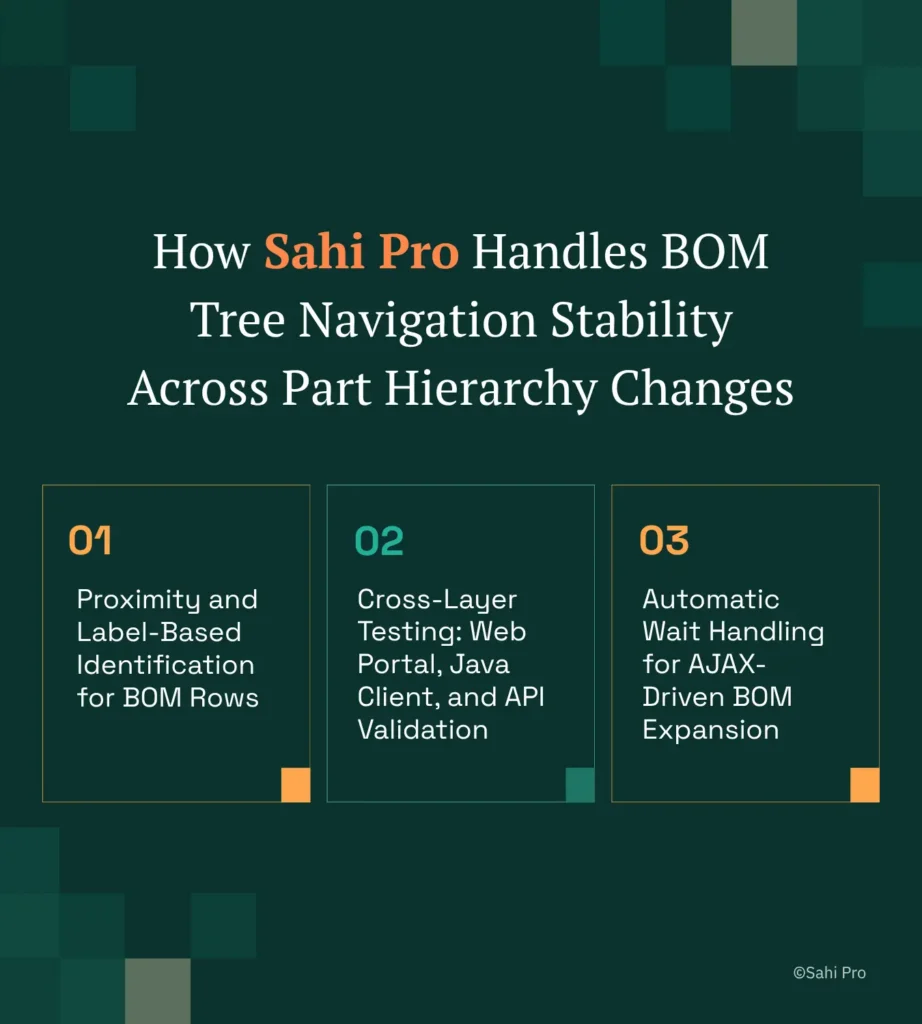
Proximity and Label-Based Identification for BOM Rows
Consider a scenario where your test must verify that part “ENG-MOUNT-3310” exists under assembly “POWERTRAIN-ASM-001” and carries revision “C.” A standard locator targets the DOM position of that row. After engineering inserts a new thermal shield sub-assembly above the engine mount, every row below shifts. The standard test fails.
Sahi Pro identifies “ENG-MOUNT-3310” by its visible text label and confirms its structural context by proximity to “POWERTRAIN-ASM-001.” The insertion of a new sub-assembly does not change either label. The test passes. This is the core of plm test automation against dynamic BOM structures: identification that mirrors how a human reads the tree, not how the browser renders it.
Cross-Layer Testing: Web Portal, Java Client, and API Validation
Many Teamcenter workflows span Active Workspace (web), the Teamcenter Rich Client (Java Swing), and integration APIs. A complete automated regression testing sequence might verify a BOM change in Active Workspace, confirm the change propagated to the Rich Client, and validate the data via a REST API call. Sahi Pro’s Web add-on handles the browser session. The Desktop add-on connects to the Java Swing Rich Client in the same script. The Web Services add-on executes REST or SOAP calls inline. One script. One execution. One report. This matters for siemens teamcenter test automation because defects often hide at the boundary between layers: a BOM change visible in Active Workspace but missing in the Rich Client indicates a sync failure that siloed tools would never detect.
Automatic Wait Handling for AJAX-Driven BOM Expansion
Every BOM node expansion triggers an async server call. Sahi Pro monitors network activity and DOM mutations automatically, pausing script execution until the response is fully rendered. For plm functional test automation, this eliminates the single largest source of false failures: tests that check for a child node before the server has returned it. No explicit wait commands. No arbitrary timeouts. The script proceeds when the data is ready.
How to Build Stable Teamcenter BOM Tree Tests in Sahi Pro: Step by Step
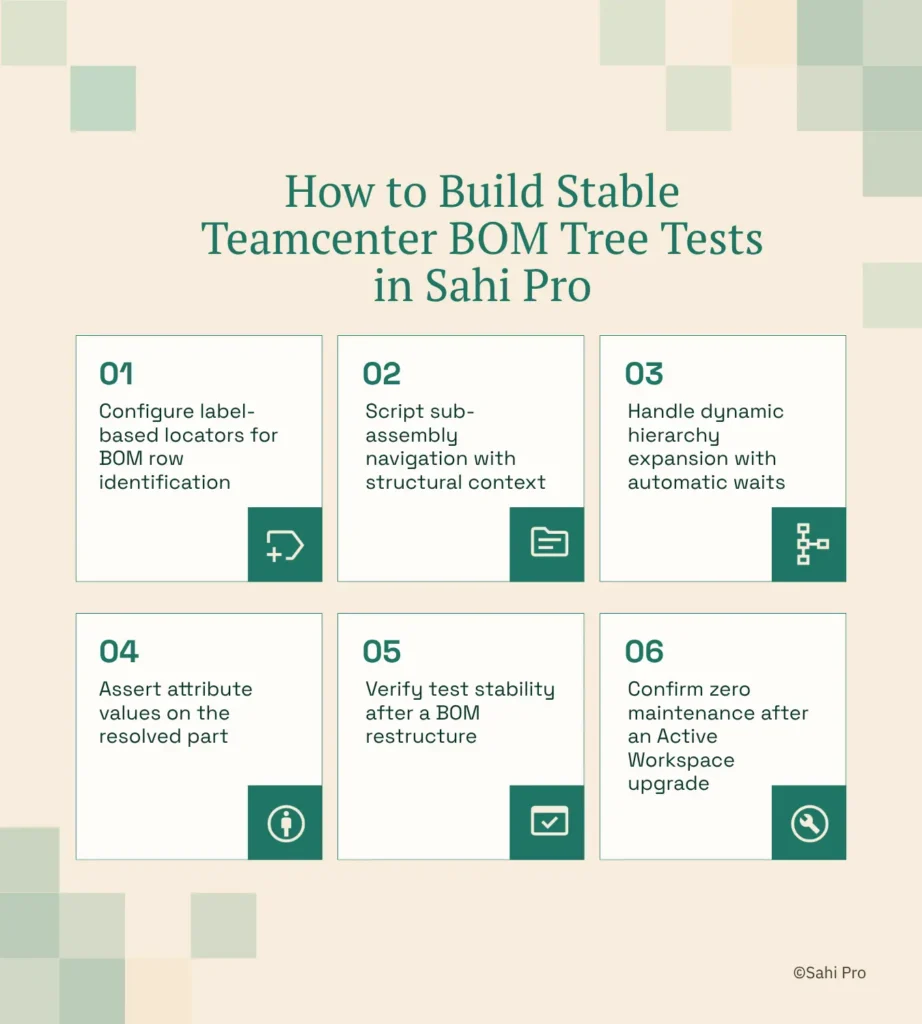
Step 1: Configure label-based locators for BOM row identification Open the Sahi Pro controller against your Active Workspace session. Instead of recording XPath positions, identify each BOM row by its visible part number label. For siemens teamcenter test automation, this means your locator reads “BRK-CAL-4421” as a text anchor, not “row 14.” The script now targets the part itself, regardless of where it appears in the tree.
Step 2: Script sub-assembly navigation with structural context Expand a parent assembly node and identify child parts relative to their parent label. Sahi Pro uses proximity-based identification: “the row containing ‘BRK-PAD-2201’ near ‘BRK-CAL-4421′” resolves correctly even if both parts moved to different positions after a reorganisation.
Step 3: Handle dynamic hierarchy expansion with automatic waits Active Workspace loads child nodes asynchronously. Sahi Pro’s automatic wait handling pauses execution until the AJAX response completes and new rows render. No manual sleep commands. No polling loops. This eliminates the timing flakiness that plagues plm ui test automation on AJAX-heavy interfaces.
Step 4: Assert attribute values on the resolved part Once the correct row is identified, read attribute cells (revision, status, weight) by their column header labels. Assert expected values. If engineering changed the part revision but not the hierarchy, the test catches the data change without a false structural failure.
Step 5: Verify test stability after a BOM restructure Reorganise the BOM in Teamcenter: move a sub-assembly, insert a new intermediate node. Re-run the test without any script modification. The label-based locators resolve to the same parts in their new positions. No maintenance ticket. No sprint disruption.
Step 6: Confirm zero maintenance after an Active Workspace upgrade After upgrading Active Workspace (for example, from 6.2 to 6.3), execute the full regression suite. Because locators reference visible labels rather than DOM structure, the upgrade’s internal HTML changes do not invalidate your scripts.
The most common break point teams expect is the BOM tree expansion step, where async rendering and shifted row indices combine to produce both timing and locator failures simultaneously. Sahi Pro’s automatic waits plus label-based identification eliminate both failure modes in a single approach.
Sahi Pro vs Generic Test Automation Tools for Teamcenter BOM Tree Test Automation
Teams evaluating tools for Teamcenter BOM tree test automation have genuine choices, and the right one depends on scope. If your testing covers only standard web forms and searches within Active Workspace, a well-configured web automation framework may serve you well. The comparison becomes material when your scope includes BOM hierarchy changes, cross-layer workflows spanning Java clients and APIs, and on-premise deployment constraints typical of automotive environments. For Siemens teamcenter test automation at that scope, the differences between generic tools and purpose-fit identification matter. The table below compares eight criteria that matter most for Siemens Teamcenter Active Workspace automated regression testing.
Siemens Teamcenter Active Workspace Test Automation: Feature Comparison
| Criterion | Generic tools | Sahi Pro |
| Java thick-client coverage | No connection to Java Swing/AWT/SWT – test fails when Java PLM module opens | Desktop add-on reaches Java Swing/AWT/SWT in same script as web portal – no tool switching |
| BOM tree stability across PLM upgrades | Requires script updates after each PLM release – row indices and DOM positions shift with structural changes | Proximity and label-based ID reads elements by visible part number – survives hierarchy changes and upgrades |
| Test suite maintenance after PLM upgrades | DOM-dependent scripts require partial or full rewrite after each major PLM release | Proximity and label-based ID survives structural UI changes – upgrade maintenance near zero for well-structured suites |
| Cross-layer: web + Java + API in one script | Requires separate tools for web, desktop, and API – integration failures between layers are invisible in siloed runs | Single script spans web portal, Java thick client, and REST/SOAP API – integration failures detected at the exact step |
| On-premise deployment | Most tools require cloud routing for execution or licence validation – blocked in ITAR and IP-sensitive environments | Full on-premise installation – execution, reporting, and storage inside customer network; nothing routes externally |
| Automatic wait handling for dynamic content | Requires explicit wait commands – timing failures cause flaky tests on AJAX-heavy PLM portals | Automatic intelligent waits for AJAX and dynamic PLM content – no manual wait commands required |
| CI/CD and Jenkins on-premise integration | On-premise PLM test nodes require custom agent configuration – most tools assume cloud execution agents | Execution server integrates with Jenkins, GitLab CI, and Azure DevOps with on-premise agent support |
| BDTA codeless for non-developer testers | Codeless options limited to web DOM recording – Java panels and canvas PLM elements have no codeless path | BDTA builder lets manual testers build PLM test flows visually with conditional logic and data-driven inputs |
If your team only needs web-layer Siemens Teamcenter Active Workspace testing with no BOM tree hierarchy stability requirement, a standard web automation tool may cover your scope.
Automotive OEM Context: IATF 16949 Traceability and On-Premise Deployment Requirements
IATF 16949:2016 clause 7.5 requires that all software influencing product quality decisions be validated and that test execution records be maintained as quality records (IATF, 2016). For Automotive OEM and Tier 1 teams running plm functional test automation, this means every test execution must produce timestamped records showing what was tested, what passed, what failed, and which software version was under test. These records must be retrievable during audits and stored within controlled infrastructure.
Sahi Pro generates timestamped HTML, PDF, and XML execution reports that include step-level screenshots, pass/fail status, and execution duration for each test case. Full on-premise installation means these records never leave the customer network. An auditor reviewing IATF compliance sees structured reports with traceable execution timestamps, linked to specific Teamcenter build versions. No data routes through external cloud infrastructure. No third-party storage dependencies.
For Engineering IT Managers evaluating tool approval, the critical factors are: on-premise licence activation without external call-home, execution data residency within the corporate network, and report formats compatible with existing quality management systems. Sahi Pro satisfies all three without requiring a separate infrastructure tier.
Real Results: Siemens AG
Siemens AG runs one of the largest Teamcenter Active Workspace environments globally and faced the exact BOM tree stability challenge described in this article: scripts broke after every hierarchy reorganisation, consuming engineering days in maintenance. The team moved to Sahi Pro specifically for proximity and label-based identification that reads BOM rows by visible part number and structural context rather than DOM row index, surviving every BOM hierarchy reorganisation. The results after implementation:
- Teamcenter test suite maintenance reduced by 70% after switching from XPath to proximity-based identification.
- New test cases built 3x faster using BDTA codeless for non-developer QA team members.
- Cross-layer test coverage extended to Teamcenter Java rich client with zero additional tooling licences.
- Zero script regressions after Active Workspace 6.x upgrade due to label-based element identification.
“Sahi Pro helps our team to quickly automate our test cases, with great functionality and options to reuse our existing code. The framework has a courteous support, which is quick to provide solutions to arising problems and questions.” – Jonas Roser, Test Manager and Developer, Siemens AG
What Does Stable Teamcenter BOM tree Automation Require?
Stable Teamcenter BOM tree automation requires locators that identify parts by what they are, not where the DOM places them. If your regression suite breaks after every hierarchy change or Active Workspace upgrade, the problem is architectural, not configurational. Proximity and label-based identification, combined with automatic AJAX wait handling and cross-layer scripting, eliminates the maintenance cycle that costs automotive teams 3 to 5 engineer-days per release.
Sahi Pro offers a free trial: you can test it against your own Siemens Teamcenter Active Workspace environment before any licence decision. Bring your hardest BOM tree test scenario and see how it holds up. Book a technical demo to run it with an engineer who knows the Teamcenter layer.