TL;DR
- What this is: Full-layer PLM functional test automation, one script, one report
- Who it affects: QA engineers and DevOps leads at PLM-driven companies
- The core problem: Layer-siloed tests miss integration defects entirely
- Cost of not solving it: Critical workflow defects surface in production, not testing
- What Sahi Pro does differently: Single script spans web, Java client, and API
- Proof: eBaoTech: 85%+ savings, one suite across JAVA-J2EE and Ajax
Running separate functional test suites for your web portal, Java thick client, and API layers on Teamcenter, Windchill, or ENOVIA means PLM functional test automation never validates integration behavior end to end. The result is predictable: critical workflow defects slip past your test gates and surface in production, where they cost orders of magnitude more to fix. This article covers how to build a single test script that spans all three layers, how Sahi Pro’s cross-layer architecture handles the handoff points that siloed tools miss, and what changes in your test design when web, desktop, and API assertions share one execution and one report. Sahi Pro handles this through single-script functional tests that span the web portal, Java client, and API in one execution with unified reporting.
What Is PLM Functional Test Automation?
PLM functional test automation is “PLM functional test automation covering all workflow layers in one script and one report.” That definition is precise for a reason. Teamcenter, Windchill, and ENOVIA each expose workflows across multiple technology layers: a browser-based portal for search and visualization, a Java thick client for authoring and approvals, and REST or SOAP APIs for integrations and data exchange. For QA automation engineer teams, that means cross platform test automation is not optional, it is the minimum viable scope for any test that claims to validate a real user workflow. A change order that starts in Active Workspace, routes through a Java-based review panel, and triggers an API call to an ERP system is one business process. Testing each layer in isolation tells you nothing about whether the handoff works. The table below shows where this matters most for Teamcenter, Windchill, and ENOVIA teams.
Why Functional Tests Siloed by Layer Break Standard Automation
The core technical problem is straightforward. Standard web automation tools identify elements by DOM selectors: XPath, CSS, or generated IDs. PLM functional test automation that stays within the web layer never touches the Java Swing panels that Windchill and ENOVIA use for thick-client modules. Java Swing is invisible to WebDriver. There is no DOM to query, no CSS selector to write, no XPath to construct. The moment a PLM workflow transitions from a browser-based portal to a Java desktop module, a DOM-only tool loses all visibility. The test either stops or the team writes a second test in a second tool, and the integration handoff between layers goes completely unvalidated.
Teamcenter, Windchill, and ENOVIA make this harder than typical enterprise applications because of deliberate architectural decisions. Teamcenter Active Workspace renders BOM trees with dynamic row indices that shift on every hierarchy change. Windchill uses embedded Java applets and thick-client modules for CAD data management. ENOVIA 3DEXPERIENCE combines WebGL canvas rendering with traditional HTML panels. Each platform mixes technologies within a single user session. PLM QA automation that uses a single-technology tool is structurally incapable of following a user through these transitions.
The business cost is measurable. According to Siemens PLM Community data from 2024, 40 to 60 percent of PLM defects discovered in production originate at integration layer handoff points never tested by layer-siloed functional test suites (Siemens PLM Community, 2024). For PLM teams across all verticals, this means the defects that matter most, the ones that corrupt a released BOM or break an approval chain, are precisely the defects that siloed test suites cannot catch. PLM testing best practices require test coverage that mirrors actual user workflows, not isolated layer checks.
Why Standard Test Automation Tools Hit a Ceiling on Teamcenter, Windchill, ENOVIA
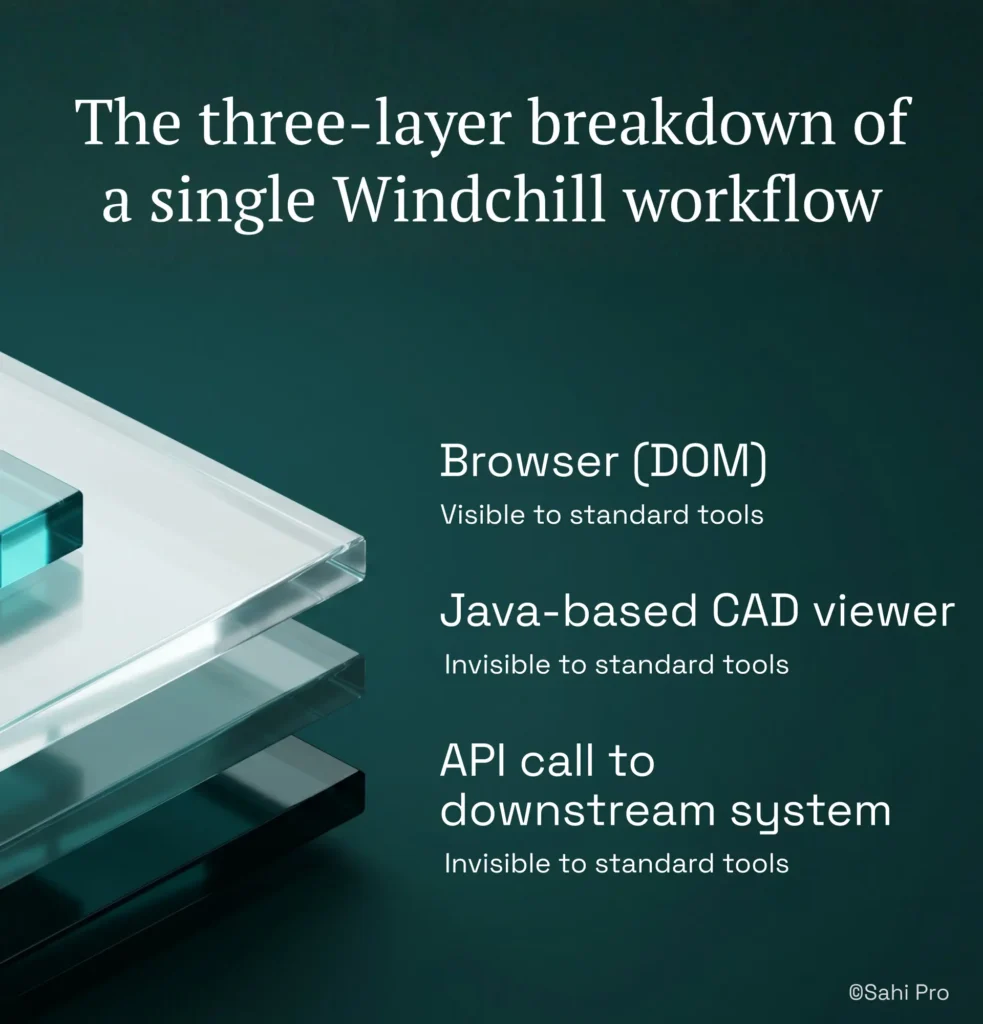
Standard web automation tools are excellent at what they were designed for: browser-based applications with stable DOM structures. For teams whose PLM scope is limited to web-only Teamcenter Active Workspace pages with no Java client interaction, these tools can deliver real value. The ceiling appears when PLM test automation must cross technology boundaries. A Windchill workflow that starts in a browser, opens a Java-based CAD viewer, and then triggers an API call to update a downstream system involves three distinct technology layers. DOM-based frameworks see only the first layer. The other two are outside their design scope entirely. Record-and-playback frameworks compound this limitation because they capture only the DOM events they can observe, producing scripts that cover one-third of the workflow and leave integration behavior untested.
Enterprise model-based and codeless tools address some of these gaps but introduce others. Many require cloud-hosted execution infrastructure, which is blocked in ITAR-controlled, HIPAA-regulated, or IP-sensitive PLM environments where test data cannot leave the corporate network. Codeless recorders in these tools typically cover web DOM interactions but have no codeless path for Java Swing panels or API validation steps. Cross platform test automation in PLM requires a tool that can script a web portal action, transition to a Java thick client, add an API assertion, and produce one report, all without switching products or stitching separate results together. The gap is a design scope problem, and Teamcenter, Windchill, and ENOVIA’s layer-siloed functional testing challenge requires a tool built for this specific layer.
How to Write a Full-Layer PLM Functional Test in Sahi Pro
Step 1: Script the web portal action. Open the Teamcenter Active Workspace or Windchill browser interface and record or author the initial workflow step. PLM functional test automation begins here because most user workflows start in the web layer. Sahi Pro identifies elements by visible labels and proximity, so the script reads “Click on Part Number 4420-A” rather than referencing a fragile XPath.
Step 2: Transition to the Java thick client. When the workflow opens a Java Swing panel, such as a Windchill CAD review module or a Teamcenter Rich Client session, activate Sahi Pro’s Desktop add-on in the same script. The add-on connects to the Java Swing, AWT, or SWT session without requiring a separate tool or a separate test. No tool switching. No separate execution context.
Step 3: Script the Java panel interaction. Inside the Java thick client, identify elements using the same proximity-based approach. Cross platform test automation here means the script syntax stays consistent between the web and desktop layers. The tester does not need to learn a second API or a second identification model.
Step 4: Add REST or SOAP API validation. Using the Web Services add-on, insert an API call directly into the same script. Validate that the approval status, BOM revision, or workflow state change propagated correctly to the backend. This step catches the integration handoff defects that layer-siloed suites miss entirely.
Step 5: Run the full test. Execute the script as a single test. Sahi Pro runs the web, Java, and API steps in sequence within one execution context. The report shows pass or fail for each step, with timestamps and evidence, in one document.
Step 6: Review the unified report. The output is a single structured report covering all three layers. No manual correlation of separate tool outputs. No gaps between layer boundaries. The most common break point teams expect is the web-to-Java transition, and Sahi Pro’s approach prevents it by keeping both layers within one scripting and execution engine.
How Sahi Pro Handles Functional Tests Siloed by Layer
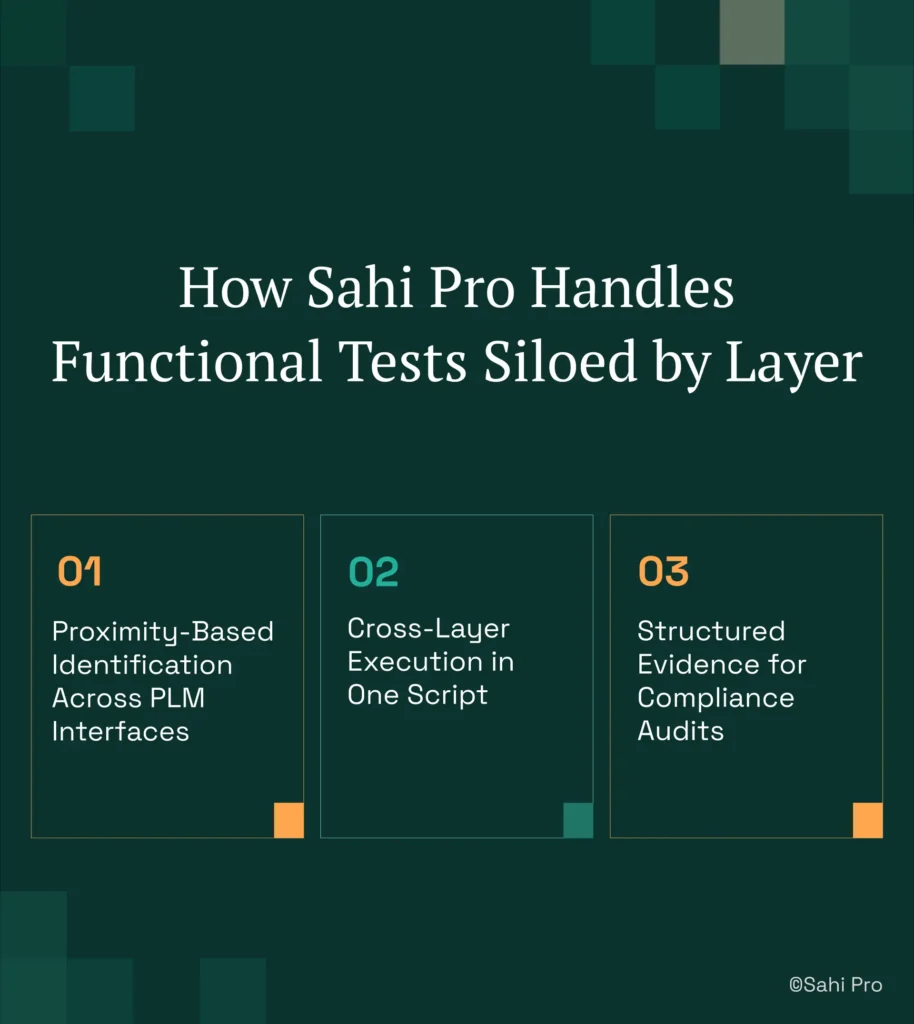
Proximity-Based Identification Across PLM Interfaces
Sahi Pro identifies elements by their visible labels and spatial relationships, not by DOM position or generated IDs. In a Teamcenter Active Workspace BOM tree, this means the script references “Part Number 4420-A” by its visible text and its position relative to other visible elements. When the BOM hierarchy changes, and row indices shift, the script still finds the correct element because the visible label has not moved. PLM test automation that depends on XPath row indices breaks on every hierarchy reorganization. Sahi Pro’s proximity-based identification does not. If a Windchill UI update moves a panel from the left sidebar to a tabbed interface, the script locates the same label in its new position without a rewrite.
Cross-Layer Execution in One Script
The real value for PLM functional test automation appears when a single script spans all three layers. Sahi Pro’s Web add-on handles the browser portal. The Desktop add-on handles Java Swing, AWT, and SWT panels. The Web Services add-on handles REST and SOAP API calls. All three add-ons operate within one script and one execution context. A concrete example: a test that logs into Teamcenter Active Workspace, navigates to a change order, opens the Java Rich Client for review, approves the change, and then validates the approval status via a REST API call. One script. One execution. One report. PLM QA automation that stitches separate tools together cannot produce this because the handoff between tools is itself an untested gap.
Structured Evidence for Compliance Audits
PLM testing best practices in regulated industries require structured evidence output, not screenshot folders. Sahi Pro produces timestamped execution records in HTML, Excel, PDF, and XML formats. Each step in the cross-layer test generates an evidence record with the action performed, the expected result, the actual result, and a timestamp. For teams subject to FDA, AS9100D, or IATF 16949 audits, this output format is accepted as structured compliance evidence. Screenshot logs from standard web automation tools typically do not meet these requirements.
Sahi Pro vs Generic Test Automation Tools for PLM Functional Test Automation
Standard web automation tools are the right choice for teams with straightforward browser-only test requirements and no need to cross technology layers. The comparison becomes relevant when your PLM scope includes Java thick-client modules, API integrations, and the handoff behavior between them. PLM functional test automation that must validate end-to-end workflows across Teamcenter, Windchill, or ENOVIA requires a different design scope than what browser-only tools provide. The table below compares eight criteria that matter most for Teamcenter, Windchill, and ENOVIA PLM QA automation teams.
Teamcenter, Windchill, ENOVIA Test Automation: Feature Comparison
| Criterion | Generic tools | Sahi Pro |
| Cross-layer: web + Java + API in one script | Separate tools for web, desktop, and API; integration handoffs are never tested together | Single script spans web portal, Java thick client, and REST/SOAP API; one report |
| Java thick-client coverage | No DOM access to Java Swing/AWT/SWT panels; test fails when PLM Java module opens | Desktop add-on reaches Java Swing/AWT/SWT in same script as web portal; no tool switching |
| BOM tree stability across upgrades | Row-index selectors break when BOM hierarchy changes; manual rewrite required | Proximity ID reads by visible part number; survives hierarchy changes without rewrite |
| On-premise deployment | Most tools route execution data externally; blocked in ITAR and IP-sensitive environments | Full on-premise install; execution, results, and reporting stay within customer network |
| Maintenance after PLM upgrades | DOM-based scripts need partial or full rewrite after each major PLM release | Proximity ID survives structural UI changes; upgrade maintenance near zero |
| Compliance evidence output | Screenshot logs not accepted by FDA, AS9100D, or IATF auditors as structured evidence | Timestamped structured execution records accepted by FDA, AS9100D, and IATF auditors |
| On-premise CI/CD integration | On-premise PLM nodes need custom agent config; most tools assume cloud execution | Execution server integrates with Jenkins, GitLab CI, and Azure DevOps on-premise |
| Codeless authoring for non-developers | No-code recorders limited to web DOM; Java and canvas PLM layers have no codeless path | Visual test builder supports conditional logic and data-driven inputs without JavaScript |
If your team only needs web-layer Teamcenter, Windchill, or ENOVIA testing with no cross-layer integration requirement, a standard web automation tool may cover your scope.
Real Results: eBaoTech-Collaborus
eBaoTech-Collaborus is a global insurance technology provider with more than 150 installations in over 30 countries, running multiple web applications built on JAVA-J2EE, Spring, Hibernate, JSP, JSF, HTML, Ajax, Apache Wicket, and MySQL. Their core challenge was that functional tests were siloed across these technology layers, and their previous automation tool evaluations found commercial options expensive, difficult to master, and unable to cover all application layers in one suite. They moved to Sahi Pro to consolidate functional testing across all their application technologies into a single suite with PDF comparison, cross-browser execution, and parallel playback. The results after implementation:
- Regression test execution reduced to approximately 1 person-day, an effort saving of more than 85%.
- Single functional suite covered multiple applications built on JAVA-J2EE, Spring, Hibernate, JSP, JSF, HTML, Ajax.
- PDF comparison, cross-browser execution, and parallel playback in one suite with no separate tools.
- All QA team members trained across both manual and automation domains.
Testing PLM Workflows Without Starting Over After Every Release
Three things matter for QA automation engineers working with Teamcenter, Windchill, or ENOVIA across any PLM vertical. First, layer-siloed functional tests leave integration handoff defects undetected until production, and that is where the most expensive failures occur. Second, proximity-based element identification eliminates the maintenance cycle that DOM-dependent scripts impose after every PLM upgrade. Third, a single script that spans web, Java, and API layers is not a convenience feature, it is the only way to validate the workflows your users actually perform.
Sahi Pro offers a free trial, and you can test it against your own Teamcenter, Windchill, or ENOVIA environment before any license decision. If you want to see cross-layer execution against your hardest workflow, Book A Demo and bring your most complex test scenario.