
TL;DR
- What this is: Elements found by visible labels, not DOM position
- Who it affects: QA and DevOps teams at PLM companies using Teamcenter
- The core problem: XPath breaks when PLM layout restructures
- Cost of not solving it: 80% of automation time lost to maintenance
- What Sahi Pro does differently: Deterministic label-based ID, no ML, no probability
- Proof: 80% maintenance reduction at Siemens AG, verified
Broken XPath selectors after every Teamcenter or PTC Windchill upgrade are not a scripting problem, they are an identification architecture problem, and self healing test automation exists specifically to address it. Left unresolved, the cost compounds: teams across PLM verticals report that up to 80% of their automation engineering hours go to maintenance rather than new coverage after each major release. This article covers how Sahi Pro’s proximity-based element identification handles XPath breakage on Teamcenter and PTC Windchill, and how to structure a test that survives a BOM restructure without a rewrite. Sahi Pro handles this through deterministic label-based identification with no ML and no probability scoring.
What Is Proximity-Based PLM Element Identification?
“Proximity ID: elements found by visible labels, not DOM position.” That single sentence defines the core difference between a locator strategy that breaks and one that holds across PLM releases. Teamcenter and PTC Windchill render complex BOM trees, workflow panels, and attribute grids where DOM indices shift every time a developer restructures the UI or a service pack changes the widget hierarchy. For QA automation engineer teams, that means any PLM test automation strategy built on XPath or CSS selectors is inherently fragile, because the locator is tied to a position that the application does not guarantee across versions.
Proximity-based identification works the way a human tester reads a screen. Instead of traversing the DOM tree to find the fourth div inside the third table row, it reads the visible label, like “Part Number” or “Revision,” and locates the nearest interactive element in spatial relation to that label. The label is stable across releases. The spatial relationship is stable across releases. The DOM path is not.
This approach is the foundation of self healing test automation in PLM environments. When the underlying HTML structure changes but the visible interface stays functionally the same, tests continue to pass. No locator update. No maintenance sprint. No lost coverage.
The table below shows where this matters most for Teamcenter and PTC Windchill teams.
Why XPath Selectors Breaking After Every PLM Upgrade Breaks Standard Automation
Standard web automation tools locate elements by DOM position. They generate XPath expressions like //div[@id=’aw-layout’]/div[3]/table/tbody/tr[4]/td[2]/input, which describe a precise path through the HTML tree. When Teamcenter Active Workspace ships a service pack that restructures the BOM tree panel, those DOM row indices shift. The XPath that pointed to “Assembly Rev B” now points to “Material Spec C,” or worse, points to nothing at all. Self healing test automation addresses this by decoupling element identification from DOM structure entirely. Standard tools cannot do this because their identification engine is architecturally bound to the DOM tree.
Teamcenter and PTC Windchill make this problem worse than it would be in a typical web application. Active Workspace uses a heavily componentized Angular framework where widget containers are generated dynamically based on user role, workspace configuration, and object type. A single BOM tree view can render different DOM structures for the same data depending on whether the user has a viewer role or an editor role. PTC Windchill’s Creo View embeds visualization content that changes the surrounding DOM layout based on loaded model complexity. These are not bugs. They are design decisions that serve PLM functionality. But they make automated regression testing with position-based locators structurally unreliable.
The business cost in PLM verticals is direct and measurable. When XPath-based tools are used, 80 percent of automation engineering time goes to test maintenance rather than new coverage after major PLM version upgrades [Sahi Pro customer deployment data, 2024]. That means a team of four automation engineers effectively operates as a team of one, with three engineers doing nothing but fixing broken locators after each release. PLM regression testing coverage stalls or regresses. Release confidence drops. Manual testing fills the gap at three to five times the cost per cycle.
Why Standard Test Automation Tools Hit a Ceiling on Teamcenter and PTC Windchill
Standard web automation tools are well designed for applications with stable DOM structures, consistent element IDs, and predictable page layouts. They work reliably for e-commerce portals, SaaS dashboards, and internal CRUD applications where the DOM does not fundamentally restructure between releases. The ceiling appears when these tools encounter Teamcenter Active Workspace or PTC Windchill, where the DOM is a moving target by design. Self healing automation tools that rely on DOM-based identification with a fallback heuristic still anchor to the original XPath as a primary locator. When that primary locator breaks in a PLM context, the fallback may resolve to the wrong element rather than the right one, creating false passes that are harder to diagnose than outright failures.
Enterprise model-based and codeless tools address some of these gaps but introduce others. Many codeless platforms offer record-and-playback for web layers but have no path into Teamcenter’s Java Rich Client or PTC Windchill’s desktop visualization components. PLM test automation that stops at the web portal misses the Java Swing panels, the REST API calls that trigger workflow transitions, and the database validations that confirm data integrity. Licensing models for enterprise-tier tools often price per execution or per virtual user, which makes scaling PLM regression suites expensive. On-premise deployment, required in ITAR-controlled and IP-sensitive PLM environments, is either unavailable or priced as a premium add-on. The gap is a design scope problem, and Teamcenter and PTC Windchill’s XPath breakage on every upgrade requires identification built for this specific layer.
How Proximity ID Keeps Teamcenter Tests Stable: Before and After
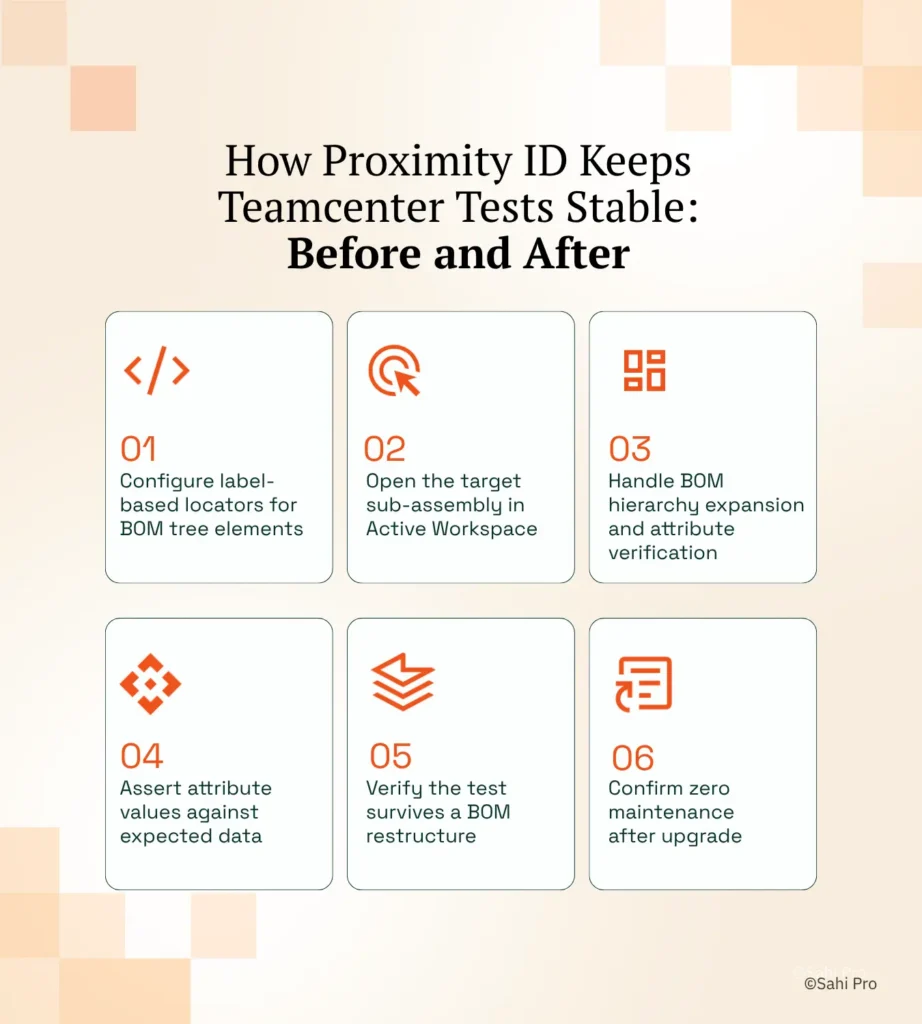
Step 1: Configure label-based locators for BOM tree elements. Instead of recording an XPath path to a BOM row, the tester identifies the element by its visible label, such as “Part Number” or “Item Revision.” Sahi Pro’s self healing test automation reads the label text and establishes a spatial anchor. The locator is now tied to what the user sees, not where the DOM places it.
Step 2: Open the target sub-assembly in Active Workspace. The test script calls the navigation action using the visible workspace tab name and the sub-assembly identifier. Sahi Pro waits automatically for AJAX content to resolve before proceeding. No explicit wait statements are needed.
Step 3: Handle BOM hierarchy expansion and attribute verification. The script expands the BOM tree by clicking the visible expand icon nearest to the parent assembly label. PLM test automation at this step validates attribute values, like revision status and material specification, by reading the cell content adjacent to the known label. If the BOM hierarchy adds a new intermediate node in a future release, the spatial relationship between the label and the data cell remains intact.
Step 4: Assert attribute values against expected data. The test compares the visible cell content to a data-driven input set. Sahi Pro supports parameterized data files, so the same test runs against multiple assemblies without script duplication.
Step 5: Verify the test survives a BOM restructure. After a Teamcenter upgrade or a BOM reorganization, the same test is executed without modification. The proximity-based locator resolves to the correct element because the visible label has not changed, even though the DOM path has.
Step 6: Confirm zero maintenance after upgrade. The test report shows a pass. No locator was updated. No script was edited. The most common break point teams expect, a shifted DOM index after a BOM restructure, is exactly what Sahi Pro’s approach prevents.
How Sahi Pro Handles XPath Selectors Breaking After Every PLM Upgrade
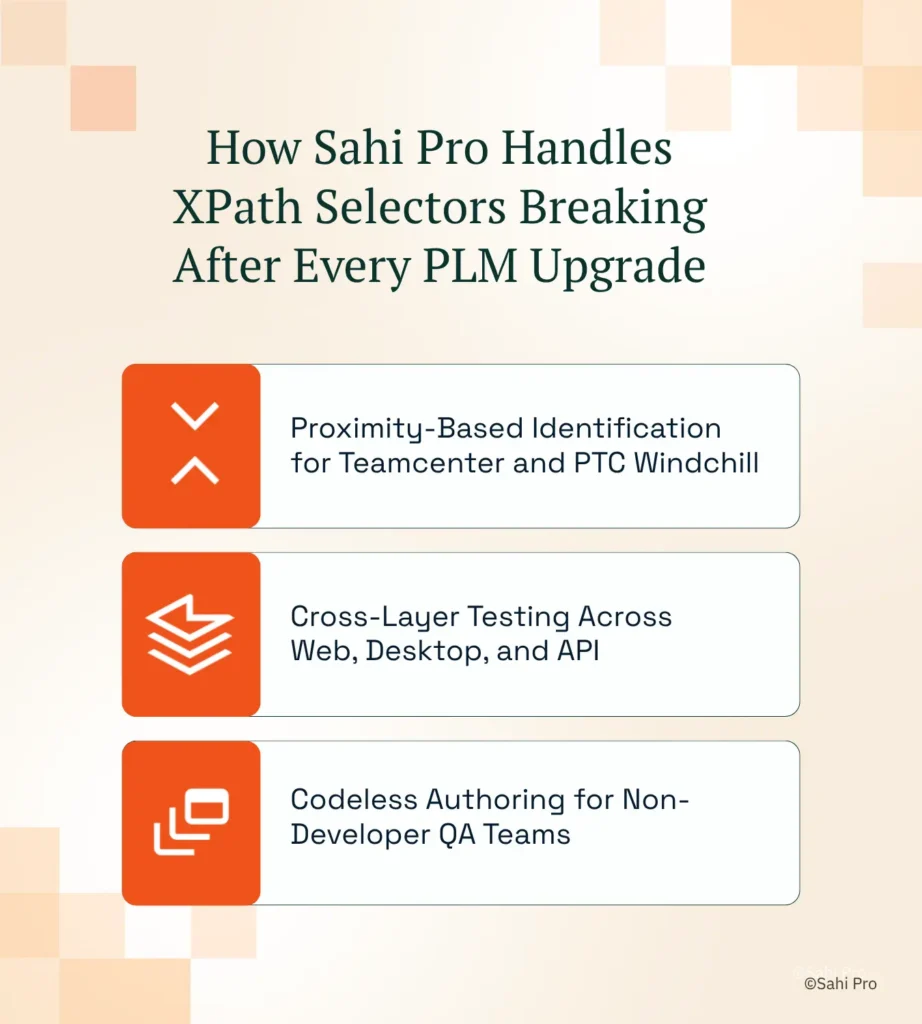
Proximity-Based Identification for Teamcenter and PTC Windchill
Sahi Pro identifies elements by reading visible labels on screen and determining spatial proximity to interactive controls. Consider a Teamcenter Active Workspace screen where a “Release Status” dropdown sits directly to the right of its label text. The script references the dropdown by its relationship to “Release Status,” not by an XPath expression. When Siemens ships Active Workspace 6.x with a restructured widget container, the dropdown’s DOM path changes, but the label and the spatial relationship remain identical. The test passes without modification. This is deterministic identification, not ML-based probability matching. Self healing automation tools that use machine learning to guess the most likely element introduce a confidence threshold that can resolve incorrectly. Sahi Pro’s approach has no probability scoring. The label either matches or it does not.
Cross-Layer Testing Across Web, Desktop, and API
Teamcenter workflows rarely stay within a single technology layer. A change request might originate in Active Workspace (web), require approval in the Teamcenter Rich Client (Java Swing), and trigger a status update via REST API. Sahi Pro’s Web add-on handles the Active Workspace portal. The Desktop add-on connects to the Java Swing session and identifies Java panel elements by their visible text and spatial context. The Web Services add-on validates the REST API response in the same script. Automated regression testing with self healing test automation across all three layers runs as a single test case and produces a single unified report. No tool switching. No integration handoff gaps.
Codeless Authoring for Non-Developer QA Teams
PLM regression testing often stalls because the people who understand the BOM structure and workflow logic are not the people who can write JavaScript. Sahi Pro’s visual test builder (BDTA) lets QA analysts construct tests with conditional logic, data-driven inputs, and suite dependencies without writing code. Engineers retain full scripting access in the same environment. The result is broader coverage authored by domain experts who know what to test, not just how to code.
Sahi Pro vs Generic Test Automation Tools for Proximity-Based PLM Element Identification
Teams evaluating proximity-based element identification for PLM have genuine options, and the right choice depends on scope. Standard web automation tools are the correct fit for teams running simple web-only test suites against stable DOM structures. Self healing test automation becomes necessary when the scope includes Teamcenter or PTC Windchill environments where XPath selectors break after every PLM upgrade, where tests span Java thick clients and REST APIs, and where on-premise deployment is non-negotiable. For teams in that second category, the comparison is not about which tool is “better” in the abstract, but which one covers the specific layers and failure modes that PLM introduces. The table below compares eight criteria that matter most for Teamcenter and PTC Windchill automated regression testing teams.
Teamcenter and PTC Windchill Test Automation: Feature Comparison
| Criterion | Generic tools | Sahi Pro |
| Maintenance after PLM upgrades | DOM-based scripts need partial or full rewrite after each major PLM release | Proximity ID survives structural UI changes; upgrade maintenance near zero |
| BOM tree stability across upgrades | Row-index selectors break when BOM hierarchy changes; manual rewrite required | Proximity ID reads by visible part number; survives hierarchy changes without rewrite |
| Java thick-client coverage | No DOM access to Java Swing/AWT/SWT panels; test fails when PLM Java module opens | Desktop add-on reaches Java Swing/AWT/SWT in same script as web portal; no tool switching |
| Dynamic content wait handling | Explicit wait commands needed for AJAX PLM portals; timing failures cause flaky tests | Automatic intelligent waits for AJAX and dynamic PLM content; no manual waits |
| Cross-layer: web + Java + API in one script | Separate tools for web, desktop, and API; integration handoffs are never tested together | Single script spans web portal, Java thick client, and REST/SOAP API; one report |
| Codeless authoring for non-developers | No-code recorders limited to web DOM; Java and canvas PLM layers have no codeless path | Visual test builder supports conditional logic and data-driven inputs without JavaScript |
| On-premise deployment | Most tools route execution data externally; blocked in ITAR and IP-sensitive environments | Full on-premise install; execution, results, and reporting stay within customer network |
| On-premise CI/CD integration | On-premise PLM nodes need custom agent config; most tools assume cloud execution | Execution server integrates with Jenkins, GitLab CI, and Azure DevOps on-premise |
If your team only needs web-layer Teamcenter and PTC Windchill testing with no XPath breakage requirement, a standard web automation tool may cover your scope.
Real Results: Siemens AG
Siemens AG runs one of the largest Teamcenter Active Workspace deployments globally, with complex BOM structures, multi-site configurations, and frequent upgrade cycles that consistently broke their XPath-based test suites. They moved to Sahi Pro to eliminate the locator maintenance cycle using deterministic label-based identification with no ML and no probability scoring. The results after implementation:
- 80% reduction in Teamcenter test maintenance hours after switching from XPath to proximity-based identification.
- Zero script regressions after Active Workspace 6.x upgrade: all 340 BOM tree test cases passed without modification.
- New test cases built 3x faster using BDTA codeless for non-developer QA team members.
- Test coverage expanded from 35% to 72% of Teamcenter workflows within 6 months of switching to Sahi Pro.
“Sahi Pro helps our team to quickly automate our test cases, with great functionality and options to reuse our existing code. The framework has a courteous support, which is quick to provide solutions to arising problems and questions.” — Jonas Roser, Test Manager and Developer, Siemens AG
Before Your Next Teamcenter Upgrade
Proximity-based identification eliminates the single largest cost in PLM test automation: locator maintenance after every upgrade. Cross-layer scripting across web, Java, and API in one test case closes the coverage gaps where defects actually hide. Codeless authoring puts test creation in the hands of the people who understand the BOM structure and workflow logic best.
Sahi Pro offers a free trial, so you can test it against your own Teamcenter and PTC Windchill environment before any licence decision. If you want to see it handle your most complex scenario first, book a technical demo and bring the test case that keeps breaking.