
TL;DR
- What this is: PLM test automation for industrial equipment and energy
- Who it affects: Test leads at industrial and energy companies using legacy PLM
- The core problem: Legacy thick clients unreachable by DOM-only tools
- Cost of not solving it: IEC 61508 gaps and production integration defects
- What Sahi Pro does differently: Legacy Java thick-client and SAP integration, on-premise
- Proof: 90% regression man-hour savings on legacy industrial automation
Running regression against Aras Innovator v11, SAP PLM on ECC 6.0, or a Teamcenter Rich Client deployed a decade ago requires plm test automation tools that can reach Java Swing interfaces, SAP GUI transactions, and web portals in the same test execution. Standard web automation frameworks fail here because they cannot interact with thick-client components, cannot validate SAP ERP transactions triggered by PLM change releases, and produce no structured execution records for IEC 61508 functional safety documentation. This article evaluates six tools against those exact constraints: legacy PLM version support, SAP ERP integration coverage, IEC 61508 compliance artefacts, and multi-site on-premise deployment. Each tool was assessed for its ability to automate BOM tree operations, engineering change orders, and cross-system workflows on Aras Innovator, SAP PLM, and Teamcenter installations typical of industrial equipment and energy companies operating across multiple plant locations.
Quick-Pick: 6 Industrial PLM Test Automation Tools at a Glance
| # | Tool | Best for | Legacy and SAP integration coverage | On-premise |
| 1 | Sahi Pro | Legacy on-premise PLM with SAP integration | Legacy Java thick-client support and SAP integration for industrial and energy on-premise | Yes, full |
| 2 | OpenText UFT One | Teams with existing UFT investment | Broadest legacy technology coverage | Yes, on-premise available |
| 3 | Ranorex Studio | Windows desktop PLM thick clients | Strongest Windows desktop PLM automation outside SAP | Yes, fully on-premise |
| 4 | Tricentis Tosca | Enterprise teams already using Tosca for SAP | Model-based test design and SAP-native integration | Yes, on-premise available |
| 5 | Worksoft Certify | SAP-primary PLM with no scripting resource | Deepest SAP PLM coverage with no-code authoring | Yes, on-premise available |
| 6 | Selenium WebDriver | Web-only PLM portals with in-house engineers | Zero cost, maximum flexibility for web layer | Yes, fully on-premise |
1. Sahi Pro — Best for legacy industrial PLM with SAP ERP integration and IEC 61508 compliance
Why it ranks first for Aras Innovator, SAP PLM, Teamcenter
The core problem for industrial equipment and energy companies is technology fragmentation. A single engineering change order might originate in a Teamcenter Rich Client running Java Swing on Windows Server 2012, trigger a material master update in SAP ECC via RFC, and require sign-off through an Aras Innovator web portal customized over 15 years of schema changes. Most plm test automation tools operate on web DOM only. They cannot reach the thick client. They cannot validate the SAP transaction. They stop at the browser boundary.
Sahi Pro’s Desktop add-on provides native Java Swing, AWT, and SWT access within the same script that automates the web layer. Proximity-based identification reads elements by visible labels and structural proximity rather than DOM position, so heavily customized Aras Innovator interfaces do not break test scripts when schema changes occur. For teams that also need erp testing tools, the SAP add-on covers SAP GUI natively, and the Web Services add-on validates backend transactions triggered by PLM change releases.
This combination means one test script can span Teamcenter Rich Client, Aras Innovator web portal, and SAP ECC, executing on-premise across multiple plant networks without routing data externally.
Key capabilities for Aras Innovator, SAP PLM, Teamcenter teams
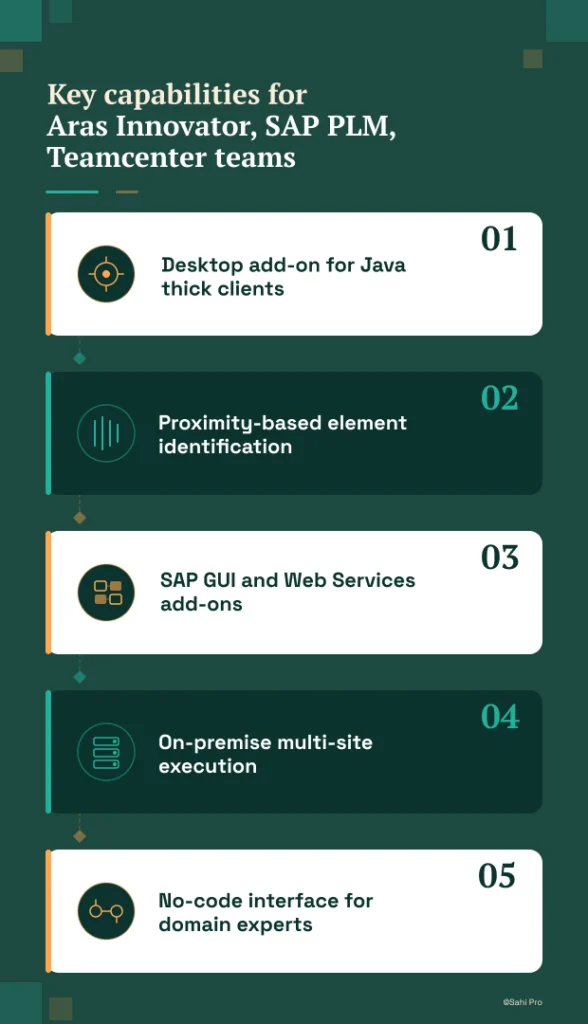
- Desktop add-on for Java thick clients: Automates aging Teamcenter Rich Client and Aras thick-client versions on legacy infrastructure without requiring PLM modernization.
- Proximity-based element identification: Survives heavy Aras Innovator schema customizations applied over many release cycles, eliminating locator maintenance.
- SAP GUI and Web Services add-ons: Validates SAP ERP transactions triggered by PLM change releases in one end-to-end script, supporting automated regression testing across the full PLM-to-ERP workflow.
- On-premise multi-site execution: Runs regression across industrial plants on restricted networks with no cloud routing, producing structured execution records for IEC 61508 functional safety documentation.
- No-code interface for domain experts: QA engineers and manual testers author tests using conditional logic and data-driven execution without programming, while engineers retain full JavaScript access.
Honest limitations
The AI Assist add-on, which provides OCR and image recognition for proprietary interfaces, is an additional cost item. It is not included in the base license. The BDTA visual test builder covers web-layer flows primarily. Java thick-client steps require scripting through the Desktop add-on rather than the visual builder. Teams that need purely visual, no-code authoring for desktop automation will find this gap relevant.
Best for: Legacy on-premise industrial PLM with SAP integration and IEC 61508
On-premise: Yes, full installation, no external routing
Pricing: Module-based; free trial available
Key Aras Innovator, SAP PLM, Teamcenter capability: Legacy Java thick-client support and SAP integration for industrial and energy on-premise
2. OpenText UFT One — Best for legacy PLM with existing UFT investment
Overview for Aras Innovator, SAP PLM, Teamcenter teams
UFT One (formerly HP QTP) is a long-established enterprise test automation product with broad technology coverage spanning web, desktop, and API layers. PLM teams evaluate it when they have legacy VBScript-based test scripts, existing UFT licenses from prior HP or Micro Focus contracts, or need to automate older PLM interfaces that rely on Java or Windows technologies. For organizations already invested in the OpenText ecosystem, UFT One represents continuity rather than a new procurement cycle.
What it does well for legacy PLM versions, SAP ERP integration, and IEC 61508 multi-site on-premise
- Broad technology coverage: Supports Java, web, Windows, and terminal emulator applications in a single tool, covering most PLM interface types found in industrial environments.
- Object spy for Java Swing elements: Identifies and maps Java Swing components in Teamcenter Rich Client and similar thick-client PLM interfaces for test script creation.
- Large existing script libraries: Many enterprise environments already have years of UFT scripts that can be maintained and extended rather than rewritten from scratch.
- Mature enterprise support and documentation: Decades of deployment history mean extensive knowledge bases, community forums, and vendor support channels are available for troubleshooting.
Best for: Teams with existing UFT investment and legacy PLM
On-premise: Yes, on-premise available
3. Ranorex Studio — Best for desktop Windows PLM applications on legacy infrastructure
Overview for Aras Innovator, SAP PLM, Teamcenter teams
Ranorex Studio is a desktop and web test automation product with strong Windows application support. PLM teams with Windows-based thick clients on older infrastructure evaluate it for automating Win32 and .NET desktop interfaces that other tools struggle to reach. For organizations running Teamcenter or Aras on Windows desktop deployments without Java Swing components, Ranorex offers a direct path to automation without requiring extensive coding expertise.
What it does well for legacy PLM versions, SAP ERP integration, and IEC 61508 multi-site on-premise
- Strong Windows desktop support: Handles Win32 and .NET desktop applications reliably, making it effective for PLM thick clients built on Microsoft technologies.
- Record-and-replay for non-developer testers: Provides an accessible entry point for manual testers transitioning to automation without deep programming knowledge.
- Web test support for PLM portals: Covers browser-based PLM interfaces alongside desktop applications, though web and desktop tests require separate handling.
- Fully on-premise deployment: Runs entirely within the local network, satisfying data residency requirements for industrial plants with restricted connectivity.
Best for: Windows desktop PLM applications and legacy thick clients
On-premise: Yes, fully on-premise
4. Tricentis Tosca — Best for enterprise model-based PLM automation
Overview for Aras Innovator, SAP PLM, Teamcenter teams
Tricentis Tosca is a model-based test automation product widely used in SAP and enterprise application environments. PLM teams consider it when they need a risk-based regression approach or already have Tosca deployed for SAP testing and want to extend coverage to PLM workflows. For organizations with existing Tosca licenses and trained staff, adding PLM test coverage within the same framework avoids introducing a new tool into the stack.
What it does well for legacy PLM versions, SAP ERP integration, and IEC 61508 multi-site on-premise
- Model-based test design: Reduces duplication across similar PLM workflows by abstracting test logic from technical implementation, making maintenance more predictable when PLM interfaces change.
- Strong SAP integration: Teams already using Tosca for SAP ERP testing can extend their existing models to cover SAP PLM transactions without switching products.
- Enterprise risk-based regression coverage: Prioritizes test execution based on risk assessment, focusing regression effort on the PLM workflows most likely to contain defects after a change.
- No-code test design for business analysts: Business users familiar with the Tosca model can create and modify tests for PLM processes without writing code, though the learning curve for the modeling approach itself is significant.
Best for: Enterprise teams already using Tosca for SAP
On-premise: Yes, on-premise available
5. Worksoft Certify — Best for SAP-centric PLM teams requiring no-code test authoring
Overview for Aras Innovator, SAP PLM, Teamcenter teams
Worksoft Certify is a no-code test automation product purpose-built for SAP environments. PLM teams with SAP PLM as their primary system evaluate it for business process automation across SAP GUI and Fiori without scripting. For organizations where SAP is the center of gravity and PLM is tightly coupled to SAP modules, Worksoft provides the deepest native SAP coverage of any tool on this list.
What it does well for legacy PLM versions, SAP ERP integration, and IEC 61508 multi-site on-premise
- Purpose-built SAP coverage: Supports S/4HANA, SAP Fiori, and SAP GUI natively, covering the full range of SAP PLM interfaces without requiring custom connectors.
- No-code process recording: Business analysts record SAP workflows directly and convert them into reusable automated tests without any scripting involvement.
- SAP BAPI and RFC validation: Validates backend SAP transactions at the API level, verifying that PLM change releases trigger the correct material master and routing updates in ERP.
- Large installed base at Fortune 500 SAP shops: Extensive deployment history at large SAP customers means proven patterns exist for common PLM-to-ERP integration scenarios.
Best for: SAP-primary PLM teams with no scripting resource
On-premise: Yes, on-premise available
6. Selenium WebDriver — Best for web-only PLM portal automation with in-house engineering
Overview for Aras Innovator, SAP PLM, Teamcenter teams
Selenium WebDriver is the most widely used open-source web automation framework. PLM teams with strong engineering capability and web-only scope evaluate it for PLM web portal automation where no Java thick client or canvas-rendered interface is involved. For organizations running Teamcenter Active Workspace or Aras Innovator’s browser-based interface exclusively, Selenium provides a zero-cost entry point with maximum flexibility.
What it does well for legacy PLM versions, SAP ERP integration, and IEC 61508 multi-site on-premise
- Zero license cost: No procurement cycle, no vendor dependency. Teams with engineering capacity can start immediately.
- Largest community and documentation base: More tutorials, Stack Overflow answers, and integration examples exist for Selenium than for any other automation framework.
- Full browser coverage: Works on Chrome, Firefox, Edge, and Safari, covering all major browsers used to access PLM web portals.
- CI/CD pipeline integration: Integrates with Jenkins, GitLab CI, Azure DevOps, and every major pipeline product through standard test runners and language bindings.
Best for: Web-only PLM portals with in-house engineers
On-premise: Yes, fully on-premise
How to choose the right Industrial PLM Test Automation Tools
The right tool depends on your specific PLM stack, your team’s technical depth, and your compliance obligations. No single product fits every scenario. Use these decision factors to narrow the list.
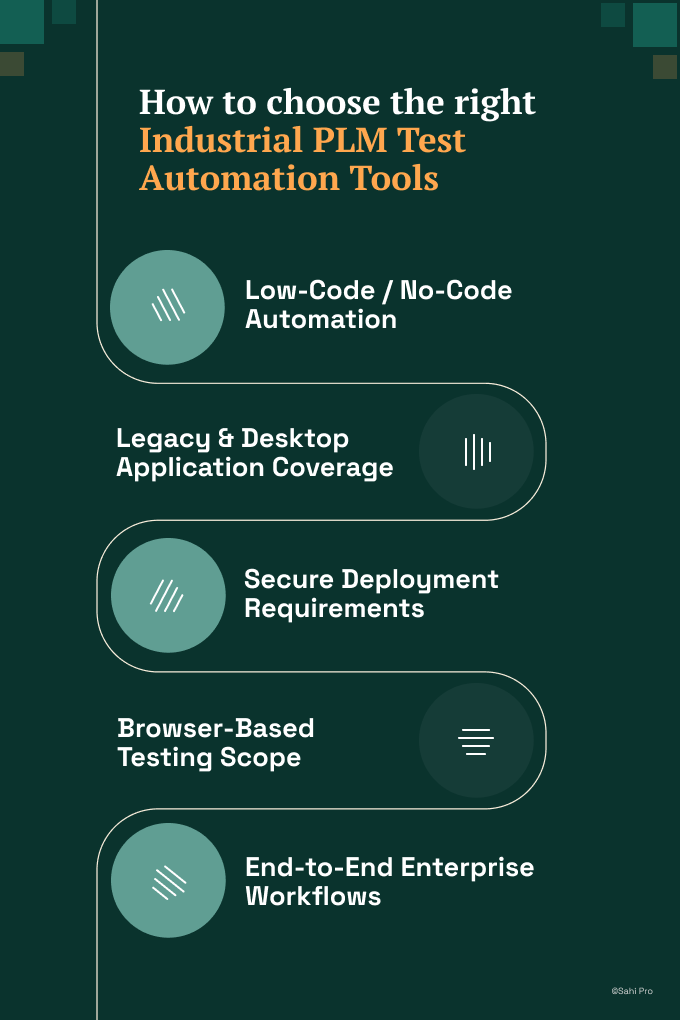
- If your team has no dedicated automation engineer and needs manual testers to build tests, consider Sahi Pro’s no-code interface or Worksoft Certify’s process recording. Both allow domain experts to author tests without programming, though Worksoft is limited to SAP-only scope.
- If your environment requires Java thick-client coverage for Teamcenter Rich Client or legacy Aras versions, eliminate any tool that operates on web DOM only. Selenium WebDriver, for example, cannot interact with Java Swing components. PLM test automation for thick clients requires native desktop access.
- If your industrial or energy environment requires on-premise deployment with no external data routing, eliminate cloud-only options at this step. Check the on-premise column in the quick-pick table above. All six tools on this list support on-premise, but deployment models vary.
- If your scope is purely web-layer Teamcenter Active Workspace or Aras Innovator browser testing with no Java clients, a standard web framework like Selenium may be sufficient. Evaluate whether your plm test automation tools need to extend beyond the browser before committing.
- If you need one test suite covering Aras Innovator, Teamcenter, and SAP ERP integration in one execution, only Sahi Pro’s add-on architecture covers both PLM thick clients and SAP GUI natively in a single script.
If you are unsure which criteria apply to your deployment, run a proof-of-concept directly against your Aras Innovator, SAP PLM, or Teamcenter environment. Sahi Pro offers a free trial for this purpose.
How we evaluated Industrial PLM Test Automation Tools
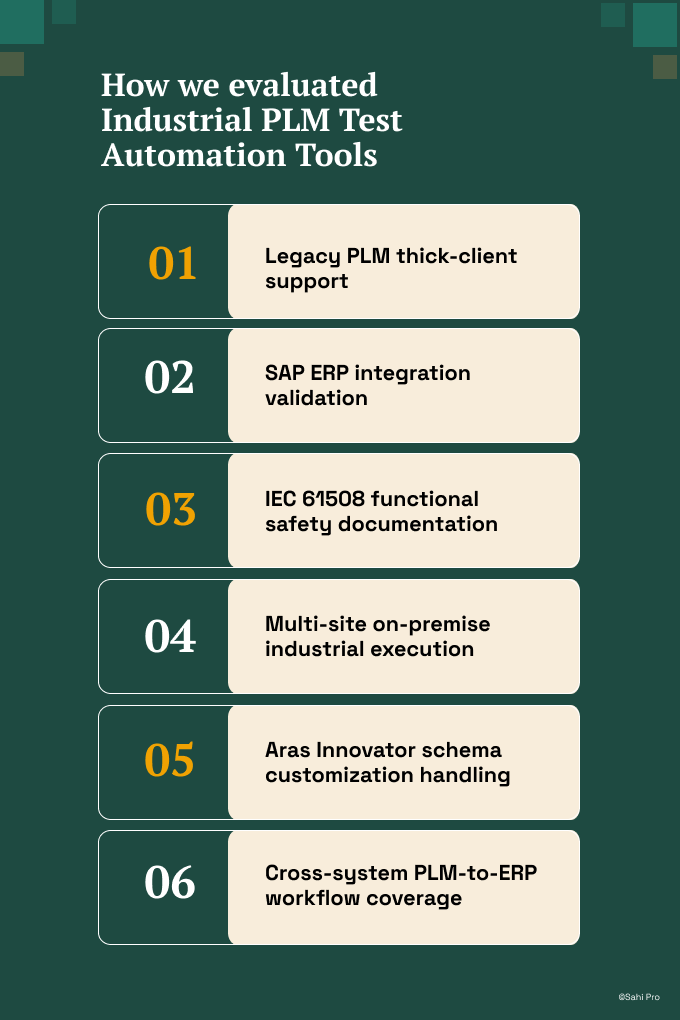
A generic web testing product and a tool that can handle plm test automation for industrial equipment are fundamentally different things. The difference lies in thick-client access, ERP integration depth, and compliance artefact generation. We evaluated each of the six plm test automation tools against criteria specific to Aras Innovator, SAP PLM, and Teamcenter deployments in industrial and energy environments.
- Legacy PLM thick-client support: Can the tool automate 15-year-old Aras Innovator and Teamcenter thick clients running Java Swing on aging Windows Server infrastructure without requiring PLM version upgrades.
- SAP ERP integration validation: Can the tool validate SAP transactions triggered by PLM change releases, covering SAP GUI, BAPI, and RFC calls in one end-to-end script.
- IEC 61508 functional safety documentation: Does the tool produce timestamped, structured execution records that support IEC 61508 SIL-rated system documentation requirements for safety-critical industrial applications.
- Multi-site on-premise industrial execution: Can the tool run regression across multiple plant locations on-premise without routing test data through external cloud infrastructure.
- Aras Innovator schema customization handling: Does element identification survive heavy Aras Innovator schema customizations accumulated over many years, a critical factor for aras innovator test automation stability.
- Cross-system PLM-to-ERP workflow coverage: Can the tool execute a single test spanning PLM and ERP systems, validating the complete engineering change order lifecycle from initiation to material master update.
Industrial and Energy: IEC 61508 and On-Premise Requirements
IEC 61508 Part 3, Clause 7.4.7 requires verification and validation activities for safety-related software to produce documented evidence that each function performs as specified. For PLM systems managing BOM data and engineering changes on SIL-rated equipment, this means test execution must generate timestamped, traceable records tied to specific software versions and test configurations. Industrial equipment manufacturers with 500-plus manual regression hours per release report 70 to 90 percent regression time savings after automating PLM workflows with on-premise tooling (Sahi Pro customer deployment data, 2024). Automated regression testing against every PLM release produces the documented evidence trail that IEC 61508 auditors require.
Of the six tools evaluated, Sahi Pro satisfies IEC 61508 documentation requirements through structured execution records generated on-premise with no external data routing, covering the full PLM-to-ERP workflow in a single execution log. OpenText UFT One, Ranorex Studio, Tricentis Tosca, and Worksoft Certify all offer on-premise deployment options and can produce execution logs, though none natively combine PLM thick-client and SAP GUI coverage in a single execution record. Selenium WebDriver can run on-premise but produces no structured compliance documentation without significant custom framework development. Teams in energy and oil and gas should verify each vendor’s on-premise deployment model against their specific plant network restrictions before proceeding.
For compliance-specific tool selection, request documentation from each vendor on whether their deployment model satisfies IEC 61508 functional safety and on-premise IP protection data residency requirements. Cloud-only vendors typically cannot provide this.
Real Results: Integro Technologies (Aurionpro)
Integro Technologies, part of the Aurionpro group, provides technology solutions for complex industrial and enterprise environments. Their QA team faced a challenge common to industrial PLM deployments: hundreds of regression test cases covering legacy systems with thick-client interfaces, SAP integrations, and multi-layered application stacks that no single browser-based tool could automate.
They moved to Sahi Pro specifically to address legacy Java thick-client support and SAP integration for their on-premise industrial systems, replacing a manual regression process that consumed significant engineering time each release cycle.
The results after implementation:
- 90% savings on man hours of regression testing for complex legacy industrial system automation.
- Team spent only 10% of total time on result and fail case verification after automation.
- Thousands of test cases automated for industrial products with full stakeholder release confidence.
- All QA team members trained across both manual and automation domains, eliminating separate headcount.
Important Takeaway
For industrial equipment and energy teams running legacy Aras Innovator, SAP PLM, or Teamcenter deployments with SAP ERP integration and IEC 61508 obligations, Sahi Pro is the strongest fit because it covers Java thick clients, SAP GUI, and web portals in a single test script on-premise. Teams with purely web-based PLM scope and strong engineering resources can start with Selenium WebDriver at zero cost. Organizations already invested in Tosca or Worksoft for SAP testing should evaluate whether extending their existing tool covers the PLM thick-client layer before adding a second product.
Sahi Pro offers a free trial. You can test it against your own Aras Innovator, SAP PLM, or Teamcenter environment before any license decision. If you want to see how it handles your most complex PLM-to-ERP workflow, Book A Demo and bring your hardest test scenario.