An automotive QA director tallies license renewals for Worksoft and a second PLM tool, sees the total, and still misses the actual cost, which shows up three weeks later when the one engineer who understands both systems takes a new job
TL;DR
- Running separate tools for SAP (Worksoft, Tosca, or similar) and PLM creates a coordination cost that never appears on a license invoice.
- Worksoft Certify’s documented PLM support is limited to Siemens Teamcenter as a secondary capability behind its core SAP and ERP focus, with no documented support for Windchill or ENOVIA, so many teams on those platforms are already running two tools whether they’ve named the gap or not.
- The real risk concentrates in tribal knowledge: whoever understands both toolchains becomes a single point of failure.
- Duplicated reporting and inconsistent audit-trail formats across two tools create real friction when reconciling IATF 16949 evidence.
- A single continuous flow across SAP GUI, Fiori, and PLM Java Rich Client removes the handoff point where most of this cost concentrates. The argument here is about the cost of the two-tool structure itself, worth pricing out explicitly, not a verdict on either tool’s individual quality.
What the license invoice doesn’t show you
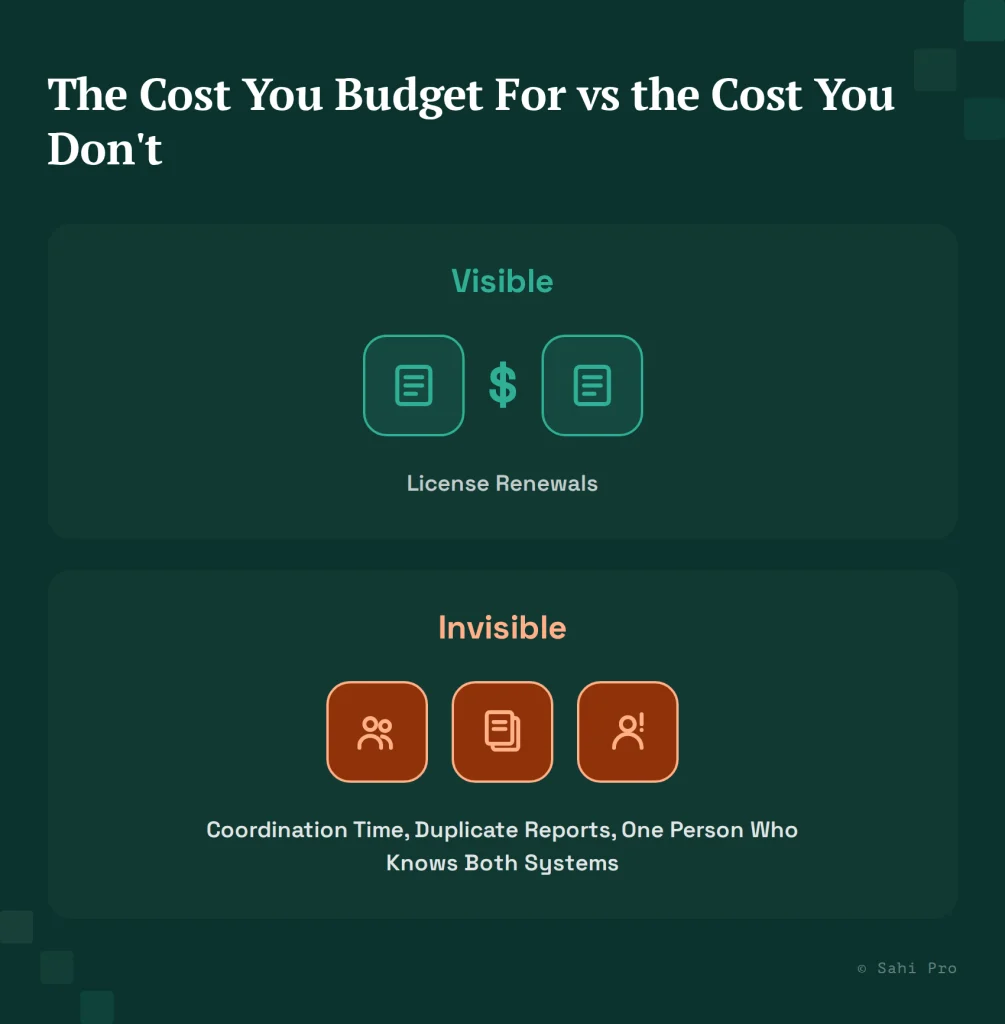
The visible cost of a two-tool setup is two license renewals, budgeted, approved, and easy to point to in a spend review. Finance sees the number, compares it to last year’s, and moves on. The invisible cost is everything that happens between the tools, and it never lands on that same invoice.
Consider what actually happens around a release cycle when SAP and PLM automation live in separate tools. Someone has to confirm the PLM-side regression passed before the SAP-side team starts their own run, because the two suites don’t share a trigger or a status board. Someone has to reconcile two separate pass/fail reports into a single go/no-go decision for the release, often manually, because the report formats don’t match. Someone has to maintain two separate sets of credentials, environment configs, and CI pipeline stages, doubling the surface area for something to quietly break. None of that shows up as a line item, and none of it gets smaller just because nobody’s tracking it as a cost.
Where the two-tool structure actually starts
Worksoft Certify’s core, deeply documented strength is SAP and broader ERP automation, spanning SAP, Oracle E-Business Suite, Salesforce, Microsoft Dynamics 365, and similar enterprise applications, with certified, purpose-built integrations for that layer specifically. Its PLM support is real but narrower: Worksoft documents Teamcenter coverage specifically, positioned as a secondary capability alongside its SAP-centric core, with no documented support for PTC Windchill or Dassault ENOVIA.
That distinction matters more than it looks. A team on Windchill or ENOVIA running Worksoft for SAP is already, structurally, running two tools for SAP-plus-PLM coverage, whether or not anyone has framed it that way in a budget conversation. Even a Teamcenter-plus-SAP team, where Worksoft’s documented PLM support technically applies, often finds that secondary capability thinner in practice than a tool built primarily around PLM automation, particularly for Java Rich Client scenarios inside Teamcenter’s BOM management screens. That gap is commonly closed by adding a second tool, frequently Tosca given its own PLM-plus-SAP reach. The architecture-level case for how Tosca and Sahi Pro’s relational approach differ is covered in full in Sahi Pro vs Tricentis Tosca, not repeated here, since this piece is about what happens once you’re running two tools, not about which single tool wins a feature comparison.
The single point of failure nobody put in a risk register
Once a team is running two toolchains, someone has to understand both well enough to keep them coordinated. In practice, this is usually one or two people who picked up both systems over time, through project assignment rather than deliberate cross-training, rather than by any formal succession plan. They know which SAP test needs to run before which Teamcenter test, which report format maps to which compliance checklist, and which environment quirks require a manual workaround that’s never been written down anywhere.
When that person leaves, the organization doesn’t just lose a headcount. It loses the only working map of how the two toolchains relate to each other. The next hire, even one experienced with either Worksoft or Tosca individually, starts from close to zero on that specific coordination knowledge. In practice this often means weeks of rebuilding institutional memory through trial and error, during which release confidence quietly erodes, precisely the kind of risk that never shows up on a spreadsheet until it becomes a production incident.
Where compliance evidence gets inconsistent across two tools
For an automotive OEM or Tier 1 supplier operating under IATF 16949, audit evidence needs to demonstrate consistent, traceable quality control across the processes it covers. When SAP evidence comes from one tool’s report format and PLM evidence comes from another’s, an auditor, or an internal quality team preparing for one, has to reconcile two different reporting structures into a single coherent evidence trail.
That reconciliation work is manual, repeated every audit cycle, and is a direct byproduct of the two-tool structure rather than of either tool’s individual quality. It also introduces a specific risk: if the two tools’ reports use different terminology or different levels of detail for what counts as a “passed” validation step, an auditor may reasonably ask which report is authoritative, a question that shouldn’t need to exist in a well-run quality system.
What a single continuous flow removes, not adds
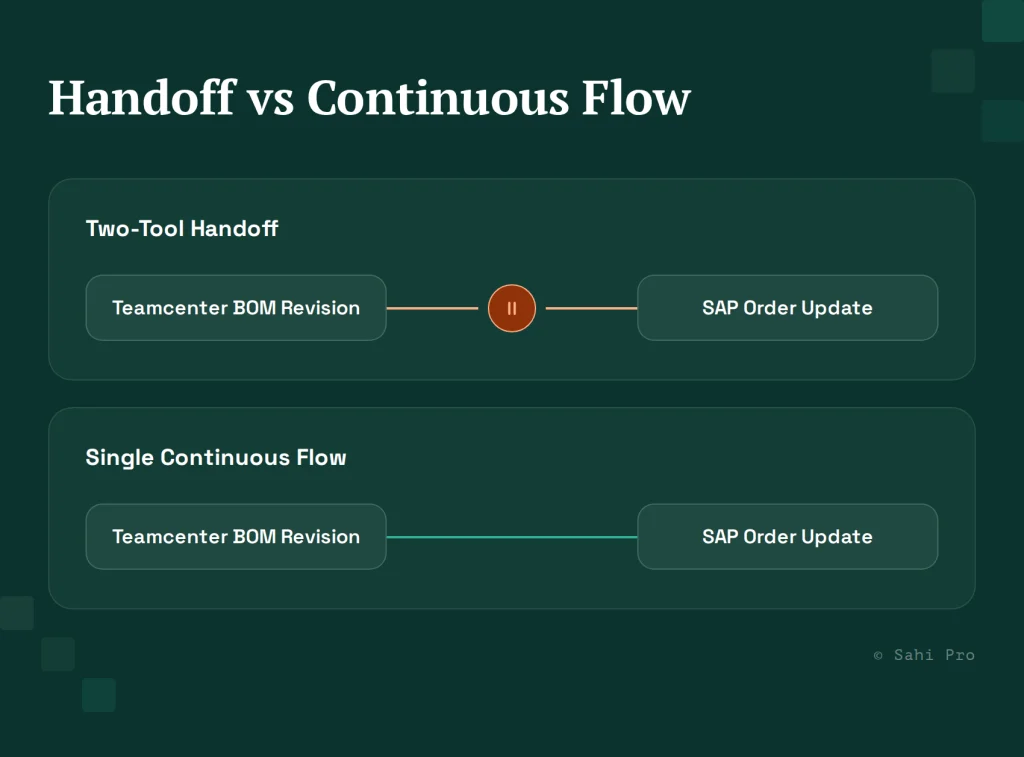
Consider a BOM revision in Teamcenter that needs to trigger a corresponding SAP order update. Run across two tools, this is a handoff: one tool completes its portion, someone confirms the PLM side landed correctly, then the SAP-side tool picks up, often after a delay while whoever’s monitoring both systems notices the first step finished. Run as one Sahi Pro flow across the PLM Java Rich Client and SAP GUI or Fiori, there’s no handoff point at all, because the same flow simply continues into the next system using the same relational identification logic throughout. The value here is the removal of the coordination step that a two-tool structure requires by definition, not an additional feature layered on top.
How to price out your own two-tool cost before evaluating anything
Before comparing tools, tally three things honestly. First, your current license cost for both tools, the number everyone already has. Second, an estimate of hours spent per month on cross-tool coordination: status meetings between the SAP team and the PLM team, manual report reconciliation, and handoff confirmation during release cycles. Third, and most uncomfortable, a plain count of how many people on your team could actually cover for the person who understands both toolchains if they left tomorrow.
That third number is usually the one nobody has calculated, and it’s the number a license-cost comparison alone will never surface. A team that finds the answer is “one person” has a materially different risk profile than a team that finds “three people,” regardless of what either tool costs per seat.
What the transition period actually looks like
Teams considering consolidation often stall at the same point: the two-tool cost is clear, but the transition itself feels riskier than the status quo, since it means touching a working system during the changeover. In practice, the teams that get through this cleanly treat the transition as additive before it’s subtractive. New test development moves to the single-flow approach first, on scenarios that don’t yet exist in either legacy tool, so there’s no coverage gap risk on day one. Only after the new approach has proven itself on genuinely new coverage does migration of existing high-value regression tests begin, one scenario category at a time rather than a wholesale cutover.
This matters specifically for the compliance angle raised earlier. An IATF 16949 audit doesn’t pause for a tooling transition, so a phased approach that keeps the legacy toolchain’s audit trail intact until its replacement has proven itself on the same scenarios avoids the worst version of this problem: a gap in traceable evidence during exactly the period when the organization is least prepared to explain it to an auditor.
Sources
- Worksoft Certify integrations and documented enterprise application scope (worksoft.com)
- Sahi Pro vs Tricentis Tosca
- PLM Testing Best Practices: What QA Leads at Automotive OEMs Get Right
- AIAG IATF 16949:2016 automotive quality management standard overview (AIAG)