
| TL;DR Flaky tests usually signal an identification architecture problem, not a coverage problem. Diagnose why your current tool is failing before evaluating any alternative. The staying cost is often higher than the switching cost; calculate both honestly. The questions that matter in a second evaluation are different from the ones you asked first. Download the checklist and run a structured comparison before you commit. |
Flaky tests that turn red after every release, a maintenance backlog that grows faster than new coverage, and a suite that only automation engineers can touch: these are not bad luck. They are symptoms of a specific problem, and switching tools without identifying that problem will reproduce it on a new platform.
You are considering a change. Before you evaluate a single alternative, one question is worth sitting with: was it the tool, or was it how you evaluated it the first time?
In most cases, the answer is both. The tool has genuine limitations. But the evaluation process also missed those limitations because it was built around demo performance, not production behaviour. This guide helps you do two things: diagnose why your current programme is failing, and evaluate the next tool against criteria that actually predict whether it holds up. At the end, you will find a free Excel checklist built specifically for a second evaluation, including the questions most teams never asked the first time.
Common automation testing challenges: diagnosing why your suite is failing
Before evaluating any alternative, spend one session mapping which of the following automation testing challenges matches your situation. The root cause determines whether switching solves the problem or moves it.
| Symptom | Root cause | What switching will and will not fix |
|---|---|---|
| Flaky tests after every release | Identification tied to DOM position. Every UI change shifts selectors. | Switching fixes this if the new tool uses label-based or proximity identification. Switching to another DOM-based tool reproduces the same problem on a different platform. |
| Only engineers can maintain the suite | No codeless authoring path. Manual testers cannot contribute. | Switching fixes this if the new tool has a genuine visual builder with conditional logic, not just record-and-playback. |
| Tool does not reach the full stack | Web-only coverage. Java thick clients, canvas layers, or desktop modules stay manual. | Switching fixes this only if the new tool covers your specific layers natively. Verify against your actual stack, not the vendor’s supported platform list. |
| Regression runs take too long | No built-in parallel execution. Tests run sequentially. | Switching fixes this if parallel execution is built into the licence. Confirm it is not a separate infrastructure add-on before signing. |
| Defects still reach production | Suite covers UI only. Integration handoffs between systems are never tested. | Switching fixes this if the new tool covers API and backend validation in the same script. A web-only tool reproduces the gap. |
| More time on maintenance than new coverage | DOM fragility combined with no codeless path for non-engineers. | Switching fixes this only if the identification architecture is fundamentally different. Changing the vendor without changing the architecture changes the label, not the problem. |
The most important column is the last one. If the root cause is architectural, switching is likely the right decision. If the root cause is implementation, a better-scripted suite on your current platform may solve the problem without the cost of migration.
Changing the vendor without changing the identification architecture changes the label, not the maintenance burden.
Why test automation fails: the sunk cost trap keeping teams too long
Understanding why test automation fails in the first place explains why most QA teams stay with a failing tool 12 to 18 months longer than the evidence justifies. The initial build investment feels like it should not be abandoned. The team has learned to work around the tool’s limitations. Migration feels overwhelming.
None of those are reasons to stay. The time already spent is gone regardless of what you decide next. The only question worth asking is forward-looking.
The staying cost
The staying cost is largely invisible because it shows up as sprint velocity loss rather than a line item. To make it concrete, estimate:
- Engineering hours per sprint spent fixing broken locators or rewriting scripts after releases
- Manual coverage hours on the parts of your application the tool cannot reach
- Time lost to coverage resets after each major platform upgrade
- New coverage never built because maintenance fills the team’s capacity
A team of four automation engineers spending 60 percent of their time on maintenance is effectively a team of 1.6 people building new coverage. At typical engineering day rates, that gap has a measurable cost per quarter. Write it down before any evaluation conversation.
The switching cost
The switching cost is more visible but typically overestimated. It includes the time to evaluate and select a new tool, the effort to migrate test scenarios that have genuine value, the productivity ramp while the team learns the new environment, and the temporary coverage gap during transition.
One critical point: not everything in your current suite is worth migrating. Tests built to work around your current tool’s limitations, brittle locator chains, manual wait statements, layer-by-layer workarounds, are not valuable to port. Migrating them recreates the problem in a new environment.
Do not migrate your workarounds. They were written for a tool, not for your application.
Automated regression testing vs manual coverage: calculating what staying actually costs
Most teams underestimate the staying cost because it is distributed across sprints rather than appearing as a single line item. To calculate it properly, compare two scenarios over 12 months.
Scenario one: you stay with the current tool. Calculate the engineering hours per sprint currently going to maintenance, multiply by your average engineering day rate, and project over four quarters. Add the estimated cost of coverage gaps that stay manual: the tester hours required to run those scenarios by hand every release cycle. That total is your staying cost.
Scenario two: you switch. Estimate the POC and selection time (typically 4 to 6 weeks), the migration effort for test scenarios worth keeping, the ramp time for the team on the new tool (typically 6 to 8 weeks to baseline), and the coverage gap during transition. That total is your switching cost.
If your staying cost over 12 months exceeds your switching cost, the decision is clear. If it does not, switching is not yet justified and you are better served fixing the implementation on your current platform.
For teams evaluating whether to automate regression testing more broadly after a bad first attempt, this calculation also applies to the cost of keeping those areas manual indefinitely versus the cost of a fresh tool selection done properly.
What your first evaluation missed
Most first evaluations are structured by the vendor. They provide a demo environment, a pre-built test suite, and a guided walkthrough. The buyer evaluates features on a controlled scenario designed to surface strengths.
The questions that determine production performance rarely surface in a first evaluation because the buyer does not yet know which questions to ask. After 12 months of running a live suite, you know exactly which questions you should have raised. The table below maps what most teams ask the first time against what to ask this time.
| Criterion | What you probably asked last time | What to ask this time |
|---|---|---|
| Element identification | “Does it support our application?” | “How does it handle DOM changes after a major release? Show me a before and after on an upgrade scenario.” |
| Technology stack coverage | “What platforms does it support?” | “Can it reach every layer of our specific stack in one script? We need web, Java, and API covered together.” |
| Test authoring | “Does it have a no-code option?” | “Can a manual tester on our team author a full test independently, live, right now, without vendor support?” |
| Parallel execution | “Does it support parallel testing?” | “Is parallel execution built into our licence tier, or does it require a separate grid infrastructure?” |
| Maintenance after upgrades | “How stable are the tests?” | “When your customers ship a major release, how long does the regression suite take to recover? Give us a reference.” |
| Integration layer coverage | “Does it integrate with our CI/CD pipeline?” | “Can it validate API calls and backend transactions in the same script as the UI test?” |
| On-premise deployment | Not asked | “Can the entire tool run on-premise with zero external data routing, including licensing and reporting?” |
| Support after sale | “What does the support package include?” | “What is the median first response time for a P1 issue on our tier? Can we speak to a reference customer?” |
Read down the right-hand column. These are not abstract questions. They map directly to the failure modes in the diagnostic table in section one.
Build your test automation strategy for the next tool selection
A structured proof of concept, run against your actual environment rather than the vendor’s, reveals more in two weeks than six months of production use. Building your test automation strategy around that POC rather than the vendor’s demo is the single most effective change you can make to the evaluation process.
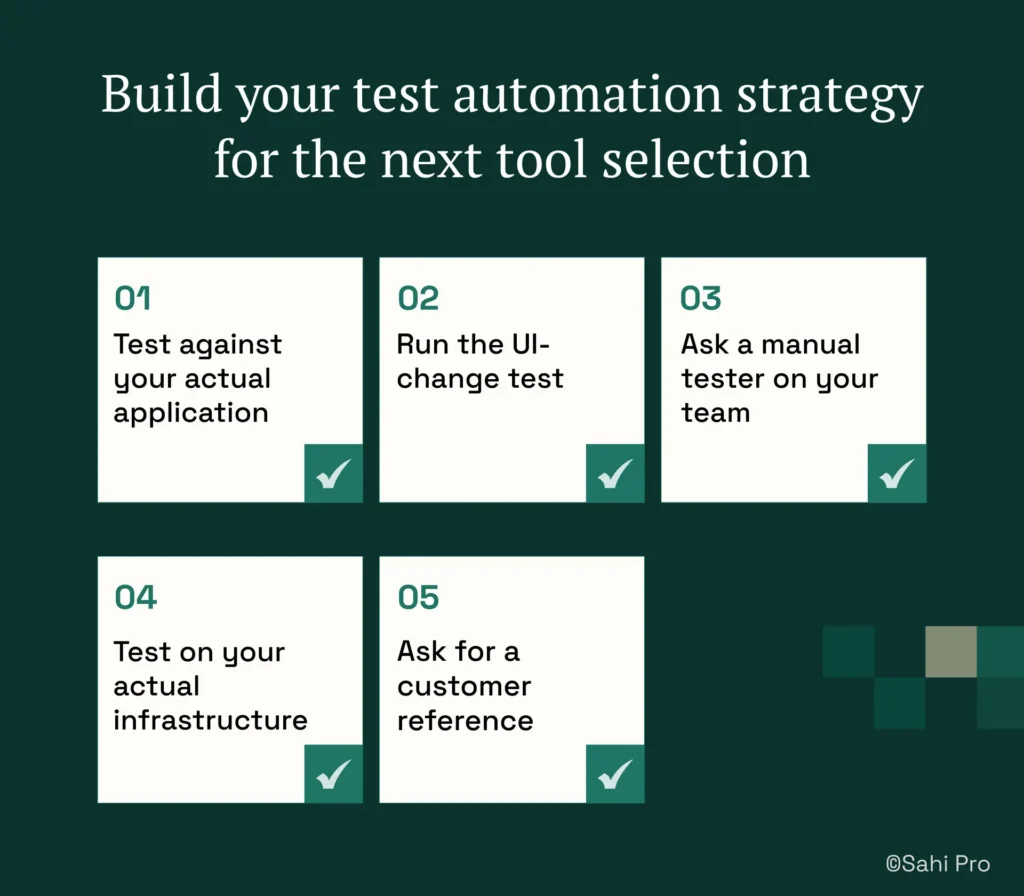
Here is how to structure it:
- Test against your actual application. If the vendor can only demonstrate on their own test app, that is itself a signal.
- Run the UI-change test. Modify an element in your application mid-trial and observe what breaks. A tool with DOM-bound identification fails immediately. A tool with label-based identification continues running.
- Ask a manual tester on your team to author a test independently, without vendor support. Note where they get stuck and how long it takes.
- Test on your actual infrastructure, including your CI/CD pipeline and your deployment model. Do not evaluate on a cloud instance if your production environment requires on-premise.
- Ask for a customer reference whose application changes on a similar release cadence to yours. Ask that reference specifically about maintenance burden after major platform updates.
Run the POC against two or three tools simultaneously if you have the capacity. Side-by-side comparison surfaces differences that no single evaluation shows on its own.
How to reduce flaky tests right now if you cannot switch immediately
If a full migration is not feasible this quarter, three targeted changes will reduce the maintenance burden while you evaluate alternatives.
Flaky test automation: separating tool problems from implementation problems
Not all flaky test automation is caused by the tool. Before attributing failures to the platform, confirm the root cause. Tests that fail because the DOM restructured after a UI change are an identification architecture problem. Tests that fail randomly without any application change are typically a timing or wait-handling problem, which may be fixable in the current tool.
Audit the tests that break most frequently. Identify whether they are failing because of DOM changes, timing issues, or genuine application defects. This audit clarifies exactly how much of your flakiness is architectural versus implementational before you commit to a migration plan.
Separate stable tests from unstable ones
Move unstable tests out of the main CI gate into a separate suite that runs on a schedule with manual review. This stops flaky tests from blocking releases while you address them, and it gives you a precise picture of how much of your coverage is genuinely reliable versus how much is adding noise.
Stop building new tests in the failing pattern
If you are adding new tests that replicate the same locator approach causing failures, you are compounding the problem. Pause new test authoring on the unstable layer and redirect that capacity to the evaluation and migration planning work.
What to protect from your current investment
Not everything in your current programme is wasted. Before migration, identify what has genuine value independent of the tool:
- Test case logic and scenario definitions: what to test is reusable even when the scripts are not
- Regression coverage maps: the record of which workflows are covered and at what depth
- Known failure patterns: the application areas and release types that have historically produced defects
Leave behind brittle locator chains written for DOM stability workarounds, manual wait statements added because the tool cannot handle dynamic rendering, and parallel execution scripts built on top of a tool that lacks native distribution. These artefacts represent adaptation to limitations, not knowledge of your application.
Next step: download the evaluation checklist
The eight criteria in the evaluation table above are condensed into a free Excel checklist designed specifically for a second evaluation. It includes a column showing what you probably asked last time alongside what to ask this time, and a scoring column you can weight based on your specific environment.
| Download the Evaluation Checklist A free Excel checklist covering all eight evaluation criteria, with a column showing what you asked last time and what to ask this time. Use it to run a structured comparison before you commit. Download the Test Automation Evaluation Checklist If Sahi Pro is on your shortlist, book a demo. Bring the checklist and we will walk through each criterion against your actual stack. |