TL;DR
- What this is: PLM automation spanning web, Java, canvas, and API
- Who it affects: Test leads at PLM companies using Teamcenter, Windchill, ENOVIA
- The core problem: Web tools cannot reach Java or canvas layers
- Cost of not solving it: 60 to 70 percent of PLM workflows stay manual
- What Sahi Pro does differently: One product covers web, Java, canvas, API, SAP
- Proof: 80% maintenance cut, 90% regression savings documented
Every time your regression suite hits a Java thick-client panel in Teamcenter, Windchill, or ENOVIA and your web-based scripts return nothing but errors, the root cause is not your test logic. The problem is that standard web automation never had access to those layers in the first place, and PLM test automation demands coverage across all of them. Left unresolved, 60 to 70 percent of PLM workflows stay permanently manual, which means your release sign-off depends on human effort that does not scale. This article covers how PLM and standard web testing differ at the architectural level, where generic tools hit their ceiling on Teamcenter, Windchill, and ENOVIA, and how Sahi Pro’s single-product approach spans web, Java thick client, canvas, API, and SAP GUI in one script to close those coverage gaps.
What Is PLM vs Web Test Automation?
“PLM test automation spanning web, Java thick client, and API layers.” That is the working definition, and it describes a scope that standard web testing was never designed to cover. Teamcenter, Windchill, and ENOVIA each ship workflows that cross multiple technology boundaries within a single user session. A change request might start in a browser-based Active Workspace, trigger a Java Rich Client for BOM editing, and call a REST API for downstream ERP validation. For test automation leads, that means PLM software testing cannot stop at the browser layer and still claim meaningful coverage.
Standard web test automation, by contrast, operates entirely within the DOM. It handles HTML elements, JavaScript-rendered content, and browser events. That scope is correct for single-layer web applications. The distinction matters because PLM applications are not single-layer web applications, even when they present a browser-based front end. The Java panels, canvas-rendered 3D views, and API integrations that sit behind or alongside the web portal carry the business-critical logic that PLM QA teams need to validate.
The table below shows where this matters most for Teamcenter, Windchill, and ENOVIA teams.
Why Web tools miss Java and canvas layers Breaks Standard Automation
Standard web automation tools operate by reading the browser DOM. They locate elements through XPath, CSS selectors, or element IDs, and they interact with those elements through WebDriver protocols. PLM test automation breaks this model because Java Swing panels, AWT components, and SWT interfaces are invisible to WebDriver entirely. When a Teamcenter user opens the Rich Client or a Windchill user launches a Java-based module, the automation script loses visibility. There is no DOM to query. The tool cannot identify buttons, trees, or input fields inside the Java layer, so the test either fails or skips the most critical part of the workflow.
Teamcenter, Windchill, and ENOVIA each compound this problem through their specific architectural decisions. Teamcenter Active Workspace renders BOM trees with dynamic row indices that shift on every hierarchy reorganization, breaking positional selectors even within the web layer. Windchill’s Java-based modules handle approval workflows and lifecycle transitions outside the browser. ENOVIA 3DEXPERIENCE renders 3D models and data grids on HTML5 canvas elements that contain no DOM child nodes. PLM QA automation on these platforms requires element identification strategies that work across all three rendering technologies, not just one.
The business cost in PLM verticals is direct and measurable. Web-only automation tools achieve 30 to 40 percent coverage of a typical Teamcenter or Windchill deployment because most business-critical workflows live in Java thick clients and canvas-rendered interfaces [Sahi Pro PLM Course Book, Module 8]. That means PLM functional test automation covers less than half the application surface. Every release cycle, the remaining 60 to 70 percent depends on manual testers walking through workflows by hand. For organizations shipping quarterly releases, this creates a permanent bottleneck that grows with each new module or integration point.
Why Standard Test Automation Tools Hit a Ceiling on Teamcenter, Windchill, ENOVIA
Standard web automation tools are well-engineered for their intended scope. They handle DOM-based element identification, browser event simulation, and JavaScript-rendered content with high reliability. For teams whose Teamcenter or Windchill deployment is entirely browser-based with no Java thick-client modules, no canvas-rendered interfaces, and no cross-layer API validation requirements, these tools can deliver real value. The ceiling appears when the PLM deployment includes Java Rich Client panels, WebGL-rendered 3D viewers, or workflows that span the browser and a desktop application in the same user session. PLM testing tools built on WebDriver protocols simply cannot send commands to a Java Swing panel. That is not a deficiency. It is a design boundary. The tool was built for web-layer testing, and the PLM application extends beyond the web layer.
Enterprise model-based and codeless tools face a different constraint. Many offer broad technology coverage on paper but require cloud-hosted execution infrastructure that routes test data through external servers. For PLM verticals handling ITAR-controlled data, patient records, or proprietary manufacturing IP, that architecture is disqualifying before the technical evaluation begins. Codeless authoring in these tools typically covers the web DOM layer well, but PLM software testing against Java thick clients or canvas elements has no codeless path in most enterprise suites. The recorder captures browser interactions. It cannot capture a button click inside a Java AWT dialog or a cell selection on a canvas-rendered BOM grid. The gap is a design scope problem: Teamcenter, Windchill, and ENOVIA’s mixed-layer architecture requires a tool built for this specific layer.
How to Identify Which PLM Layers Need Automation
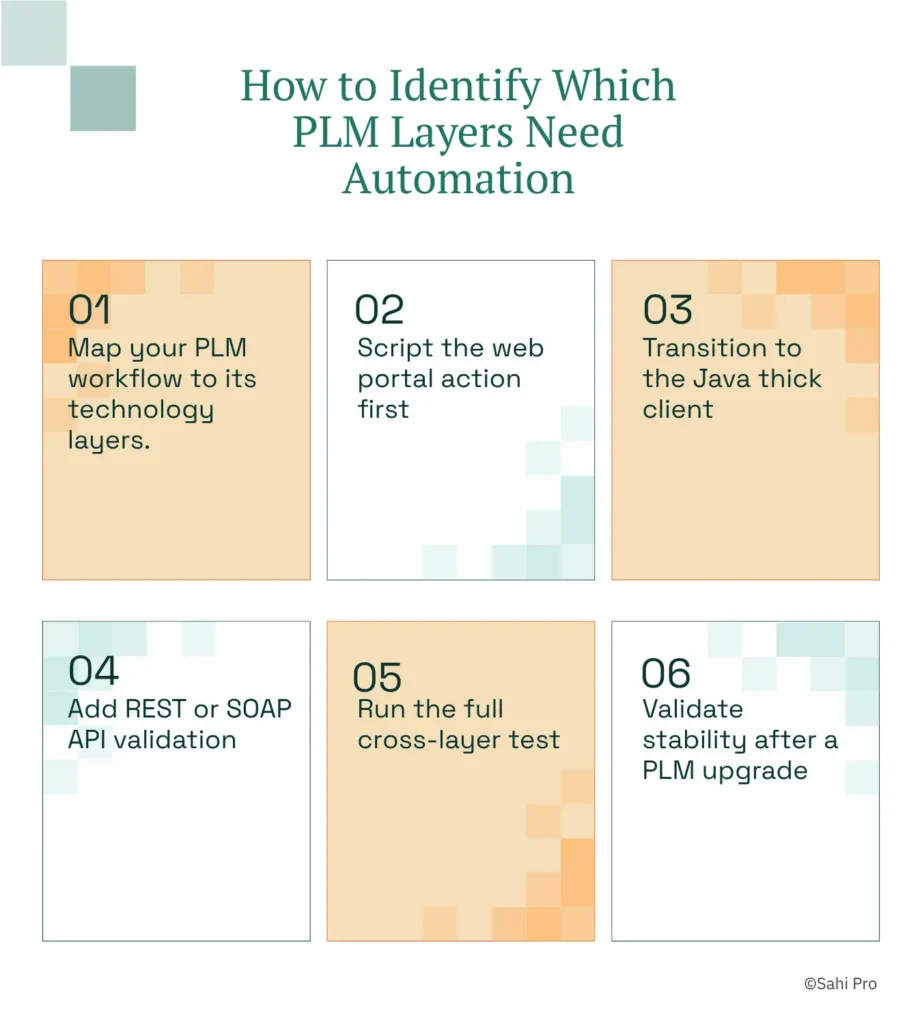
Step 1: Map your PLM workflow to its technology layers. Open the workflow you need to automate and document every point where the interface transitions from browser to Java client, from Java client to API call, or from web portal to canvas-rendered view. PLM test automation starts with this inventory. Without it, you will discover coverage gaps only after scripts are written.
Step 2: Script the web portal action first. Using Sahi Pro’s Web add-on, record or author the browser-based portion of the workflow. This covers the Active Workspace, Windchill web client, or ENOVIA browser interface. Sahi Pro identifies elements by visible labels and proximity, not DOM position, so the script survives UI restructuring without locator rewrites.
Step 3: Transition to the Java thick client. When the workflow opens a Java Rich Client panel, Sahi Pro’s Desktop add-on connects to the Java Swing, AWT, or SWT session within the same script. No tool switching. No separate project. PLM software testing across the web and Java layers happens in one continuous sequence.
Step 4: Add REST or SOAP API validation. Using Sahi Pro’s Web Services add-on, insert API calls that verify backend state. Confirm that the BOM change propagated to the ERP system or that the lifecycle status updated in the PLM database. This step closes the gap between what the UI shows and what the system actually recorded.
Step 5: Run the full cross-layer test. Execute the single script that spans web portal, Java thick client, and API. Sahi Pro generates one unified report covering every layer, so the test lead reviews a single artifact instead of correlating outputs from three separate tools.
Step 6: Validate stability after a PLM upgrade. Apply a Teamcenter or Windchill patch, then rerun the suite without modifying any scripts. Proximity-based identification survives structural UI changes because it reads visible part numbers and field labels, not DOM indices. The most common break point teams expect, locator failure after an upgrade, is the exact scenario Sahi Pro’s approach prevents.
How Sahi Pro Handles Web tools miss Java and canvas layers
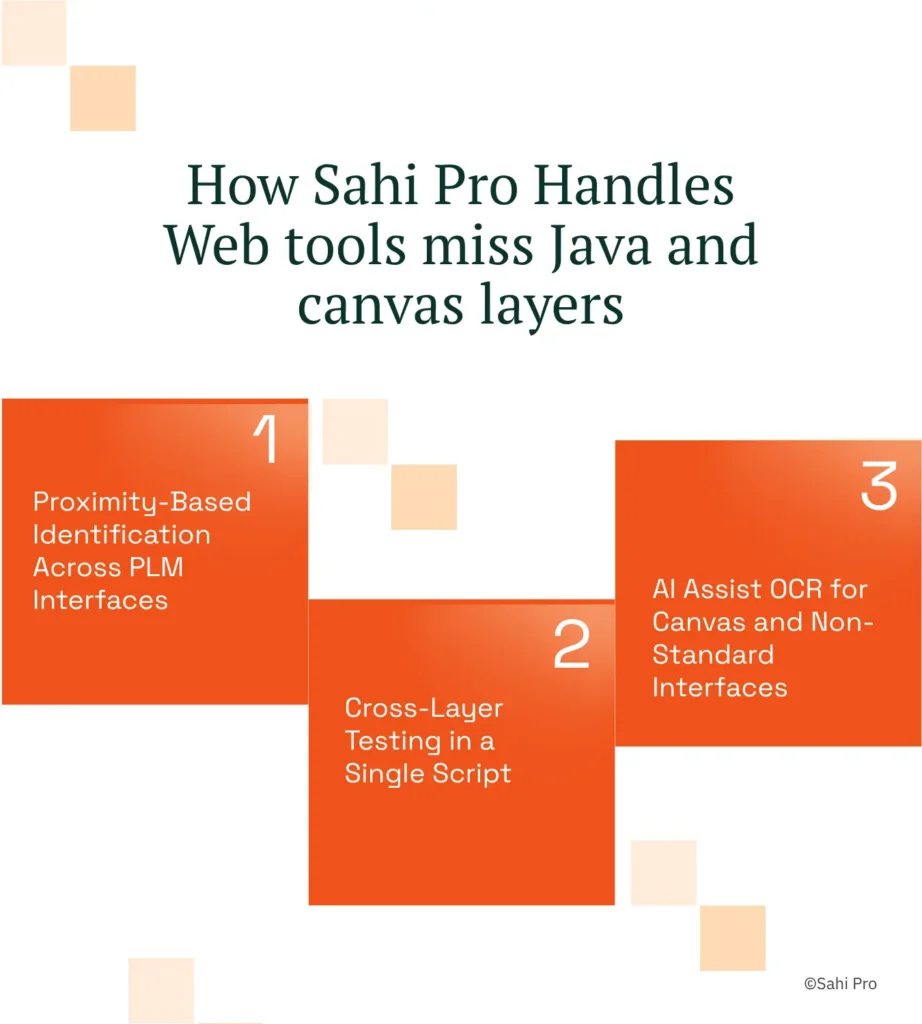
Proximity-Based Identification Across PLM Interfaces
Sahi Pro identifies elements by their visible labels and spatial relationships on screen. In a Teamcenter Active Workspace BOM tree, the script references a part number by its displayed text, not by its row index or XPath. When an engineer reorganizes the BOM hierarchy, the row indices shift, but the visible part number stays the same. The script keeps running. PLM testing tools that rely on DOM position would require a full locator rewrite after that same reorganization. For Windchill and ENOVIA, the same principle applies to approval panels, lifecycle state fields, and attribute grids. The identification method mirrors how a human tester reads the screen.
Cross-Layer Testing in a Single Script
A typical PLM QA automation scenario starts in a browser, transitions to a Java desktop module, and validates results through an API. Sahi Pro’s Web add-on handles the browser layer. The Desktop add-on connects to Java Swing, AWT, or SWT sessions for thick-client interactions. The Web Services add-on executes REST or SOAP calls for backend verification. All three run in one script, producing one report. PLM test automation that spans these layers without tool switching eliminates the integration handoff gaps where defects typically hide. A test lead reviews one artifact instead of reconciling outputs from three separate tools.
AI Assist OCR for Canvas and Non-Standard Interfaces
ENOVIA 3DEXPERIENCE and similar PLM platforms render data grids and 3D models on HTML5 canvas elements. These elements have no DOM children, so WebDriver-based identification fails completely. Sahi Pro’s AI Assist add-on captures a screen region and applies OCR to read the visible text from canvas-rendered cells. This is deterministic text recognition, not machine-learning inference. PLM functional test automation on canvas interfaces becomes possible without custom image-matching scripts or pixel-coordinate workarounds.
Sahi Pro vs Generic Test Automation Tools for PLM vs Web Test Automation
Standard web automation tools are the right choice for many testing scenarios. Teams with purely browser-based applications, stable DOM structures, and no cross-layer requirements will find them efficient and well-supported. The comparison shifts when the PLM deployment includes Java thick-client modules, canvas-rendered interfaces, or workflows that span multiple technology layers in a single session. PLM test automation for Teamcenter, Windchill, or ENOVIA typically falls into this second category. The question is not which tool is better in the abstract, but which tool’s design scope matches the actual architecture of your PLM environment. The table below compares eight criteria that matter most for Teamcenter, Windchill, and ENOVIA PLM QA automation teams.
Teamcenter, Windchill, ENOVIA Test Automation: Feature Comparison
| Criterion | Generic tools | Sahi Pro |
| Java thick-client coverage | No DOM access to Java Swing/AWT/SWT panels; test fails when PLM Java module opens | Desktop add-on reaches Java Swing/AWT/SWT in same script as web portal; no tool switching |
| OCR and canvas element identification | Canvas-rendered PLM grids return no DOM nodes; WebDriver fails at identification | AI Assist OCR reads visible text from canvas and WebGL cells without DOM access |
| BOM tree stability across upgrades | Row-index selectors break when BOM hierarchy changes; manual rewrite required | Proximity ID reads by visible part number; survives hierarchy changes without rewrite |
| On-premise deployment | Most tools route execution data externally; blocked in ITAR and IP-sensitive environments | Full on-premise install; execution, results, and reporting stay within customer network |
| Cross-layer: web + Java + API in one script | Separate tools for web, desktop, and API; integration handoffs are never tested together | Single script spans web portal, Java thick client, and REST/SOAP API; one report |
| Codeless authoring for non-developers | No-code recorders limited to web DOM; Java and canvas PLM layers have no codeless path | Visual test builder supports conditional logic and data-driven inputs without JavaScript |
| Maintenance after PLM upgrades | DOM-based scripts need partial or full rewrite after each major PLM release | Proximity ID survives structural UI changes; upgrade maintenance near zero |
| SAP GUI coverage alongside PLM | Separate tool required for SAP GUI scripting; no single tool covers SAP and PLM | SAP add-on covers SAP GUI and Fiori in same script as Teamcenter; one suite |
If your team only needs web-layer Teamcenter, Windchill, or ENOVIA testing with no Java or canvas layer requirement, a standard web automation tool may cover your scope.
Real Results: MetricStream
MetricStream runs a multi-product environment with web interfaces spanning JSP, JavaScript, and HTML, and their QA challenge centered on scaling automation across a growing product portfolio without proportionally growing headcount. They moved to Sahi Pro to consolidate test authoring, execution, and reporting into one product that covered all their application layers, including data-driven scenarios that previously required manual execution. The results after implementation:
- Overall regression test time brought down to 1/3rd of manual testing time.
- Average savings of 70% to 80% on man hours of manual testing.
- 5-person automation team covers test suites for 18 products using centrally developed functions.
- Executable test suites built in 2 to 3 hours using built-in data-driven framework.
What Test Automation Leads at PLM Companies Do Differently
Three things separate PLM teams with stable automation from those rewriting scripts every release. First, they automate across all technology layers their application actually uses, not just the browser front end. Second, they use identification methods that survive UI restructuring, so a Teamcenter upgrade or Windchill patch does not reset regression coverage to zero. Third, they consolidate web, Java, and API testing into a single script and a single report, eliminating the integration gaps where defects go undetected.
If your current suite covers less than half your PLM workflows, bring your hardest test scenario to a technical demo. Sahi Pro’s team will run it against your own environment so you can evaluate coverage before any license decision. Book a technical demo
Sahi Pro offers a free trial, so you can test it against your own Teamcenter, Windchill, or ENOVIA environment before any licence decision.