TL;DR
- What this is: SAP GUI and PLM automation in one script
- Who it affects: Test leads at automotive OEMs using Teamcenter and SAP
- The core problem: RFC/ABAP protocol invisible to web automation tools
- Cost of not solving it: SAP-PLM integration defects found after production release
- What Sahi Pro does differently: SAP add-on covers SAP GUI and Fiori natively
- Proof: Confirmed in automotive and industrial production deployments
Running SAP test automation across Teamcenter, SAP GUI, and Fiori means your team is probably maintaining three separate toolchains, and integration defects are slipping through the gaps between them. For automotive OEM and industrial companies, the consequence is real: SAP-PLM integration defects discovered in production after release corrupt BOMs, delay shipments, and trigger costly quality escapes. This article covers how Sahi Pro’s SAP add-on handles SAP GUI and Fiori scripting alongside Teamcenter web portal testing in a single script, and how to structure a combined test that survives PLM upgrades without a rewrite. Sahi Pro handles this through its SAP add-on, which covers SAP GUI and Fiori natively in the same script as your Teamcenter regression suite.
What Is Sahi Pro SAP Add-on for PLM Teams?
“SAP GUI and PLM automation in one Sahi Pro script.” That is the short definition, and for teams running both Teamcenter and SAP ERP, it solves a very specific structural problem. Teamcenter and SAP ERP exchange BOM data, engineering change orders, and material master records across protocol boundaries that no single web-based testing tool can span. For Test Automation Lead teams in automotive and industrial environments, that means SAP test automation has historically required one tool for SAP GUI transactions, a second for Fiori apps, and a third for Teamcenter Active Workspace, with no unified execution report and no way to validate the data handoff between systems.
The Sahi Pro SAP add-on collapses those three layers into one scripting environment. A single test can open an SAP GUI session via the scripting layer, execute an MM02 material master change, transition to a Fiori approval app, then validate the resulting BOM state in Teamcenter Active Workspace. The sap testing tools problem here is not that individual tools cannot handle their respective layers. The problem is that integration defects live in the transitions, and separate tools never test the transitions. The table below shows where this matters most for Teamcenter and SAP ERP teams.
Why Three Separate Tools for SAP GUI and Teamcenter Breaks Standard Automation
The core technical reason standard web automation tools fail on SAP GUI is straightforward: SAP GUI communicates with the application server over the RFC/ABAP protocol, not HTTP. There is no web DOM. No HTML elements. No CSS selectors. Standard record-and-playback frameworks that depend on browser-rendered DOM nodes cannot see, identify, or interact with SAP GUI controls. SAP test automation for this layer requires a tool that speaks the SAP GUI scripting API directly, reading screen elements by their field labels and screen coordinates rather than DOM paths. Web-based tools are not broken. They are simply designed for a different protocol layer.
Teamcenter and SAP ERP compound this challenge through architectural decisions specific to PLM integration. Teamcenter Active Workspace renders BOM trees in a web client, but the underlying data model uses server-side hierarchy resolution. Row indices in a BOM tree shift when an engineer reorganizes sub-assemblies. SAP ERP, meanwhile, stores the manufacturing BOM in a completely separate data structure accessed through transactions like CS02 and CS03. The erp testing tools challenge is that a valid test must verify data consistency across both systems after a change event, not just within one.
For automotive OEM and industrial teams, the business cost of this gap is measurable. SAP-PLM integration failures cause production BOM corruption in 40 to 60 percent of cases where integration defects escape regression testing (Siemens PLM Community, 2024). A wrong part number propagated from Teamcenter into SAP’s production order means incorrect components on the line. Sap gui automation that only covers the SAP side, or Teamcenter automation that only covers the web side, leaves the integration layer completely untested. That is where the defects hide.
Why Standard Test Automation Tools Hit a Ceiling on Teamcenter and SAP ERP
Standard web automation tools do excellent work within their design scope. They handle browser-rendered applications efficiently, support CI/CD pipelines, and scale well for teams with pure web testing requirements. The ceiling appears when the test scope extends beyond the browser. Teamcenter Active Workspace runs in a browser, but its BOM tree uses dynamic row rendering that shifts element positions on every hierarchy change. That alone creates maintenance overhead for DOM-based selectors. Add SAP GUI to the test scope, where there is no browser at all, and the web automation tool simply has no protocol-level access to the application. PLM test automation that must span both Teamcenter and SAP GUI requires a fundamentally different identification and connectivity architecture.
Enterprise model-based and codeless tools address some of this gap, but introduce their own constraints. Many route execution data through cloud infrastructure, which automotive OEMs operating under ITAR restrictions or strict IP protection policies cannot permit. Others offer SAP GUI coverage as a separate licensed module with its own scripting syntax, meaning the test team still maintains two distinct script libraries with no unified execution. Sap testing tools in this category may cover SAP GUI or Teamcenter individually, but the handoff between them remains a manual verification step or an untested gap. The gap is a design scope problem, and testing Teamcenter and SAP ERP’s three-layer architecture requires a tool built for this specific layer.
How to Automate Combined SAP GUI and Teamcenter Workflows in Sahi Pro
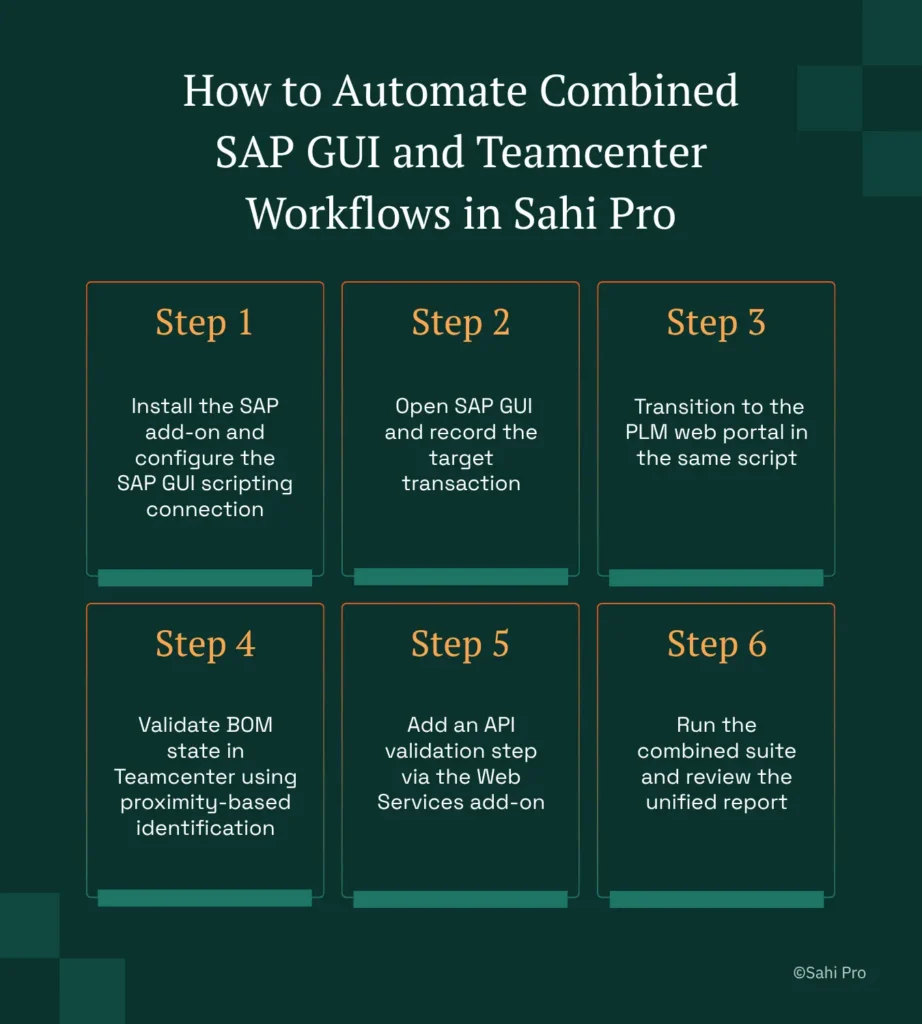
Step 1: Install the SAP add-on and configure the SAP GUI scripting connection. Sahi Pro’s SAP add-on connects to SAP GUI through the native scripting API, not through screen scraping or image recognition. The tester points the add-on at the SAP Logon configuration, and SAP test automation scripts can then open, control, and close SAP GUI sessions programmatically.
Step 2: Open SAP GUI and record the target transaction. Launch an SAP GUI session from within the Sahi Pro controller and navigate to the transaction under test, such as MM02 for material master changes or CS02 for BOM edits. Sahi Pro records each interaction by field label and screen context, producing a script that references “Material Number” and “Plant” rather than internal control IDs. This label-based approach survives SAP support pack upgrades that reassign internal element identifiers.
Step 3: Transition to the PLM web portal in the same script. After the SAP GUI steps complete, the script opens Teamcenter Active Workspace in the browser within the same test execution. No tool switching. No separate script file. Sap testing tools that require separate projects for SAP and web layers force the tester to manually coordinate execution order and compare results across two reports. Here, the transition is a single line in the script.
Step 4: Validate BOM state in Teamcenter using proximity-based identification. Navigate to the affected BOM in Active Workspace and assert that the material master change propagated correctly. Sahi Pro identifies BOM tree nodes by their visible part number labels and spatial position relative to parent assemblies, not by DOM row index.
Step 5: Add an API validation step via the Web Services add-on. Insert a REST or SOAP call to the SAP ERP backend to confirm the data at the API level matches what both the SAP GUI screen and Teamcenter web portal display. This three-point validation catches integration defects that UI-only testing misses.
Step 6: Run the combined suite and review the unified report. Execute the full test, which spans SAP GUI, Teamcenter web, and API layers, from a single run configuration. The result is one HTML or PDF report showing pass/fail status across all layers with timestamped screenshots. The most common break point teams expect, the SAP-to-Teamcenter data handoff, is exactly where Sahi Pro’s approach prevents failure by testing it explicitly rather than assuming it works.
How Sahi Pro Handles SAP GUI and Teamcenter Needing Three Separate Tools
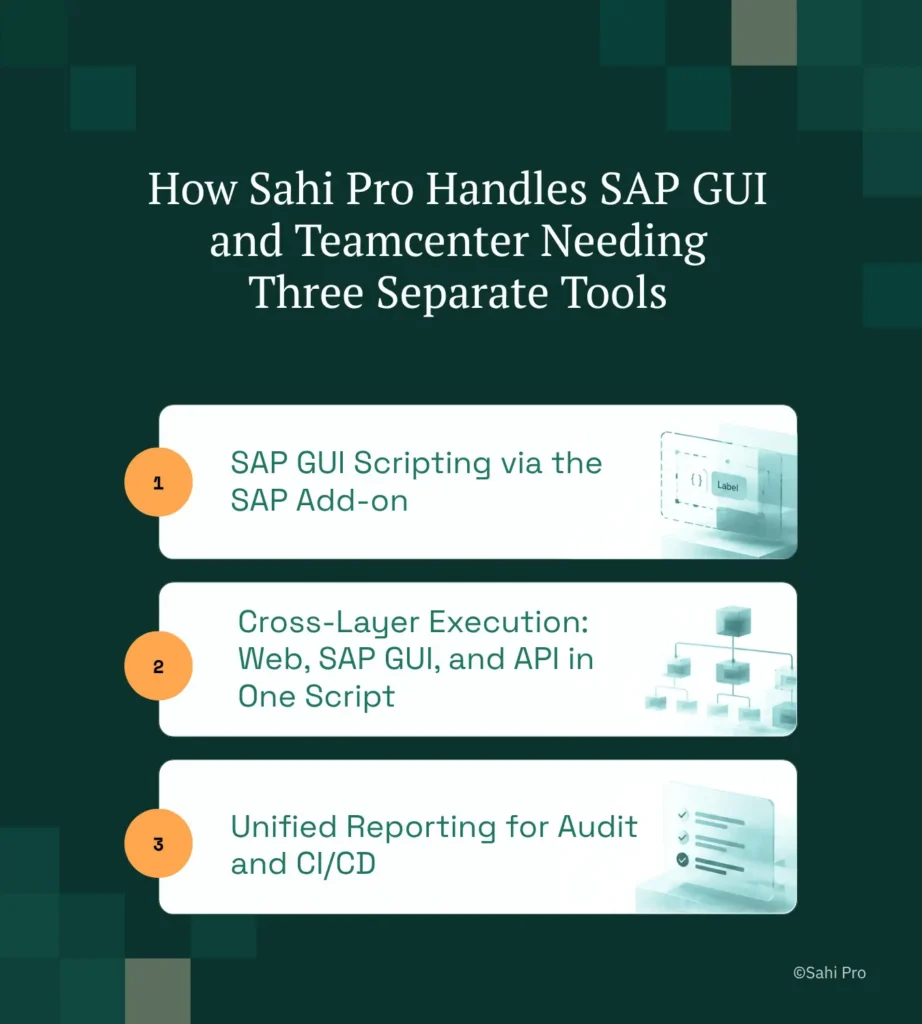
SAP GUI Scripting via the SAP Add-on
The SAP add-on connects directly to SAP GUI’s scripting API and identifies every screen element by its visible field label. Consider a concrete scenario: an engineer updates a material description in transaction MM02. The Sahi Pro script references the field as “Material Description” relative to the “Basic Data” tab. When SAP applies a support pack that changes the internal GuiTextField control ID, the script continues to work because it never referenced that ID. PLM test automation depends on this stability because SAP support packs ship quarterly, and rewriting locators four times a year is not sustainable.
Cross-Layer Execution: Web, SAP GUI, and API in One Script
A single Sahi Pro script can span three distinct application layers. The Web add-on handles Teamcenter Active Workspace in the browser. The SAP add-on handles SAP GUI transactions. The Web Services add-on handles REST and SOAP API calls to validate backend data. No middleware. No orchestration layer. One script file, one execution, one report. For erp testing tools evaluation, this is the critical differentiator: the integration test is not a manual comparison of two separate tool outputs. SAP test automation and Teamcenter validation run as sequential steps in one atomic test, and a failure at any layer fails the entire test with a clear indication of where the break occurred.
Unified Reporting for Audit and CI/CD
Every execution produces a single structured report in HTML, PDF, Excel, or XML format. Each step, whether it occurred in SAP GUI, the Teamcenter browser session, or an API call, appears with a timestamp, screenshot, and pass/fail status. For sap gui automation in regulated environments, this unified report is what auditors review. There is no need to correlate timestamps across three separate tool outputs to reconstruct what happened during the test run.
Sahi Pro vs Generic Test Automation Tools for Sahi Pro SAP Add-on for PLM Teams
Standard web automation tools are the right choice for many teams. If your testing scope is limited to browser-based applications with stable DOM structures and no SAP GUI requirement, those tools deliver solid value at reasonable cost. The comparison changes when the scope includes SAP GUI transactions alongside Teamcenter Active Workspace and API validation, because that combination introduces protocol boundaries that web-only tools were not designed to cross. SAP test automation for PLM teams is a specific, multi-layer problem, and the tooling decision should reflect that scope. The table below compares eight criteria that matter most for Teamcenter and SAP ERP erp testing tools teams.
Teamcenter and SAP ERP Test Automation: Feature Comparison
| Criterion | Generic tools | Sahi Pro |
| SAP GUI coverage alongside PLM | Separate tool required for SAP GUI scripting; no single tool covers SAP and PLM | SAP add-on covers SAP GUI and Fiori in same script as Teamcenter; one suite |
| Cross-layer: web + Java + API in one script | Separate tools for web, desktop, and API; integration handoffs are never tested together | Single script spans web portal, Java thick client, and REST/SOAP API; one report |
| Java thick-client coverage | No DOM access to Java Swing/AWT/SWT panels; test fails when PLM Java module opens | Desktop add-on reaches Java Swing/AWT/SWT in same script as web portal; no tool switching |
| On-premise deployment | Most tools route execution data externally; blocked in ITAR and IP-sensitive environments | Full on-premise install; execution, results, and reporting stay within customer network |
| Maintenance after PLM upgrades | DOM-based scripts need partial or full rewrite after each major PLM release | Proximity ID survives structural UI changes; upgrade maintenance near zero |
| Compliance evidence output | Screenshot logs not accepted by FDA, AS9100D, or IATF auditors as structured evidence | Timestamped structured execution records accepted by FDA, AS9100D, and IATF auditors |
| On-premise CI/CD integration | On-premise PLM nodes need custom agent config; most tools assume cloud execution | Execution server integrates with Jenkins, GitLab CI, and Azure DevOps on-premise |
| BOM tree stability across upgrades | Row-index selectors break when BOM hierarchy changes; manual rewrite required | Proximity ID reads by visible part number; survives hierarchy changes without rewrite |
If your team only needs web-layer Teamcenter and SAP ERP testing with no SAP GUI integration requirement, a standard web automation tool may cover your scope.
Automotive QA: IATF 16949 for SAP and Teamcenter Combined
IATF 16949:2016 clause 7.5 requires validation of all software influencing product quality decisions. SAP-Teamcenter integration scripts that determine BOM state in production manufacturing fall under this requirement (IATF, 2016). For automotive OEMs, this means the test automation suite covering SAP GUI transactions and Teamcenter BOM validation is not optional tooling. It is a controlled document subject to audit. Sap gui automation scripts that modify or verify material master data, engineering change orders, or production BOM structures must produce evidence that satisfies the clause’s documentation and traceability requirements.
Sahi Pro addresses this through structured execution records that include timestamped step-by-step logs, screenshots at each interaction point, and pass/fail status in a single report file. The report format, available in HTML, PDF, Excel, or XML, maps directly to what IATF auditors review during clause 7.5 assessments. Each SAP GUI interaction and each Teamcenter validation step appears in sequence with its timestamp, so the auditor can trace the complete data path from SAP transaction to PLM BOM state without requesting supplementary evidence.
For Engineering IT Managers evaluating tooling approval, the critical factor is on-premise data residency. IATF audits require that test execution data, including screenshots containing part numbers and BOM structures, remain within the company network. Sahi Pro’s standard deployment model is fully on-premise, with no execution data routed externally.
Real Results: Fiserv
Fiserv, a global financial services organization with more than 13,000 clients, faced a testing scope that outgrew their existing automation tools. Their previous tool could not cover the full range of web technologies in their product suite, including ExtJS and Java-based financial applications. They moved to Sahi Pro to consolidate automation under one tool that could handle both web and Java thick-client layers in the same script, the same cross-layer approach that the SAP add-on applies to SAP GUI and PLM environments. The results after implementation:
- 80% reduction in manual test efforts across the financial services product suite.
- Automation coverage extended to the full product suite including ExtJS and Java-based financial applications.
- 6-person automation team covers multiple financial products using centrally developed reusable functions and relative APIs.
- Relative APIs provided stable element identification for Java-based financial applications, the same proximity-based approach Sahi Pro applies to SAP GUI and PLM.
“I had a fantastic experience utilizing Sahi Pro. Would recommend to anyone.” – Daniel S, Client Services Implementation Project Manager (G2)
Before Your Next Teamcenter and SAP ERP Upgrade
Three things matter for PLM teams running SAP alongside Teamcenter. First, integration defects live in the transitions between SAP GUI and Teamcenter, and only a tool that scripts both layers in one test can catch them. Second, proximity-based identification eliminates the quarterly rewrite cycle that DOM-based selectors impose after every SAP support pack or Teamcenter upgrade. Third, on-premise deployment with structured audit evidence is not a feature request in automotive, it is a compliance requirement under IATF 16949.
If your team has a specific SAP-to-Teamcenter workflow that has resisted automation, Sahi Pro offers a free trial with full product access, no feature restrictions. You can also book a technical demo and bring your hardest test scenario. The engineering team will work through it with you.