
| TL;DR Demo performance and production performance are two different things. Your application environment determines which QA automation tools can work for you. Maintenance burden is the cost most buyers discover too late. Eight criteria separate tools that hold at scale from tools that do not. Download the checklist and use it before talking to any vendor. |
A test automation tool evaluation is one of the most consequential decisions a QA team makes, and most teams run it badly. Not because they are careless, but because the standard evaluation process, watching vendor demos on controlled environments, is specifically designed to make every tool look capable. Production is where the truth comes out.
You have decided to move from manual testing to automation. Leadership wants a timeline. A colleague has recommended three tools. The demos all look polished.
This guide gives you the framework to cut through that. It covers the eight criteria that determine whether a test automation tool actually works for your team in production, the questions to ask that no vendor will raise unprompted, and a free Excel checklist to carry into every evaluation conversation.
Start with your environment before comparing QA automation tools
The QA automation tools market is crowded. Every vendor claims broad platform support, easy maintenance, and fast time to value. Without a clear picture of your own environment first, you have no reliable way to filter those claims.
Answer these four questions before you open any vendor page:
- What technology layers does your application run on? Web, mobile, desktop, API, SAP GUI, or a combination?
- Who on your team will author and maintain tests? Automation engineers only, or manual testers and business analysts too?
- Where does your application run? On-premise, cloud, or both?
- How frequently does your application change? Daily builds, weekly releases, or quarterly cycles?
Your answers will immediately disqualify a large portion of the market. A tool built for web-only testing cannot reach a Java thick-client panel. A tool that requires cloud execution creates a compliance risk if your application handles regulated data. A tool with no codeless authoring option means only automation engineers can build tests, which permanently caps your coverage.
The environment you are testing determines which tools can work for you. Features are secondary.
Write your answers down before any demo. Use them as your filter, not the vendor’s marketing page.
Why most test automation tool evaluations get it wrong
First-time buyers run a test automation tool evaluation the way they buy most software: by comparing feature lists and watching demos. The tool that demos best wins.
Demo performance and production performance are different problems. A vendor builds a proof of concept against a stable, simple application. Your application is not stable or simple. It has dynamic content that changes between sessions, legacy components built before modern DOM standards existed, and integration points between systems that no single demo will touch.
The criteria that actually predict production performance are the ones most buyers never raise during a test automation tool evaluation:
- What happens to your test suite when the application ships a major UI update?
- How long does a team typically spend rewriting broken tests after a platform upgrade?
- What is the real maintenance cost over 12 months, not just the licence fee?
- Can someone who is not an automation engineer own a test from creation to execution?
These are not questions that surface in a standard demo. You have to ask them directly, and you have to ask for a customer reference who can confirm the answer from production.
Test automation best practices: the eight criteria that matter in production
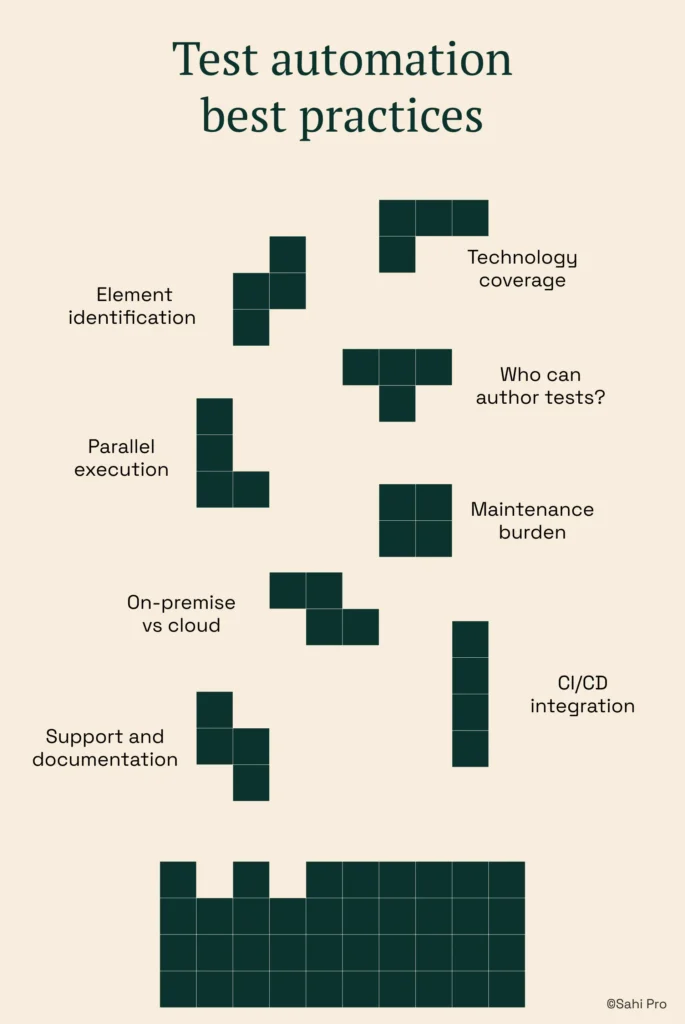
1. Element identification: what happens when the UI changes?
Every test automation tool locates elements on your application: buttons, fields, dropdowns, rows in a table. How it locates them determines how fragile your test suite is when the application changes.
Most tools use XPath or CSS selectors, which are tied to DOM position. When a developer restructures a page or a platform ships a major update, those selectors break. Your tests fail not because the application has a defect, but because the locator points to the wrong place.
Ask the vendor how their element identification handles DOM changes. Proximity-based or label-based identification reads elements by their visible labels and spatial context rather than DOM position. Tests built this way survive UI refactors without manual rewrites, which is the difference between one maintenance sprint per release and continuous maintenance every sprint.
2. Technology coverage: can it reach your full application stack?
If your application stack includes anything beyond standard web pages, confirm technology coverage before evaluating any other feature. Java thick clients, SAP GUI, desktop applications, WebGL canvases, and mobile apps each require a different automation layer. Most tools are built for one.
A tool that reaches your web portal but not your Java module leaves that module permanently manual. That gap compounds with every release.
3. Who can author tests?
A tool that only automation engineers can use produces as much coverage as you have automation engineers. If you have two, you have two people’s worth of test authoring capacity.
Codeless and visual test builders allow manual testers and business analysts to contribute. The quality of these builders varies significantly. Record-and-playback produces brittle scripts that break on the first UI change. A genuine visual builder with conditional logic and data-driven inputs lets non-developers build tests that hold up in production.
Ask the vendor for a live demonstration of the codeless interface on a real scenario from your application, not a pre-built example.
4. Parallel execution: how long do regression runs take?
The point of automation is fast feedback before a release. If a full regression run takes eight hours, you are not getting fast feedback.
Parallel execution distributes tests across multiple machines simultaneously. Ask whether it is built in or requires separate grid infrastructure. Ask how many parallel threads are included in your licence tier. A tool with strong coverage but no scalable execution model creates a different bottleneck.
5. Maintenance burden: what is the 12-month cost?
Licence fees are visible. Maintenance hours are not. The real cost of a test automation tool is the engineering time required to keep the suite running as the application evolves.
The biggest cost of a bad tool purchase is not the licence fee. It is the engineer-hours spent rewriting tests that keep breaking.
Ask the vendor: when your customers ship a major update, how long does it typically take to bring the regression suite back to green? If the answer is vague or unverifiable, ask for a customer reference from a team whose application changes on a similar cadence to yours.
6. On-premise vs cloud: what are your data residency requirements?
Cloud-hosted execution sends your test artefacts, screenshots, and execution logs to external infrastructure. For applications handling regulated data, financial records, healthcare information, or export-controlled technical designs, this creates a compliance problem.
Verify your data residency obligations before selecting a tool. On-premise deployment keeps everything inside your network. Not all tools offer it, and some that claim to offer it route licensing or reporting externally.
7. CI/CD integration: where does it fit in your pipeline?
A test automation tool that runs in isolation from your build pipeline is a manual tool with a script. Integration with Jenkins, GitLab CI, Azure DevOps, or your existing CI infrastructure is what makes tests run automatically on every build.
Ask for documentation on CI/CD integration, not a conceptual description. Confirm which integrations are included in the base licence and which require additional configuration or cost.
8. Support and documentation: what happens when you are stuck?
Every team hits a scenario the documentation does not cover. The difference between an afternoon of problem-solving and a week of lost time is the quality of support available.
Check the response time commitment on your licence tier. Check whether there is a direct support channel or only a community forum. Read recent support reviews from teams in a similar industry.
Test automation tool evaluation criteria at a glance
| Criterion | What to ask the vendor | Red flag answer |
|---|---|---|
| Element identification | How do tests handle DOM changes after an upgrade? | “Our AI automatically heals selectors” with no deterministic fallback |
| Technology coverage | Can it reach every layer of our specific application stack? | “We support most enterprise applications” without specifics |
| Test authoring | Can a manual tester author a full test independently? | “Yes” followed by a demo of record-and-playback only |
| Parallel execution | Is parallel execution built in? How many threads does our tier include? | “It integrates with Selenium Grid” (requires separate infrastructure) |
| Maintenance burden | How long does a major release typically take to recover from? | No customer reference available for this question |
| Data residency | Can the tool run entirely on-premise with zero external data routing? | “We have an on-premise option” without a clear architecture diagram |
| CI/CD integration | Which CI platforms are supported in the base licence? | Integration listed as a roadmap item or premium add-on |
| Support quality | What is the response time SLA on our licence tier? | Community forum only, no direct support channel |
Build your test automation strategy around a structured proof of concept
Most vendor trials are structured by the vendor. They provide a demo environment, a pre-built test suite, and a guided walkthrough. You watch the tool work on their scenario, not yours.
A useful proof of concept tests the tool against your actual application, with your actual team, on your actual infrastructure. Building your test automation strategy around that POC rather than the vendor’s demo separates tools that look capable from tools that are capable. Here is how to structure it:
- Define a real test scenario from your current manual regression pack. Do not use a simplified version.
- Ask the vendor to build the test live, not present a pre-built example. Watch how long it takes and what breaks.
- Deliberately change a UI element mid-trial and observe how the tool responds. This single step reveals more than any demo.
- Have a manual tester on your team attempt to author a test without vendor support. Note where they get stuck.
- Ask for an on-premise deployment trial if data residency is a requirement. Do not evaluate on a cloud instance if that is not your production environment.
Run the POC against two or three tools simultaneously if you have the capacity. The comparison surfaces differences that no single evaluation shows.
When should you automate regression testing?
Automation is not the answer to every testing scenario. Knowing when to automate regression testing and when to keep testing manual is itself a test automation best practice that gets overlooked when teams are under pressure to automate everything quickly.
How to automate regression testing without starting from scratch
Start with the tests your team runs on every release cycle. These are the highest-frequency, lowest-judgement tests, the ones where manual execution adds the least value and takes the most time. Smoke tests, login flows, and critical path user journeys are common starting points for teams that automate regression testing for the first time.
Avoid automating edge cases and exploratory scenarios first. Get the repeatable core of your regression pack running reliably before expanding coverage. The practical threshold: if a test will run more than ten times in the next six months, it is a candidate for automation.
Manual testing remains the right approach for exploratory testing, usability evaluation, and scenarios that require human judgement about whether an experience is correct. A mature test strategy uses both, with automation growing its share as the product stabilises.
What does a realistic test automation ROI look like?
Test automation ROI is often presented as a simple ratio: time saved on manual regression versus the cost of the tool. This calculation understates the return and obscures the risks.
The full test automation ROI picture includes:
- Regression time saved per release cycle, measured in engineer-hours
- Reduction in production defects caught earlier in the pipeline
- Maintenance hours required to keep the suite current as the application evolves
- Coverage gaps that remain manual, with their associated risk exposure
- Time to productivity for new team members inheriting the suite
Teams that report strong test automation ROI typically reached it 9 to 12 months after deployment, not immediately. The first three months involve building the initial suite and resolving the gaps between your environment and the tool’s defaults. Budget the evaluation against that timeline, not against first-month results.
A useful benchmark: if your maintenance ratio sits above 50 percent of automation time, the identification architecture is wrong and ROI will remain flat regardless of how much new coverage you add.
Next step: download the evaluation checklist
The eight criteria above are condensed into a free Excel checklist you can download and use in any test automation tool evaluation. It includes a scoring column so you can weight criteria based on your environment and compare tools directly.
| Download the Evaluation Checklist A free Excel checklist covering all eight evaluation criteria in this guide. Use it before you talk to a single vendor. Add your own scoring weights and carry it into every product demo. Download the Test Automation Evaluation Checklist Already know Sahi Pro is on your shortlist? Book a demo and bring the checklist. We will walk through each criterion against your actual environment. |