Ranorex handles standard Windows desktop automation well. Windchill canvas-rendered attribute grids are not standard Windows desktop elements, and that distinction is where the comparison between these two tools is decided.
TL;DR
- Ranorex uses RanoreXPath for element identification across WinForms, WPF, Java, CEF, and standard Windows controls, solid coverage for applications where Windows UI Automation or accessibility handles are available
- Windchill’s Java PDM Link panels render classification attribute grids as canvas elements, painted pixel regions with no accessible Windows UI Automation handles, which Ranorex’s forum documentation confirms as a known AWT accessibility limitation
- Sahi Pro’s AI Assist OCR add-on reads text directly from canvas-rendered regions, identifying elements by visible label rather than requiring accessible handles
- Both tools support on-premise deployment; neither requires cloud connectivity for Windchill automation
- Ranorex’s licensing is among the lower-cost options in this comparison space, if your Windchill automation scope excludes canvas attribute grids and focuses on standard Java controls, Ranorex is a cost-effective option worth evaluating honestly
What Ranorex Does Well: A Clear Account
Ranorex has been a proven Windows desktop automation tool for over 15 years. Its RanoreXPath technology provides stable element identification across a wide range of Windows control types, and its current release (12.5.0, November 2025) covers an extensive technology stack.
For Windows desktop PLM components: WinForms, WPF, Java Swing, Java AWT (where accessibility is available), Delphi, SAP GUI, UWP, CEF, and .NET Core. For web components within PLM portals: Windchill’s browser portal, ENOVIA’s web-based interfaces, and Teamcenter Active Workspace all run reliably in Ranorex’s browser automation layer.
The GDI and GDI+ plugins extend Ranorex’s reach to some challenging UI elements that standard Windows UI Automation does not expose. Ranorex Spy inspects the full UI hierarchy including OS-level controls and accessibility layers, and its machine-learned algorithm for dynamic IDs handles some of the variability in Windchill’s web portal elements.
For aerospace and industrial teams running Windchill automation where the scope is primarily browser-portal workflows and standard Java dialog interactions without canvas-rendered classification panels, Ranorex is a capable, lower-cost option compared to Tosca or UFT One.
Where Ranorex Hits Its Limit on Windchill
The specific limitation for Windchill PLM automation is canvas-rendered attribute grids in the Java PDM Link client. This is documented in Ranorex’s own community forum, where a response from the Ranorex team states: “Unfortunately, we don’t fully support AWT accessibility.”
Windchill’s Java PDM Link panels render attribute grids and property tables as canvas elements within the Java AWT framework. The grid exists visually on screen, but it exposes no accessible Windows UI Automation handles and no Java AWT accessibility tree. RanoreXPath queries return null on these elements. GDI/GDI+ plugins address some GUI rendering challenges but do not resolve the fundamental issue of elements painted to a canvas with no underlying accessibility structure.
The practical test: in a Windchill PDM Link session, navigate to a part’s classification attributes panel. The grid showing material grade, dimensional tolerances, surface finish specifications, and compliance classifications is a canvas-rendered region. Ask your current automation tool to read a value from that grid. If the tool returns null, you have confirmed the limitation.
For Windchill automation programmes where attribute validation is not a test requirement, portal-level workflow automation, document approval sequencing, search and navigation, Ranorex’s canvas limitation does not apply. For programmes where BOM attribute validation and classification property verification are primary test scenarios, it is a coverage gap that does not have a Ranorex workaround.
How Sahi Pro Addresses the Canvas Layer
Sahi Pro’s approach to canvas-rendered elements is architectural rather than supplemental.
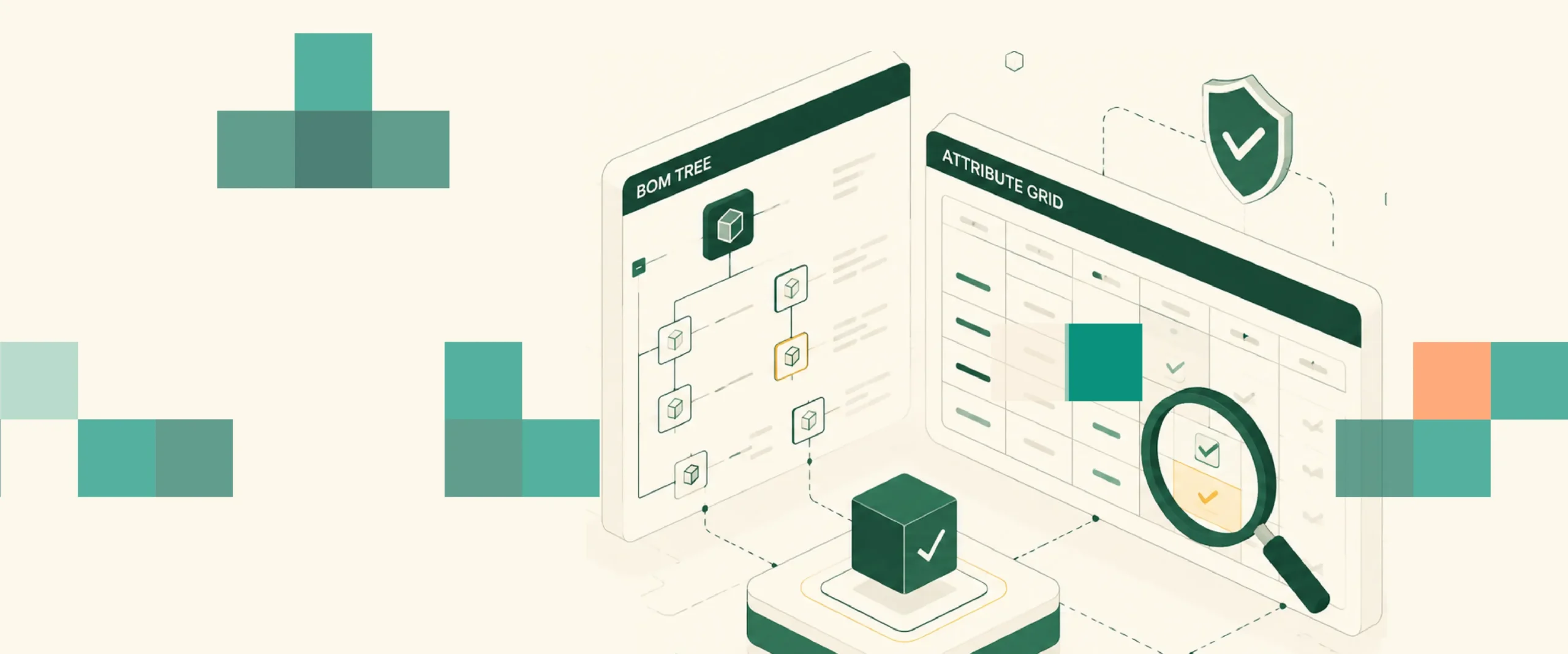
The AI Assist OCR add-on captures screen regions and applies OCR to read text from painted surfaces. For a canvas-rendered attribute grid in Windchill PDM Link, the process is: identify the grid panel by its visible label and position, read the attribute field by its visible label within the grid, interact with the field by referencing it by the text it displays.
This approach survives layout changes that break coordinate-based canvas workarounds. When Windchill shifts the attribute grid position after a PTC version upgrade, OCR identifies the field by reading its visible label (“Material Grade,” “Surface Finish,” “Tolerance Class”) rather than by pixel position. The field moved, but the label did not.
The Desktop add-on provides the Java thick-client foundation. Java Swing, AWT, and SWT controls in Windchill PDM Link, navigation panels, BOM tree controls, standard dialog boxes, are handled through the Desktop add-on with proximity-based identification. The OCR add-on extends coverage specifically to the canvas-rendered regions that sit within Java panels.
Both layers run in the same Sahi Pro test script as Windchill’s browser portal automation. A complete Windchill BOM validation test, navigate in the browser portal, open the BOM in PDM Link, validate BOM structure through the Java thick-client, read classification attributes from the canvas attribute grid, verify SAP ERP routing alignment, runs end-to-end in one script.
Where Ranorex Is Still the Right Tool
This comparison should not lead to the conclusion that Ranorex is always the wrong choice for PLM environments.
WinForms and WPF desktop PLM tools: For organizations running PLM tools built on WinForms or WPF, older Oracle Agile PLM desktop clients, legacy Aras custom desktop applications, some Arena PLM desktop integrations, Ranorex’s Windows UI Automation coverage is strong. These applications expose full accessibility trees that RanoreXPath handles well.
Windchill browser portal only: For Windchill automation scopes limited to portal-level workflows, document management, approval routing, search and retrieval, where BOM attribute validation in the Java thick-client is not required, Ranorex covers the browser layer reliably at lower cost.
Mixed desktop application environments: For teams automating a broader Windows desktop environment alongside Windchill, ERP desktop clients, custom Windows tools, legacy engineering applications, Ranorex’s broad Windows technology coverage is an advantage. A single Ranorex licence covers the full Windows desktop stack.
The decision point is simple: does your Windchill test scope include canvas-rendered attribute grid validation in the Java PDM Link client? If yes, Ranorex has a documented limitation on that specific requirement. If no, Ranorex is worth evaluating on cost and general desktop coverage.
Side-by-Side on the Factors That Matter for Windchill
| Factor | Ranorex | Sahi Pro |
| Windchill browser portal | Supported | Supported |
| Windchill Java PDM Link (standard controls) | Java AWT/Swing where accessibility available | Desktop add-on, native Java SWT/Swing/AWT |
| Canvas-rendered attribute grids | Documented AWT accessibility limitation | AI Assist OCR reads canvas regions |
| Cross-layer (web plus Java plus API) | Requires configuration | One script, no bridge code |
| SAP GUI integration | Ranorex supports SAP GUI testing | SAP Scripting API native |
| PTC upgrade stability | RanoreXPath, some resilience | Proximity-based, label-dependent |
| On-premise deployment | Supported | Standard configuration |
| Licensing cost | Lower than Tosca/UFT One | Confirm with Sahi Pro team |
Sources
- Ranorex: Windows Desktop Test Automation documentation, ranorex.com/windows-desktop-test-automation/
- Ranorex: Java Test Automation documentation, ranorex.com/java-test-automation/
- Ranorex Community Forum: SWT Canvas thread, ranorex.info/swt-canvas-t3751.html
- Ranorex stable release 12.5.0, November 2025, Wikipedia / ranorex.com
- Sahi Pro: PLM Test Automation vs Standard Web Testing: Key Differences, sahipro.com/plm-test-automation-vs-standard-web-testing-key-differences-sahi-pro/
- Sahi Pro: AI Testing Tools for PLM: Sahi Pro OCR Automation for Canvas UIs, sahipro.com/ai-testing-tools-plm-sahi-pro-ocr-automation/