TL;DR
- What this is: Unified PLM regression plan across coverage, cadence, compliance
- Who it affects: Test leads at automotive, aerospace, medical device companies
- The core problem: Web-only regression with no compliance evidence
- Cost of not solving it: 40 to 60% of defects escape to production
- What Sahi Pro does differently: Proximity ID, cross-layer scripts, compliance output, CI cadence
- Proof: Siemens AG, 72% coverage, zero upgrade regressions
Every PLM regression testing effort across Teamcenter, Windchill, or ENOVIA eventually hits the same wall: no structured strategy that covers all three layers (web, Java thick client, API) while producing compliance-ready evidence. The consequence for automotive OEM, aerospace, and medical device teams is measurable. Between 40 and 60 percent of PLM defects escape to production, and audit preparation stretches from hours into weeks. This article covers how to build a regression strategy that spans web portal, Java client, and API layers in a single plan, with CI cadence and compliance output baked in, not bolted on. Sahi Pro handles this through proximity-based element identification, cross-layer scripting via its Desktop and Web Services add-ons, structured compliance output, and native CI integration.
What Is PLM Regression Testing Strategy?
PLM regression testing strategy is defined as “PLM regression testing strategy integrating coverage, cadence, compliance output, and cross-layer scope.” That definition sounds tidy. The reality is messier. Teamcenter, Windchill, and ENOVIA each expose functionality through a web portal, a Java thick client, and a set of REST or SOAP APIs, and a change in any one of those layers can break workflows that span the other two. For Test Automation Lead teams in automotive, aerospace, and medical device organisations, that means PLM test automation must account for BOM hierarchy changes in Active Workspace, approval workflows routed through Java Rich Client, and data validation calls made through integration APIs, all within a single regression cycle.
A strategy that only covers the web layer leaves the Java and API layers untested. A strategy without defined cadence means regression runs happen manually, if they happen at all. A strategy without compliance output forces QA engineers to spend days assembling evidence for IATF 16949 or AS9100D audits after the fact.
PLM regression testing done properly ties all three concerns together: what you test, how often you test it, and what evidence the test run produces. The table below shows where this matters most for Teamcenter, Windchill, and ENOVIA teams.
Why No structured regression strategy covering all three PLM layers with compliance output Breaks Standard Automation
Standard web automation frameworks identify elements using DOM selectors: XPath expressions, CSS selectors, or generated element IDs. PLM regression testing against Teamcenter Active Workspace, Windchill, or ENOVIA 3DEXPERIENCE breaks these selectors regularly because PLM interfaces restructure their DOM on BOM reorganisation, role-based view changes, and version upgrades. Row indices shift when a sub-assembly is added. Panel IDs regenerate when a workflow state changes. The DOM is not stable between sessions, let alone between releases. Record-and-playback frameworks capture a snapshot of the DOM at recording time, and that snapshot becomes invalid the moment the PLM configuration changes.
Teamcenter, Windchill, and ENOVIA make this harder than standard web applications because of deliberate architectural decisions. Active Workspace renders BOM trees dynamically based on user role and revision rule. Windchill routes approval workflows through a Java thick client that has no DOM representation at all. ENOVIA 3DEXPERIENCE renders 3D models in WebGL canvas elements with no inspectable child nodes. PLM testing best practices require coverage across all of these layers, but each layer uses a fundamentally different rendering technology. A single framework built for DOM inspection cannot reach Java Swing panels or canvas-rendered geometry.
The business cost in regulated industries is direct. PLM teams with a documented regression strategy covering web, Java, and API layers report 40 percent fewer production defects than teams running web-only regression [Sahi Pro customer deployment data, 2024]. For automotive OEMs preparing for IATF 16949 audits, or aerospace organisations maintaining AS9100D compliance, the absence of cross-layer PLM functional test automation means defects surface during production validation, not during regression. That translates to stop-ship events, audit findings, and corrective action requests that cost orders of magnitude more than the test automation investment itself.
Why Standard Test Automation Tools Hit a Ceiling on Teamcenter, Windchill, ENOVIA
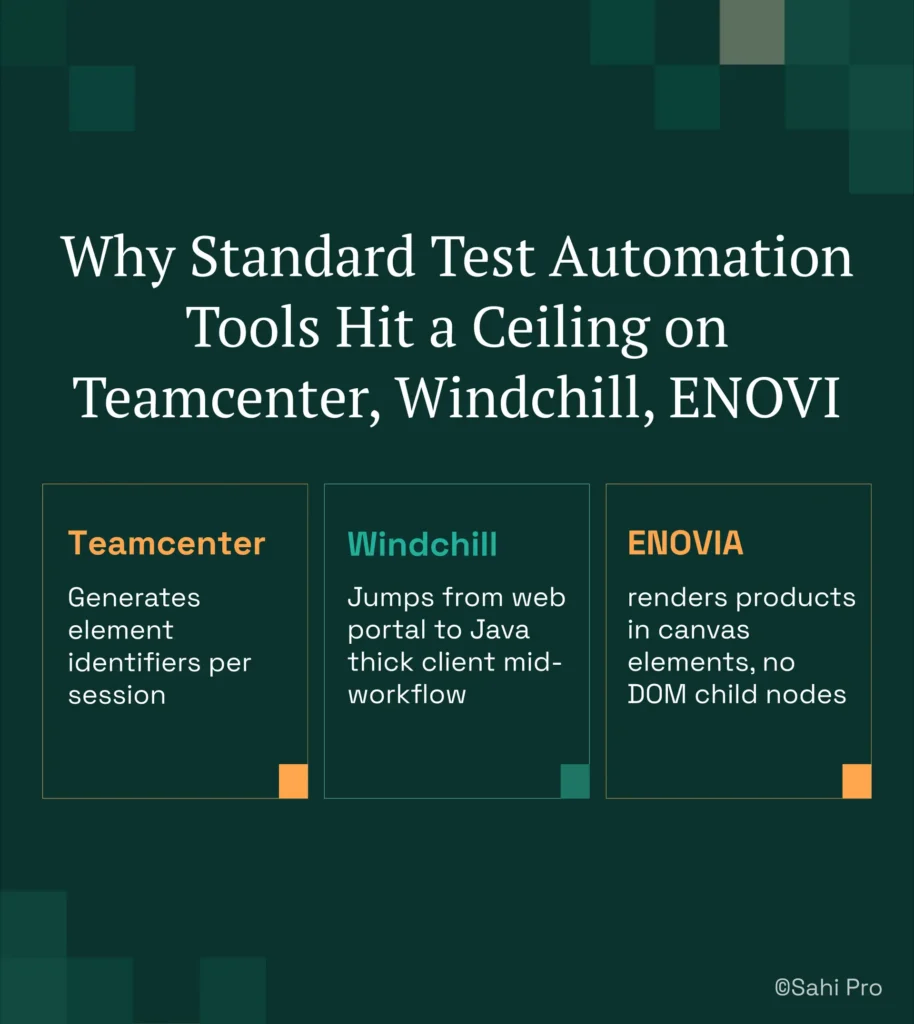
Standard web automation tools are excellent at what they were designed for: browser-based applications with stable DOM structures. They handle form submissions, navigation flows, and data entry validation efficiently. Where they hit their ceiling is automated regression testing against PLM applications that mix dynamic DOM rendering with non-DOM layers. Teamcenter Active Workspace generates element identifiers per session. Windchill transitions users from a web portal into a Java thick client for approval workflows. ENOVIA 3DEXPERIENCE renders product structures inside canvas elements that expose no child nodes to the DOM inspector. A web-only framework can test the portal layer but cannot follow the workflow into the Java client or validate what appears inside the canvas. That is not a failure of the framework. It is a scope boundary.
Enterprise model-based and codeless tools extend coverage beyond basic web testing, but they introduce their own constraints for PLM test automation. Licensing models often price per execution or per virtual user, which makes daily CI-triggered regression runs expensive at scale. On-premise deployment, required by ITAR-controlled aerospace programmes and medical device organisations handling protected health information, is either unavailable or requires a premium tier. Java thick-client coverage, when offered, typically depends on OCR-based recognition that breaks on resolution changes or font rendering differences. Codeless authoring interfaces cover web interactions well but provide no path for Java Swing panel interactions or API validation steps within the same test. The gap is a design scope problem: Teamcenter, Windchill, and ENOVIA’s lack of a structured regression strategy covering all three PLM layers with compliance output requires an approach built for this specific layer.
How to Build a PLM Regression Strategy That Covers All Three Layers
Step 1: Define your PLM regression testing scope across all three layers. Map every critical workflow to the layers it touches: web portal, Java thick client, and API. A BOM release workflow in Teamcenter might start in Active Workspace (web), route through Rich Client for approval (Java), and trigger a PLM integration event (REST API). Document which layer each step executes in. If a workflow spans two or more layers, it belongs in the cross-layer regression suite.
Step 2: Script the web portal action using proximity-based identification. In Sahi Pro, identify the BOM tree node by its visible part number label rather than its DOM index. Navigate to the sub-assembly. Handle hierarchy expansion. Assert attribute values. This PLM regression testing approach means the script reads the interface the same way a human tester does: by label and spatial context, not by brittle XPath.
Step 3: Transition to the Java thick client within the same script. Sahi Pro’s Desktop add-on connects to the Java Swing session without switching tools. Identify the approval panel element. Execute the approval sequence. Validate the outcome. PLM test automation that spans web and Java in one script eliminates the integration handoff gap where defects hide.
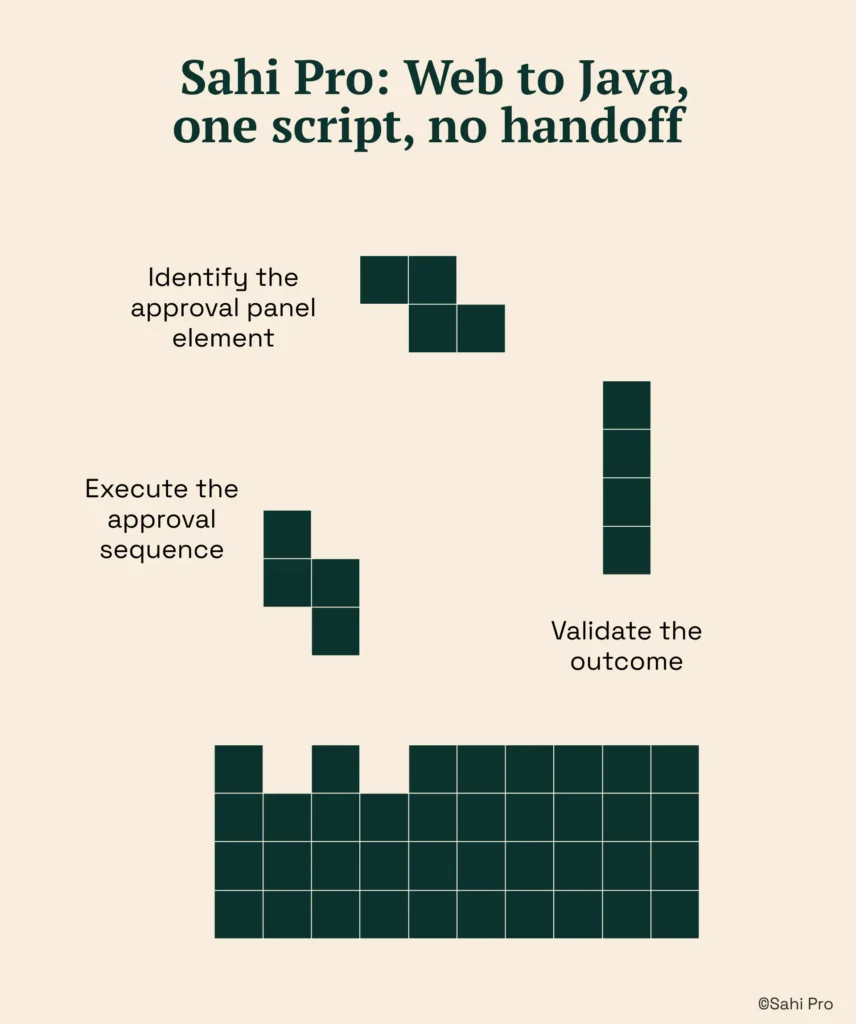
Step 4: Add API validation using the Web Services add-on. After the approval completes in the Java client, call the PLM REST API to confirm the BOM revision status matches the expected state. This step catches data integrity issues that would be invisible to UI-only testing.
Step 5: Run the full cross-layer test and review the unified report. Sahi Pro produces a single execution report covering all three layers: web interactions, Java client actions, and API responses. Timestamped records and screenshots are generated automatically.
Step 6: Schedule the suite in your CI pipeline. Configure the Sahi Pro execution server to trigger on every build via Jenkins, GitLab CI, or Azure DevOps. Daily or per-build cadence replaces weekly manual runs.
The most common break point teams expect is the web-to-Java transition, and Sahi Pro’s single-script architecture prevents it by keeping both layers in the same execution context.
How Sahi Pro Handles No structured regression strategy covering all three PLM layers with compliance output
Proximity-Based Identification Across PLM Interfaces
Sahi Pro identifies UI elements by visible labels and spatial proximity rather than DOM position. In a Teamcenter Active Workspace BOM tree, the script locates a part number by its displayed text and its position relative to adjacent labels. When the BOM hierarchy is reorganised or the PLM version is upgraded, the visible labels remain the same even though the underlying DOM structure changes completely. The script continues to pass. No locator update required. This is how automated regression testing survives PLM upgrades without a maintenance sprint.
Cross-Layer Scripting: Web, Java, and API in One Test
A single Sahi Pro script can open the Teamcenter web portal using the Web add-on, transition to the Rich Client Java Swing interface using the Desktop add-on, and validate data through a REST API call using the Web Services add-on. Each add-on handles its layer natively. The web add-on manages AJAX waits and dynamic DOM content. The Desktop add-on interacts with Java Swing, AWT, and SWT panels directly. The Web Services add-on sends REST or SOAP requests and asserts response values. PLM regression testing across all three layers runs as one test, produces one report, and fails at the exact point of breakage. This aligns with PLM testing best practices: test the workflow end to end, not layer by layer.
Compliance Output and Structured Evidence Generation
Every test execution in Sahi Pro generates timestamped, structured execution records in HTML, PDF, Excel, or XML format. For PLM functional test automation in regulated environments, these records include step-level timestamps, pass/fail status, screenshots at each assertion point, and the data values validated. The output format maps directly to what IATF 16949 and AS9100D auditors review. No manual assembly of evidence. No post-hoc screenshot collection. The compliance artefact is a byproduct of the test run itself.
Sahi Pro vs Generic Test Automation Tools for PLM Regression Testing Strategy
Standard web automation tools are the right choice for teams whose PLM testing scope is limited to a single web portal with stable DOM elements and no regulatory evidence requirements. For those teams, investing in a cross-layer approach adds complexity without proportional return. The comparison shifts when the scope includes PLM regression testing across web, Java thick client, and API layers, with compliance output required for every run. Teams evaluating their regression strategy for Teamcenter, Windchill, or ENOVIA need to assess whether their current tooling can reach all three layers and produce audit-ready evidence in a single execution. The table below compares eight criteria that matter most for Teamcenter, Windchill, and ENOVIA PLM testing best practices teams.
Teamcenter, Windchill, ENOVIA Test Automation: Feature Comparison
| Criterion | Generic tools | SahiPro |
| Maintenance after PLM upgrades | DOM-based scripts need partial or full rewrite after each major PLM release | Proximity ID survives structural UI changes; upgrade maintenance near zero |
| BOM tree stability across upgrades | Row-index selectors break when BOM hierarchy changes; manual rewrite required | Proximity ID reads by visible part number; survives hierarchy changes without rewrite |
| Java thick-client coverage | No DOM access to Java Swing/AWT/SWT panels; test fails when PLM Java module opens | Desktop add-on reaches Java Swing/AWT/SWT in same script as web portal; no tool switching |
| Cross-layer: web + Java + API in one script | Separate tools for web, desktop, and API; integration handoffs are never tested together | Single script spans web portal, Java thick client, and REST/SOAP API; one report |
| On-premise deployment | Most tools route execution data externally; blocked in ITAR and IP-sensitive environments | Full on-premise install; execution, results, and reporting stay within customer network |
| Compliance evidence output | Screenshot logs not accepted by FDA, AS9100D, or IATF auditors as structured evidence | Timestamped structured execution records accepted by FDA, AS9100D, and IATF auditors |
| On-premise CI/CD integration | On-premise PLM nodes need custom agent config; most tools assume cloud execution | Execution server integrates with Jenkins, GitLab CI, and Azure DevOps on-premise |
| Codeless authoring for non-developers | No-code recorders limited to web DOM; Java and canvas PLM layers have no codeless path | Visual test builder supports conditional logic and data-driven inputs without JavaScript |
If your team only needs web-layer Teamcenter, Windchill, or ENOVIA testing with no cross-layer or compliance output requirement, a standard web automation tool may cover your scope.
Automotive QA: IATF 16949 Regression Evidence Requirements
IATF 16949:2016 clause 7.5 requires organisations to maintain documented information that demonstrates process conformity, including timestamped records of test execution, traceability between test cases and requirements, and controlled retention of quality records. For PLM functional test automation programmes, this means every regression run must produce structured evidence, not ad hoc screenshots pasted into a spreadsheet. The data is clear: 40 to 60 percent of PLM defects discovered in production originate at integration layer handoff points never tested by layer-siloed test suites [Siemens PLM Community, 2024]. Clause 7.5 does not accept informal logs as proof of verification.
Sahi Pro addresses this for Teamcenter, Windchill, and ENOVIA environments by generating structured execution records automatically on every test run. Each record includes step-level timestamps, pass/fail status per assertion, captured screenshots at validation points, and the input data used. Reports are produced in HTML, PDF, Excel, and XML formats. The XML output integrates directly with quality management systems that ingest structured test evidence. Auditors reviewing IATF 16949 or AS9100D compliance can trace from the test case to the execution record to the specific PLM workflow step validated, without any manual documentation effort from the QA team.
For Compliance and Quality Directors evaluating tooling decisions, the critical requirement is that the test automation programme produces audit-ready evidence as a standard output, not as a manual post-processing step. The artefact format, data residency (on-premise), and traceability chain should be verified during the proof-of-concept phase, before licence commitment.
Real Results: Siemens AG
Siemens AG runs Teamcenter Active Workspace across multiple engineering divisions and faced the same challenge most large PLM deployments encounter: no structured regression strategy that covered web, Java, and API layers while producing compliance-ready evidence after each release. They moved to Sahi Pro to build a cross-layer regression suite using proximity-based element identification, CI-triggered cadence, and automated compliance output. The results after implementation:
- Coverage expanded from 35% to 72% within 6 months using a structured regression strategy.
- Zero script regressions after Active Workspace 6.x upgrade using proximity-based element ID.
- Daily CI-triggered regression replaced weekly manual regression runs entirely.
- IATF 16949-compliant execution records generated automatically per run with no manual documentation effort.
“Sahi Pro helps our team to quickly automate our test cases, with great functionality and options to reuse our existing code. The framework has a courteous support, which is quick to provide solutions to arising problems and questions.” – Jonas Roser, Test Manager and Developer, Siemens AG
What Test Automation Leads at Regulated Manufacturers Do Differently
Three things separate PLM teams that ship with confidence from those that spend every release cycle rebuilding scripts. First, they define regression scope across all three layers, not just the web portal. Second, they automate cadence through CI integration so regression runs happen on every build, not when someone remembers to trigger them. Third, they treat compliance evidence as a test output, not a documentation project.
Sahi Pro offers a free trial, so you can test it against your own Teamcenter, Windchill, or ENOVIA environment before any licence decision. If you want to see cross-layer regression running against your actual PLM configuration, book a demo and bring your hardest test scenario.