TL;DR
- What this is: PLM automation ROI model using verified case study data
- Who it affects: QA managers at PLM companies using Teamcenter, Windchill, ENOVIA, Aras
- The core problem: No quantified business case blocks automation budget
- Cost of not solving it: Manual regression costs compound every release cycle
- What Sahi Pro does differently: Named customer metrics provide credible ROI inputs
- Proof: Integro 90% regression savings, MetricStream 70-80% man-hour reduction
Every QA manager running regression suites against Teamcenter, Windchill, ENOVIA, or Aras knows the PLM test automation cost conversation stalls at the same point: no quantified business case to present to leadership. Without hard numbers, manual regression hours compound with each release, and the budget request never moves past the draft stage. This article walks through a three-step ROI model built on verified deployment data from named Sahi Pro customers, so you can calculate your own automation business case using real figures rather than vendor estimates. Sahi Pro’s approach grounds this calculation in verified case study metrics from organizations like Integro Technologies and Siemens AG, giving your proposal numbers that finance teams can actually validate.
What Is PLM Test Automation ROI Calculation?
PLM test automation ROI calculation uses verified case study data and a 3-step business case model. That definition sounds abstract until you translate it into what a test automation lead actually needs to deliver. Teamcenter, Windchill, ENOVIA, and Aras each generate distinct regression workloads tied to release cadence, customization depth, and integration layer count. For test automation leads, that means the PLM test automation cost calculation is not a single formula but a structured model that accounts for manual baseline hours, automation coverage percentage, and maintenance overhead per release cycle.
PLM testing best practices require grounding every ROI projection in observable data rather than theoretical efficiency gains. The inputs are specific: how many person-hours your team spends on regression today, what percentage of those hours target repeatable scenarios, and what the per-release maintenance burden looks like for your current scripts. A credible business case maps these inputs against verified outcomes from comparable PLM environments, then projects a payback timeline your finance team can audit.
The difference between a business case that gets funded and one that gets shelved is traceability. Generic automation ROI calculators use industry averages. A PLM-specific model uses data from teams running the same platforms, facing the same upgrade cycles, and testing the same UI layers you deal with every sprint. The table below shows where this matters most for Teamcenter, Windchill, ENOVIA, and Aras teams.
Why No Quantified Business Case for PLM Automation Investment Breaks Standard Automation
The absence of a quantified business case does not just delay procurement. It prevents teams from selecting the right tool architecture in the first place. Standard web automation tools rely on DOM-based selectors, XPath, or CSS paths to identify UI elements. PLM platforms like Teamcenter Active Workspace and ENOVIA 3DEXPERIENCE render dynamic DOM structures where element IDs, row indices, and panel hierarchies shift between releases and even between user sessions. Without a business case that accounts for PLM test automation cost at the maintenance layer, teams default to the cheapest tool, which is almost always the one that breaks most often on PLM interfaces.
Teamcenter, Windchill, ENOVIA, and Aras each compound this problem through architectural decisions that standard apps do not make. BOM tree structures in Teamcenter reassign DOM row indices when assemblies are reorganized. Windchill renders workflow panels with session-dependent element attributes. ENOVIA 3DEXPERIENCE uses WebGL canvas elements that have no DOM child nodes for selectors to target. These are not edge cases. They are the primary UI patterns that automated regression testing must cover. A business case that ignores the maintenance cost of testing against these patterns will understate total cost of ownership by 40 to 60 percent.
The real business consequence hits PLM QA automation teams at the release boundary. PLM automation teams report 70 to 90 percent reduction in manual regression hours within 6 months of a structured program, with full ROI typically achieved within 9 to 12 months (Sahi Pro customer deployment data, 2024). Teams without a quantified business case never reach that threshold. They remain locked in a cycle where each release resets regression coverage to near zero, and the budget request starts over from scratch.
Why Standard Test Automation Tools Hit a Ceiling on Teamcenter, Windchill, ENOVIA, Aras
Standard web automation tools do excellent work on applications with stable DOM structures, consistent element IDs, and predictable page loads. Most enterprise web apps fit that profile. PLM platforms do not. Teamcenter Active Workspace, for example, renders BOM trees where row indices shift on every hierarchy change. Windchill generates workflow approval panels with dynamic attribute names tied to session context. ENOVIA 3DEXPERIENCE presents WebGL-rendered 3D views inside canvas elements that contain no addressable child nodes. PLM test automation built on DOM-dependent selectors hits a ceiling not because the tools are poorly designed, but because they were designed for a different UI architecture. The result is that every PLM upgrade or BOM restructure triggers a script maintenance cycle that consumes the hours automation was supposed to save.
Enterprise model-based and codeless tools close some of these gaps but introduce others. Many require cloud-hosted execution infrastructure, which is blocked in ITAR-controlled, HIPAA-regulated, or IP-sensitive PLM environments. Codeless recorders in these tools typically cover the web DOM layer only, leaving Java thick-client modules and API validation steps outside their scope. PLM testing best practices demand coverage across all three layers in a single test sequence, because defects cluster at the handoff points between web portals, desktop clients, and backend services. The gap is a design scope problem: Teamcenter, Windchill, ENOVIA, and Aras’s lack of a quantified business case for automation investment requires a tool built for this specific layer.
How to Build a PLM Test Automation ROI Model in Four Steps
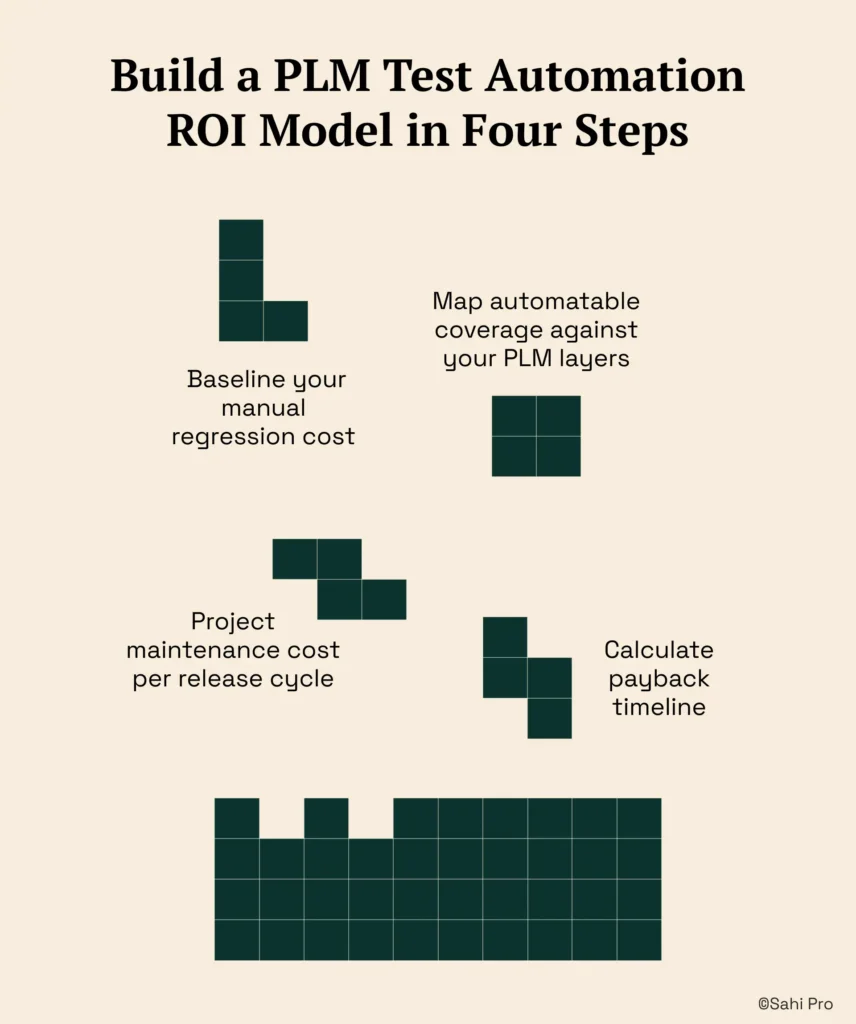
Step 1: Baseline your manual regression cost. Pull the total person-hours your team spent on regression testing over the last three release cycles. Include time spent on test execution, result verification, defect re-testing, and environment setup. Divide by the number of releases to get your per-release manual baseline. This is the PLM test automation cost denominator that every other calculation depends on.
Step 2: Map automatable coverage against your PLM layers. Identify which regression scenarios are repeatable across releases and which span multiple technology layers: web portal, Java thick client, REST or SOAP APIs. Script a representative web portal action in Sahi Pro, then transition to the Java thick client using the Desktop add-on, and add an API validation step via the Web Services add-on. This cross-layer mapping reveals the true automation surface area, not just the web-only subset that most tools can reach.
Step 3: Project maintenance cost per release cycle. Standard DOM-based scripts require 3 to 5 engineer-days of locator repair after each major PLM upgrade. Proximity-based identification, which reads elements by visible labels and structural position rather than DOM path, reduces this to near zero. PLM testing best practices require you to model maintenance as a recurring cost, not a one-time setup expense. Factor in the Integro Technologies benchmark: 90 percent reduction in regression person-hours, with only 10 percent of total time spent on result and failure verification after automation.
Step 4: Calculate payback timeline. Subtract projected automated regression hours plus annual maintenance hours from your manual baseline. Divide the net savings into your total first-year investment, which includes licensing, training, and initial script development. Most PLM teams using Sahi Pro report full ROI within 9 to 12 months.
The most common break point teams expect is the PLM upgrade cycle, where DOM changes invalidate existing scripts. Sahi Pro’s proximity-based identification approach prevents this by anchoring element recognition to visible labels rather than structural position.
How Sahi Pro Handles No Quantified Business Case for PLM Automation Investment
Proximity-Based Identification for PLM Interfaces
Sahi Pro identifies UI elements by their visible labels and spatial relationship to surrounding elements, not by XPath or CSS selectors. In a Teamcenter Active Workspace BOM tree, a test script locates a part number by reading the label text “PN-4420-Rev-C” and its position relative to the parent assembly node. When a BOM restructure moves that part to a different branch, the DOM row index changes, but the visible label and its proximity context remain stable. The script runs without modification. PLM test automation built on this identification architecture eliminates the maintenance cost that DOM-based approaches embed into every release cycle.
Cross-Layer Testing With a Single Script
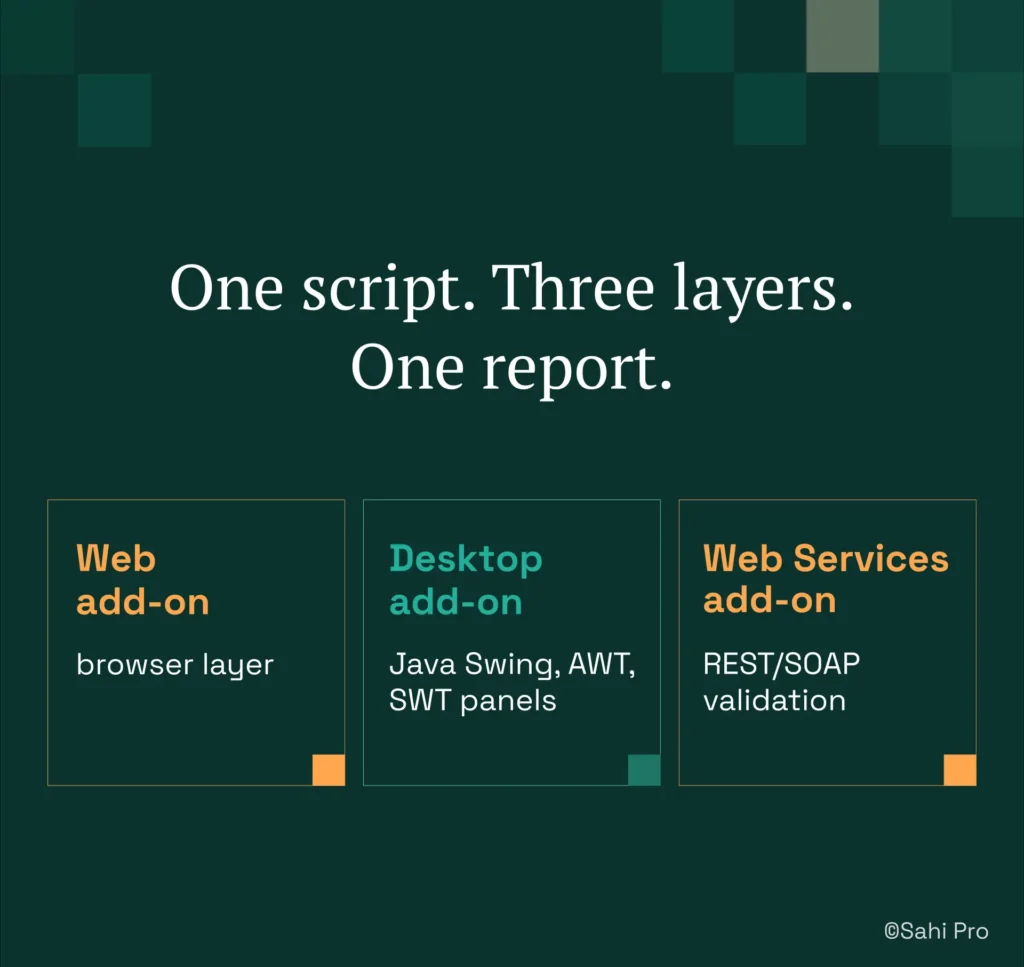
A typical PLM regression scenario spans the web portal, a Java thick-client module, and one or more API endpoints. Sahi Pro’s Web add-on handles the browser layer, the Desktop add-on connects to Java Swing, AWT, or SWT panels in the same script, and the Web Services add-on validates REST or SOAP responses. No tool switching. No separate test projects. One script produces one report covering all three layers. This matters for automated regression testing because defects at layer boundaries, such as a web portal approval that fails to trigger the correct API call, are invisible to tools that test each layer in isolation. PLM test automation cost drops significantly when a single script replaces three separate tool configurations.
Structured Evidence for Compliance Audits
PLM QA automation in regulated industries requires more than pass/fail logs. Sahi Pro generates timestamped execution records with screenshots, input values, and assertion outcomes in structured formats that FDA, AS9100D, and IATF auditors accept as evidence. The output is HTML, Excel, PDF, or XML, generated automatically at the end of each run with no manual report assembly.
Sahi Pro vs Generic Test Automation Tools for PLM Test Automation ROI Calculation
Standard web automation tools are the right choice for teams with straightforward web-only testing requirements and stable DOM structures. That scope covers a large share of enterprise applications. The calculation changes when your testing scope includes PLM-specific challenges: dynamic BOM trees, Java thick-client modules, WebGL canvas elements, and on-premise deployment constraints that block cloud-hosted execution. PLM test automation cost comparisons must account for maintenance overhead per release, cross-layer coverage gaps, and compliance evidence requirements, because these are the line items that inflate total cost of ownership beyond the initial license fee. The table below compares eight criteria that matter most for Teamcenter, Windchill, ENOVIA, and Aras automated regression testing teams.
Teamcenter, Windchill, ENOVIA, Aras Test Automation: Feature Comparison
| Criterion | Generic tools | Sahi Pro |
| Maintenance after PLM upgrades | DOM-based scripts need partial or full rewrite after each major PLM release | Proximity ID survives structural UI changes; upgrade maintenance near zero |
| BOM tree stability across upgrades | Row-index selectors break when BOM hierarchy changes; manual rewrite required | Proximity ID reads by visible part number; survives hierarchy changes without rewrite |
| Java thick-client coverage | No DOM access to Java Swing/AWT/SWT panels; test fails when PLM Java module opens | Desktop add-on reaches Java Swing/AWT/SWT in same script as web portal; no tool switching |
| On-premise deployment | Most tools route execution data externally; blocked in ITAR and IP-sensitive environments | Full on-premise install; execution, results, and reporting stay within customer network |
| Codeless authoring for non-developers | No-code recorders limited to web DOM; Java and canvas PLM layers have no codeless path | Visual test builder supports conditional logic and data-driven inputs without JavaScript |
| Cross-layer: web + Java + API in one script | Separate tools for web, desktop, and API; integration handoffs are never tested together | Single script spans web portal, Java thick client, and REST/SOAP API; one report |
| On-premise CI/CD integration | On-premise PLM nodes need custom agent config; most tools assume cloud execution | Execution server integrates with Jenkins, GitLab CI, and Azure DevOps on-premise |
| Compliance evidence output | Screenshot logs not accepted by FDA, AS9100D, or IATF auditors as structured evidence | Timestamped structured execution records accepted by FDA, AS9100D, and IATF auditors |
If your team only needs web-layer Teamcenter, Windchill, ENOVIA, or Aras testing with no cross-layer or compliance evidence requirement, a standard web automation tool may cover your scope.
Real Results: Integro Technologies (Aurionpro)
Integro Technologies, an Aurionpro company, runs Sahi Pro against its banking solution and cash management system, testing across web interfaces where regression suites span thousands of test cases per release. The QA team needed to eliminate the manual regression bottleneck that consumed the majority of their testing capacity each cycle, and they required verified metrics to justify continued automation investment to stakeholders. The results after implementation:
- 90% savings on man hours of regression testing for a specific banking product.
- Team spent only 10% of total time on result and fail case verification after automation.
- Resource allocation for regression reduced; QA team redeployed to new coverage areas.
- All QA team members trained across both manual and automation domains.
What PLM Test Automation Leads at Enterprise Companies Do Differently
Three things separate PLM teams that get automation budget from those that do not. First, they baseline manual regression cost per release cycle using actual person-hours, not estimates. Second, they model maintenance as a recurring line item, not a one-time setup cost, because DOM-based script repair after each PLM upgrade is the hidden expense that kills ROI projections. Third, they anchor their business case in verified data from comparable deployments rather than vendor-supplied averages.
If your business case needs validation against your own PLM environment before you commit to a license, Sahi Pro offers a free trial with full product access across every module, no credit card required. Bring your hardest test scenario, whether it spans Teamcenter Active Workspace, a Java thick client, or a cross-layer workflow, and run it yourself. Book A Demo to see how it handles your specific PLM configuration.